Franc — Private Money Tracker
iOS Universel / Finance
Your finances. On your phone. Nowhere else.
Franc is a personal finance app that keeps every account, transaction, and budget completely on your device. No account to create, no server to trust, no subscription to cancel. Privacy here isn't a policy page — it's built into how every feature works.
Privacy you can see in the features:
- Voice entry runs entirely on your phone. Tap the mic, say what you spent, and the speech is recognised on-device — it never leaves your phone, never touches a server.
- Due-date reminders are scheduled locally on your phone. No push service, no account, no cloud.
- Import and export are plain files you control — a CSV or JSON document you generate, own, and send wherever you choose.
What Franc does:
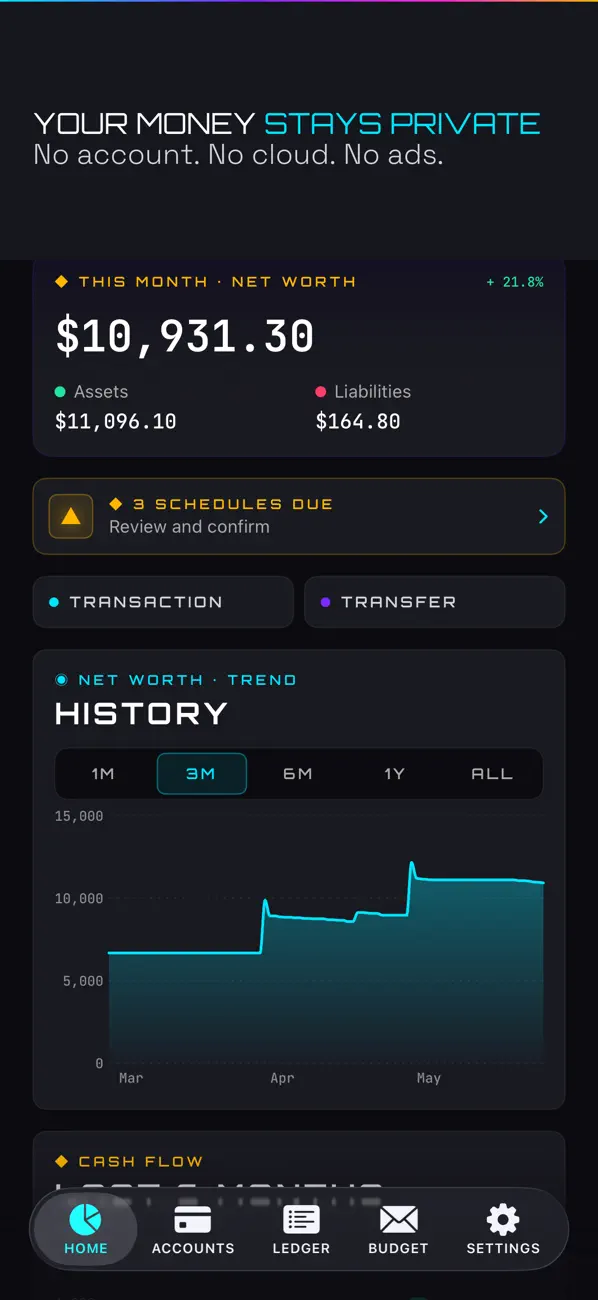
- Track checking, savings, cash, credit card, loan, and investment accounts — all in one place
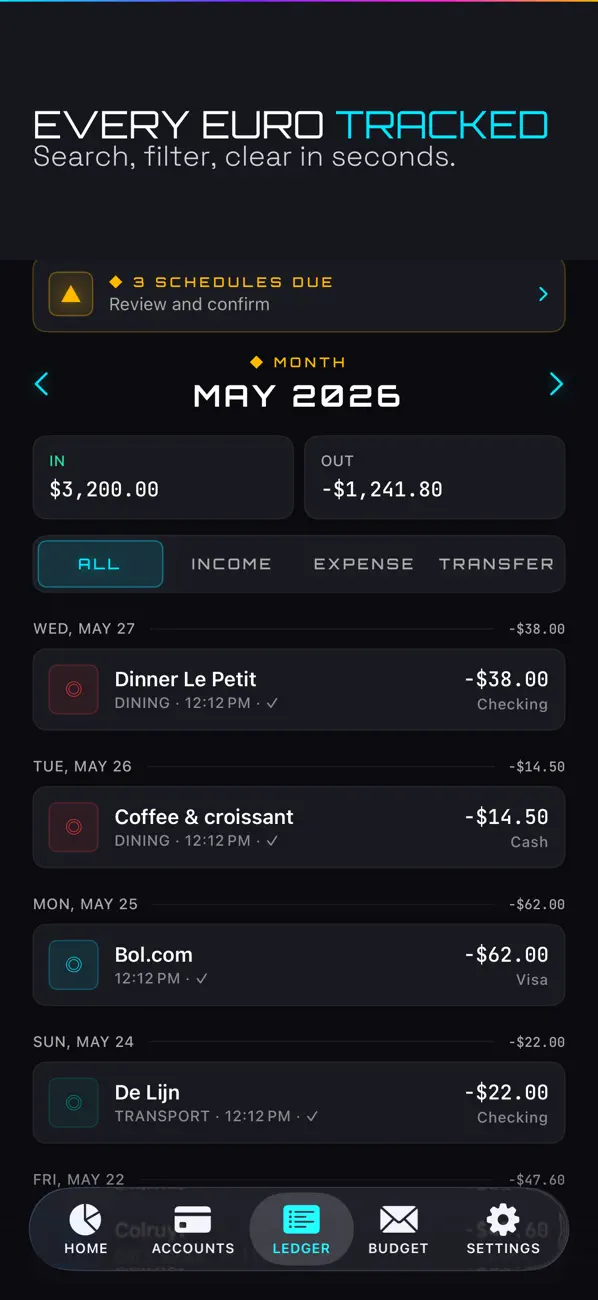
- Log income and expenses with categories, payee, date, notes, and free-form tags
- Add an expense or income by voice — on-device, reviewed before it's saved
- Import your history from another app via CSV, and export your ledger to CSV or JSON
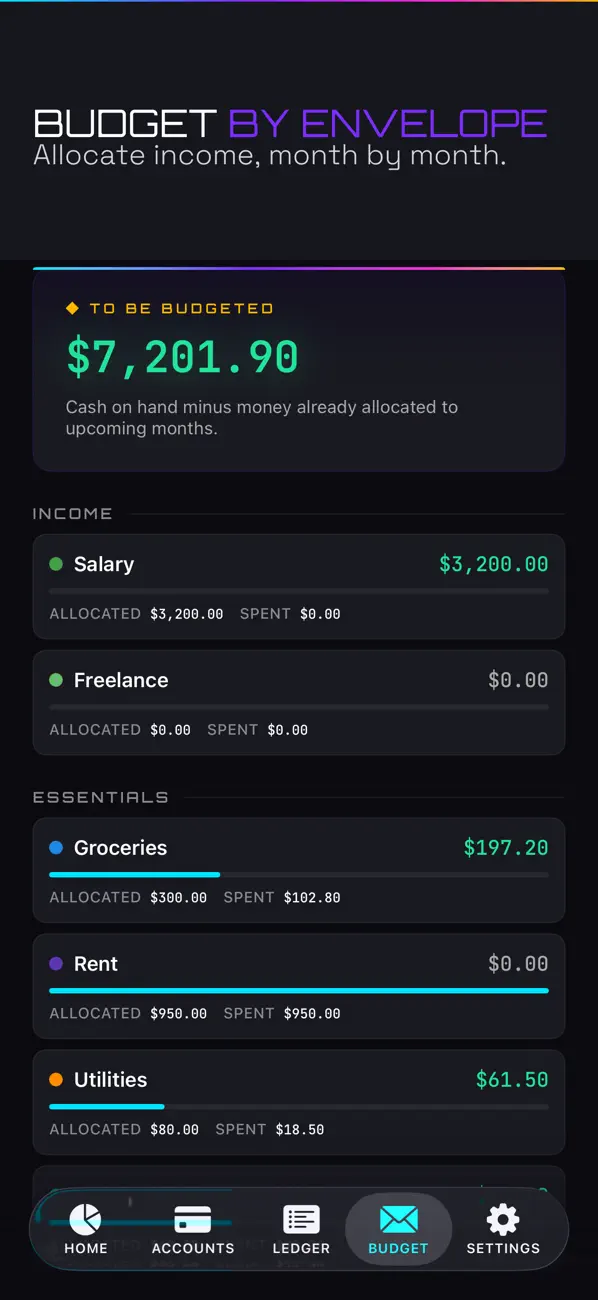
- Budget by envelope: allocate the money you actually have to each category, month by month
- Schedule recurring transactions (rent, salary, subscriptions) and get a local reminder when they're due
- See every subscription in one Subscriptions view, with your total monthly and yearly cost rolled up
- Filter the ledger by tag and see how much you've spent per tag
- Log entries hands-free with Siri and the Shortcuts app, or long-press the icon for Quick Actions
- Add Quick-Add and Net-Worth widgets to your Home Screen
- See your net worth, asset/liability split, and cash flow trends on a dashboard with charts
- Undo and redo any action in one tap
What Franc does NOT do:
- No accounts, no sign-up, no login
- No cloud sync, no server, no backend of any kind
- No ads, no analytics, no tracking of any kind
- No subscription — pay once, own it forever
- No connection to your bank or any external service
Made for: people who want to know where their money goes but aren't willing to hand their financial data to a third-party server to find out. If you've looked at budgeting apps and walked away because of the monthly fee or the "we take your security seriously" privacy policy, Franc is for you. Switching from another tracker? Import your CSV and pick up where you left off.
Privacy:
Franc collects no data. Nothing leaves your device unless you explicitly export it. Voice recognition is forced on-device. The app uses local on-device storage (SwiftData) with no network access. Your export file is a plain CSV or JSON document you generate, own, and send wherever you choose. There is no telemetry, no crash reporter phoning home, no analytics SDK.
Try it. If it's not for you, you're out one cup of coffee. If it is, you'll stop paying for a finance app subscription every month.
Support: support@gfc-studio.be
Privacy policy: https://gfc-studio.be/privacy/franc/
Quoi de neuf dans la dernière version ?
Franc 1.2 is our biggest update yet — faster ways to log, an easy way to switch from another app, and a clearer view of what you spend. Everything still runs entirely on your device.
• Voice entry: tap the mic and just say it ("twelve fifty groceries"). Your speech is recognised entirely on your phone and never leaves it. Review the result before it's saved.
• Import from CSV: moving over from another tracker? Bring your history in from a CSV file — map the columns once, preview, and commit. EU decimal commas and common date formats are handled for you.
• Export to CSV: export your ledger as a spreadsheet-friendly CSV (alongside the existing JSON backup).
• Subscriptions view: flag any recurring expense as a subscription and see them all in one place, with your total monthly and yearly cost rolled up.
• Due-date reminders: opt in to a local notification when a scheduled transaction is due (no push servers — reminders are scheduled on your phone).
• Siri & Shortcuts: log an expense or income by voice through Siri or the Shortcuts app, and long-press the app icon for quick actions.
• Home Screen widgets: a Quick-Add widget to jump straight into a new entry, and a Net-Worth widget to see assets, liabilities and net worth at a glance.
• Tags: add free-form tags to any transaction, filter the ledger by tag, and see the total you've spent per tag.
Still no account, no cloud, no ads, no tracking, no subscription. Pay once, own it.