BillCast
iOS Universel / Finance
You are paying more than you think.
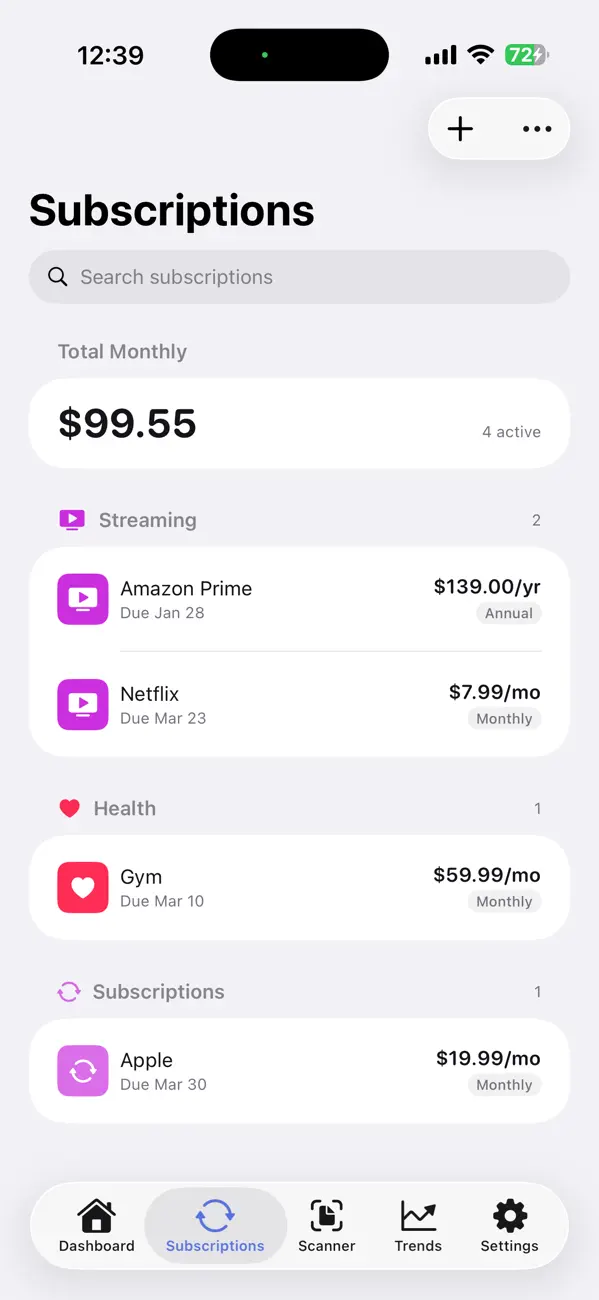
The average household now carries 12 active subscriptions. Streaming services creep up in price. Insurance premiums quietly rise. Free trials convert to paid plans you forgot about. A $5 charge here, a $15 charge there -- and suddenly you are spending hundreds more per month than you realize.
BillCast was built to fix that.
ONE PLACE FOR EVERY RECURRING BILL
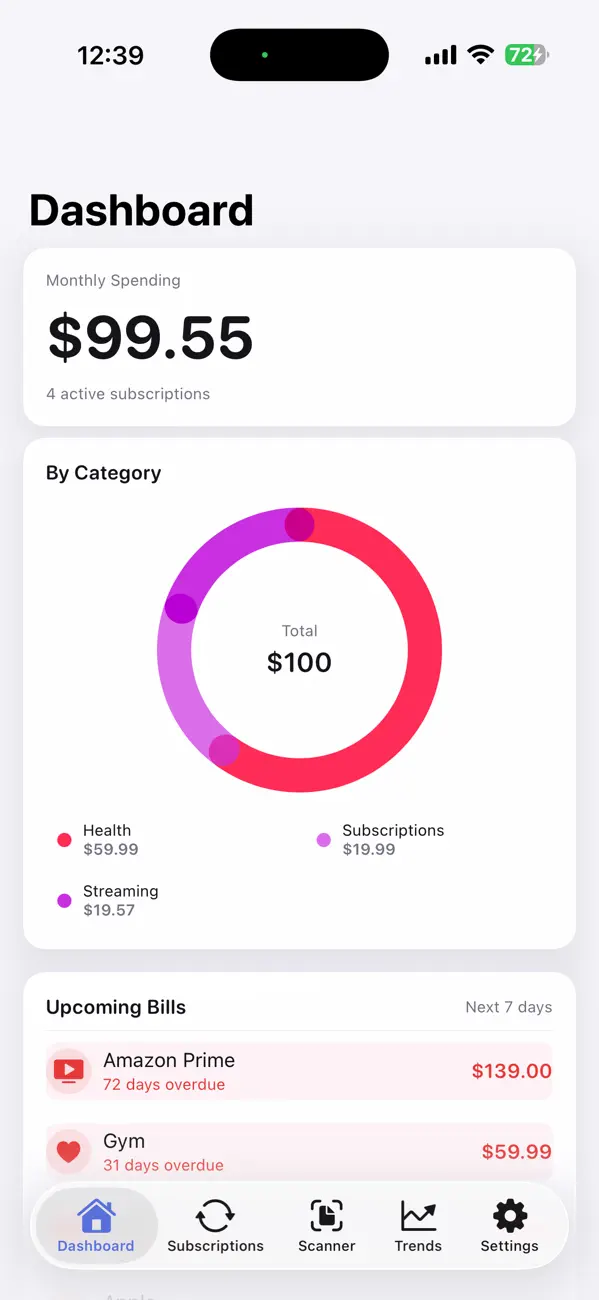
Netflix. Electric. Car insurance. iCloud. Gym. Phone. BillCast brings all of your subscriptions and recurring payments together in a single dashboard -- regardless of which credit card or bank account pays for them. Add subscriptions in seconds, and BillCast categorizes them automatically with interactive charts you can explore by tapping any category.
AI INSIGHTS THAT ACTUALLY MEAN SOMETHING
BillCast generates a plain-English summary of your financial health -- not a wall of numbers, but a few clear sentences telling you what is happening and what to do next. On-device machine learning categorizes your spending and surfaces patterns you would never notice by looking at a bank statement.
KNOW WHAT IS COMING BEFORE IT HITS
BillCast does not just track what you have already paid -- it looks ahead. The built-in forecasting engine uses your payment history to project what the next week, month, or quarter will cost you. Annual renewals, quarterly premiums, seasonal spikes -- all modeled before the charges arrive.
DEEP SPENDING ANALYSIS, ZERO EFFORT
Interactive category breakdowns show exactly where your money goes. Trend charts reveal whether your spending is creeping up month over month. The insights engine flags silent price increases the moment a charge goes up -- even by a dollar. It also catches subscriptions you have not used in months and duplicate services that overlap, like paying for both YouTube Premium and Spotify.
Users who act on these insights save an average of $20 per month.
SCAN ANY RECEIPT IN SECONDS
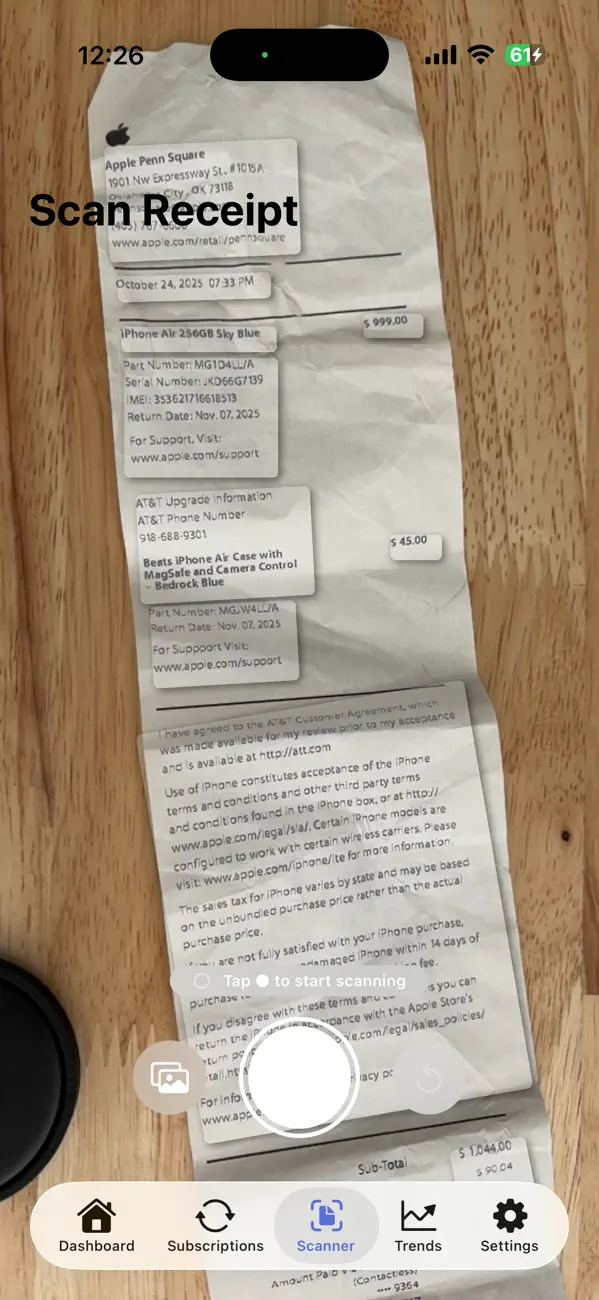
On iPhone and iPad, point your camera at a bill or receipt and BillCast reads it instantly using on-device text recognition. On Mac, drag and drop an image or PDF. The merchant name, amount, and date are extracted automatically -- no typing required.
SEAMLESS SYNC ACROSS EVERY APPLE DEVICE
Add a subscription on your iPhone during lunch. Review your spending dashboard on your Mac that evening. Check upcoming bills on your iPad over the weekend. BillCast uses iCloud to keep everything perfectly in sync -- no accounts to create, no passwords to remember, no setup at all.
PRIVACY IS NOT A FEATURE -- IT IS THE FOUNDATION
BillCast never sees your financial data. All AI analysis, receipt parsing, and spending forecasts run entirely on your device. Everything is stored in your personal iCloud account. There are no external servers, no analytics SDKs, no third-party trackers. Most finance apps send your data to the cloud to power their AI. BillCast does not. Your financial life is yours alone.
DESIGNED FOR THE APPLE ECOSYSTEM
BillCast is a native app crafted with SwiftUI and Apple's latest Liquid Glass design language. It supports Dynamic Type, adapts beautifully to Dark Mode, and takes full advantage of keyboard shortcuts and trackpad gestures on Mac. It is not a web wrapper or a cross-platform port -- it is built for Apple, by someone who cares about the details.
GET STARTED FREE -- UPGRADE WHEN YOU ARE READY
Track up to 5 subscriptions completely free, forever. BillCast Premium unlocks unlimited subscriptions, advanced spending trends, price-increase detection, receipt scanning, and priority support.
Premium: $4.99/month or $39.99/year.
Join thousands of people who finally know exactly where their money goes. Download BillCast today.
Privacy Policy: https://manoharnikkam.github.io/billcast-site/privacy.html
Terms of Use: https://www.apple.com/legal/internet-services/itunes/dev/stdeula/
Quoi de neuf dans la dernière version ?
Smarter Bill Tracking
BillCast now automatically tracks whether your bills have been paid. After a due date passes, the
app enters a short confirmation window — subscriptions show "Awaiting confirmation" while it looks
for payment email, then advances to the next cycle automatically. Only bills that go unconfirmed
past the grace period are flagged as overdue.
Mark as Paid & Snooze
Manually mark any subscription as paid with a swipe, or snooze a reminder for 1, 3, or 7 days if
you've already handled it.
Improved Email Detection
Better detection of PayPal payments, order confirmation emails, and Outlook/Microsoft accounts.
Fewer missed transactions from email scanning.
More Accurate Receipt Scanning
Fixed an issue where scanned receipts could show the wrong total — for example, displaying the
change amount or a tax subtotal instead of the actual grand total. BillCast now always picks the
correct amount from your receipt.
Bug Fixes
Resolved a crash on first launch after update, fixed iCloud sync issues, and addressed several
stability improvements.
- Settings sync across devices — Your preferences (reminders, theme, blocklist) now automatically
sync between iPhone and Mac via iCloud. Change a setting on one device and it appears on the other
within seconds.
- Fixed settings not saving — Reminders toggle, reminder days ahead, and app theme were not
persisting across app restarts. This is now fixed.
- Improved receipt scanning — Receipt amount extraction is more accurate: it now picks the largest
total on the receipt rather than the first number found, reducing misreads on itemized receipts.
- More reliable receipt parsing — Parsing now consistently routes through the AI model with a
strengthened regex fallback, so receipts that previously failed to parse will now extract correctly.