Envelope Budget App - Tuck
iOS Universel / Finance
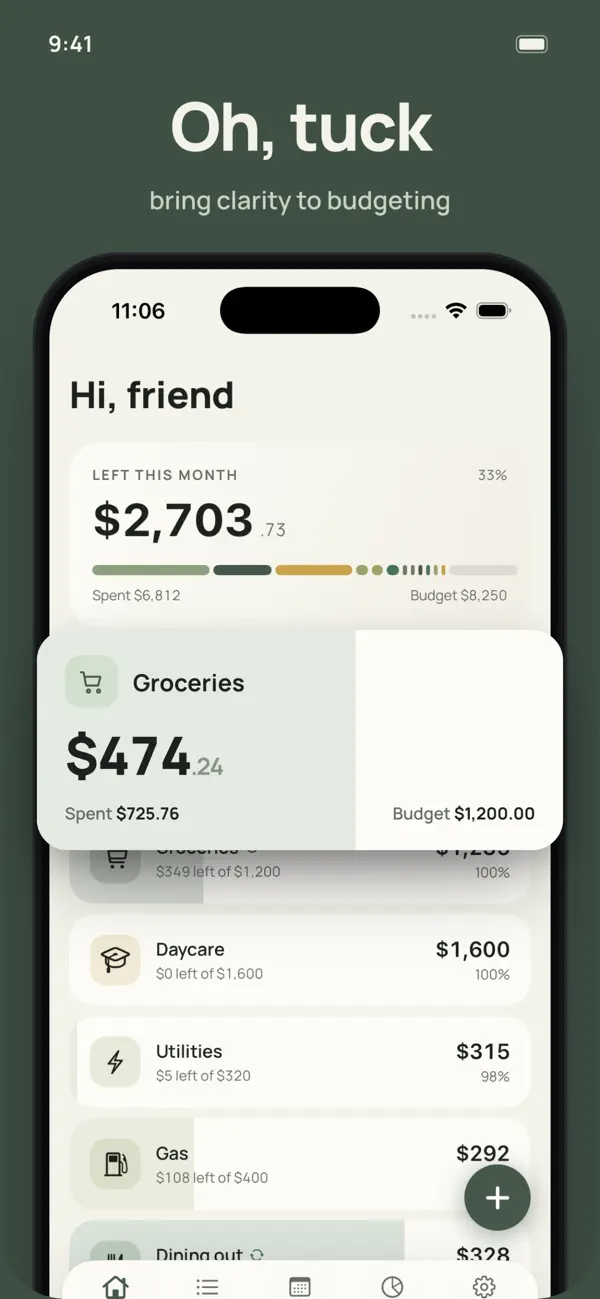
Tuck is for anyone who finds budgeting overwhelming. It is the calm, private way to see where your money actually goes.
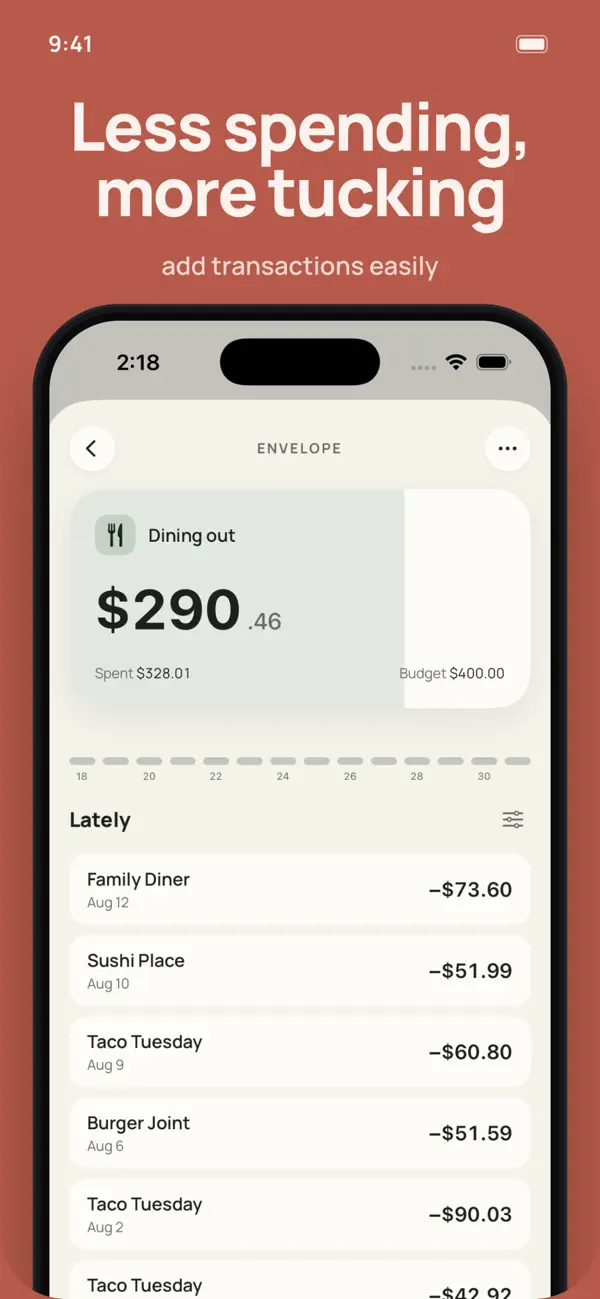
Give every part of your spending its own envelope: Groceries, Rent, Coffee, Savings. Set what each one holds, log transactions as you go, and keep your month on track one envelope at a time. No bank logins, no charts to decode, no noise.
EMBRACE SIMPLICITY
No sign-in and no bank linking. Completely private and local to your device.
Add a transaction in seconds.
Create envelopes, set budgets, allow negative balances, and roll unspent money into next month.
Move budgeted money between envelopes, or cash between accounts, with a tap.
A calm home screen that shows exactly what is left this month.
SEE YOUR MONTH
Calendar, insights, and spend-by-envelope reports.
Home screen and lock screen widgets.
Dark mode, your choice of currency, and a Face ID or Touch ID lock.
Local backups every launch and CSV export. Your data is always yours.
DO MORE WITH TUCK PLUS
Unlimited accounts, envelopes, and transactions.
iCloud sync across your devices, and partner sharing so two people keep one budget.
Recurring bills and paychecks, with gentle reminders.
Beautiful Monthly Journal, Year in Review, and Statement exports as PDFs.
More color palettes to make Tuck yours.
Tuck Plus is available monthly, yearly, or as a one-time lifetime purchase. Everything else stays free.
TUCK PLUS SUBSCRIPTION
Tuck Plus is available as an auto-renewing subscription:
Monthly: $3.99 per month
Yearly: $29.99 per year
A one-time Lifetime purchase ($49.99) is also available and does not renew.
Payment is charged to your Apple Account at confirmation of purchase. The subscription renews automatically unless it is turned off at least 24 hours before the end of the current period, and your account is charged for renewal within 24 hours before the period ends. You can manage or cancel your subscription anytime in your App Store account settings after purchase.
Privacy Policy - https://lifesimulator.io/#privacypolicy
Terms of Use - https://lifesimulator.io/#terms
Quoi de neuf dans la dernière version ?
• Put money into an envelope. Assign a deposit like a reimbursement, a return, or gift cash straight to the envelope you choose.
• Savings envelopes. Give an envelope a $0 budget, turn on Roll over, and add to it over time. Great for a Christmas or vacation fund.
• Refreshed widget. A cleaner home and lock screen widget with your next bills and clearer over-budget states.
• Transaction chips no longer shift around when you tap one.
• The Edit Envelope screen now shows the correct title.