Cukup: Budget Survival
iPhone / Finance
Tell Cukup your income, fixed bills, and subscriptions. It tells you exactly how much you can spend today — not a vague percentage, but a real number. Log an expense in two taps. The meter updates instantly.
Cukup asks one question: will you survive this month?
SURVIVAL METER
A dynamic gauge shows your spending pace vs the calendar in real time. Four states — Under pace, On pace, A bit ahead, Watch out — each with a colour and shape so you know your status without reading anything. The gauge shows how much of the period has elapsed; the colour shows how your spending compares to that pace.
DAILY ALLOWANCE
The hero number on the home screen is how much you can spend today and still finish the month on track. Big. Bold. Actionable. Refreshes automatically as you log expenses.
INCOME SOURCES
Not everyone has one salary on the 1st. Add multiple income streams — salary, transport allowance, rental, freelance — each with its own frequency (weekly, bi-weekly, monthly, quarterly, yearly). Log one-off receipts like selling items or receiving a bonus; they count toward the current month automatically.
FIXED COMMITMENTS
Reserve money for bills, savings goals, and investments before the budget is calculated. Rent, utilities, EPF top-up, emergency fund — set them once, and Cukup deducts them from your monthly income before calculating what's actually available to spend.
SUBSCRIPTION MANAGER
Log recurring services with their billing cycle and next renewal date. See what's renewing this week at a glance. Know your total monthly subscription cost. Get local reminders 3 days before any subscription charges.
EXPENSE TRACKING
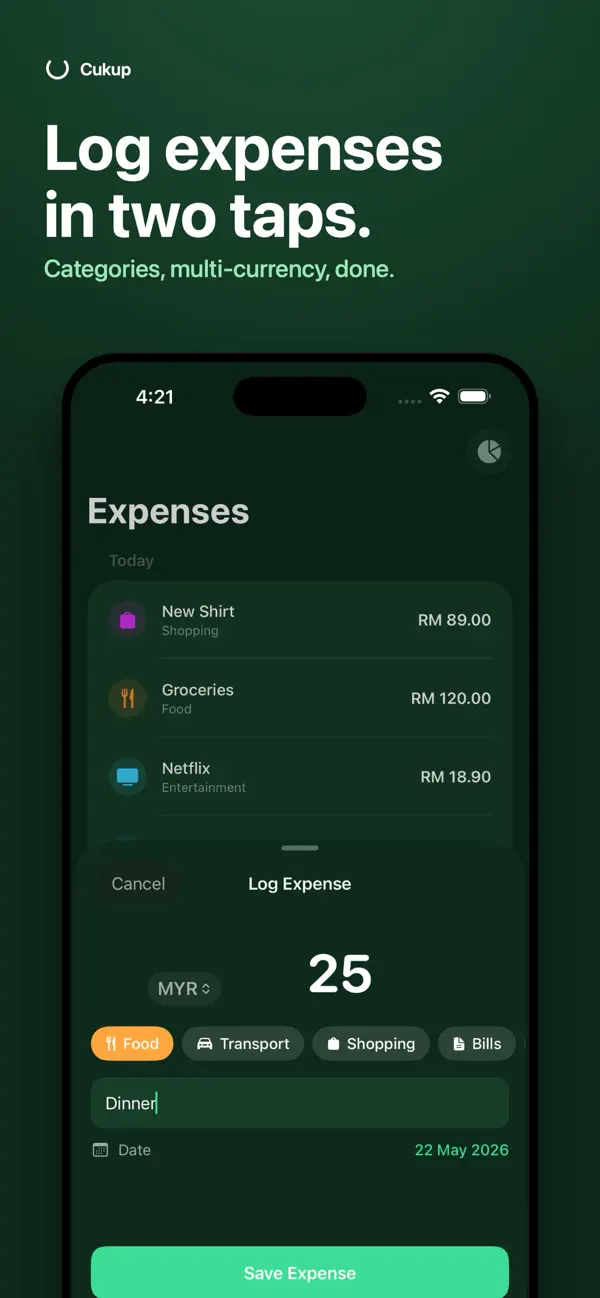
Log expenses in two taps with category chips. Supports multiple currencies — select any currency at entry and Cukup converts to your home currency automatically using live exchange rates. All amounts stored in your home currency.
SPENDING INSIGHTS
See exactly where your money goes. Category donut chart, 5-month spending trend, and top spend categories at a glance. Track your 50/30/20 allocation — see if your needs, wants, and savings match the ideal rule.
PERIOD HISTORY
Tap ‹ › to navigate to any past budget period. View and edit any historical expense — nothing is ever deleted or hidden. Past data is always yours.
BUDGET PERIOD RESET
Set any day of the month as your budget reset day. If you get paid on the 25th, your period starts on the 25th.
CSV EXPORT
Export expenses for any period — this month, last month, last 6 months, or all time — to a spreadsheet-ready CSV.
APP LOCK
Enable Face ID, Touch ID, or passcode protection from Settings. Your budget locks the moment you leave the app and unlocks instantly on return — no extra tap needed.
PRIVATE BY DESIGN
No account. No login. No cloud sync. Everything lives on your device. An internet connection is only used to fetch live exchange rates — and only for the currency feature.
Works offline. Opens in under a second. Everything included — one price, forever.
Quoi de neuf dans la dernière version ?
HISTORY VIEW
See every past budget period — income, spending, and whether you survived. Tap the clock icon on the Home tab.
SMARTER SAVINGS & INVESTMENTS
Your savings and investments now add up automatically over time — no more manual totalling month by month. Tap any savings or investment in Adjust Forecast to see how much you've built up, set an optional target, and log extra deposits on any date.
HALF-YEARLY CYCLE
Subscriptions now support a Biannual (every 6 months) option — perfect for half-yearly insurance.