Receipts: Mileage, Tax Tracker
iOS Universel / Finance
Receipt scanner and expense tracker for freelancers, 1099 contractors & small business owners. Snap a receipt → AI extracts merchant, date, total & category instantly. Track mileage, send invoices, and export tax-ready reports in one tap. Never lose a receipt. Track every mile. Send invoices in 30 seconds. Export a tax-ready PDF or CSV for your accountant in one tap. Built for gig workers who want IRS-ready records without the spreadsheets.
"Between mileage and supply receipts for my catering business, I was bleeding money I couldn't prove. This app is the first thing I open every morning." - Marcus T., US
"Expensify kept raising prices and crashing on me. This replaced it completely, costs less, and the invoice feature alone was worth making the switch." - Diane M. JP
"I used to panic every April hunting for receipts. Last year I documented $4,200 in deductions I'd normally miss. My accountant actually complimented me." - Sarah K., UK
WHY USERS CHOOSE US
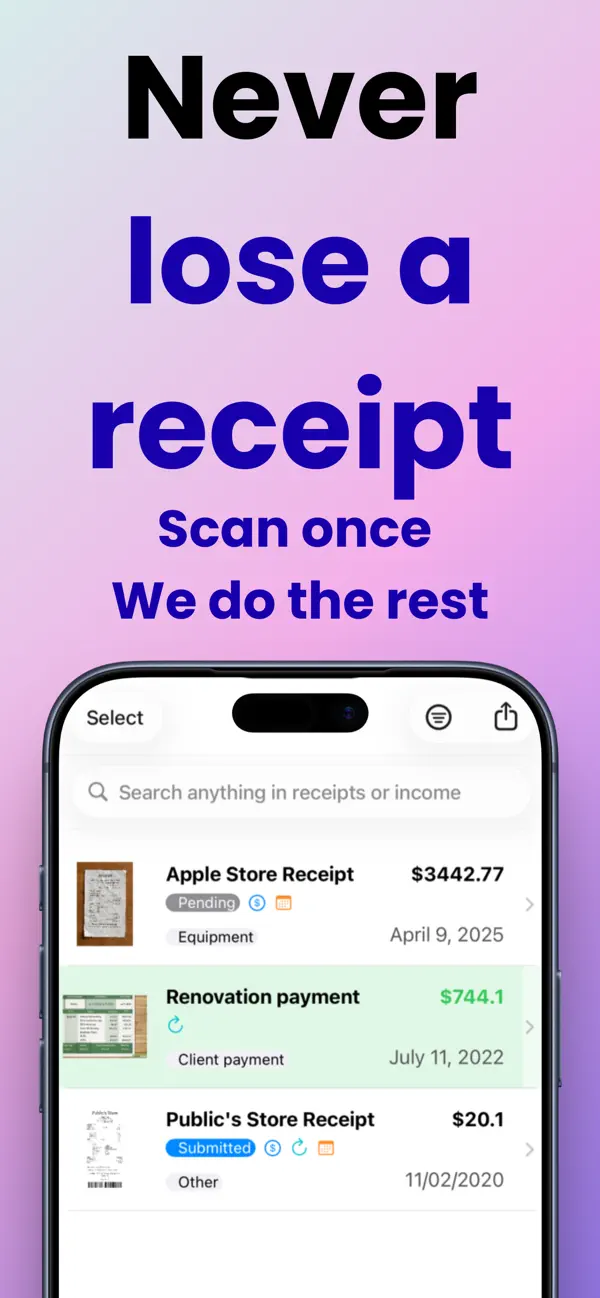
• Camera-first capture with AI extraction — merchant, date, total, category, payment method & tags, automatically
• Smart tags and clear tax categories for clean expense reporting and easy write-offs
• Unified receipts + income list with powerful filters and "search anything"
• Reimbursements, refund reminders, and recurring expense/income tracking
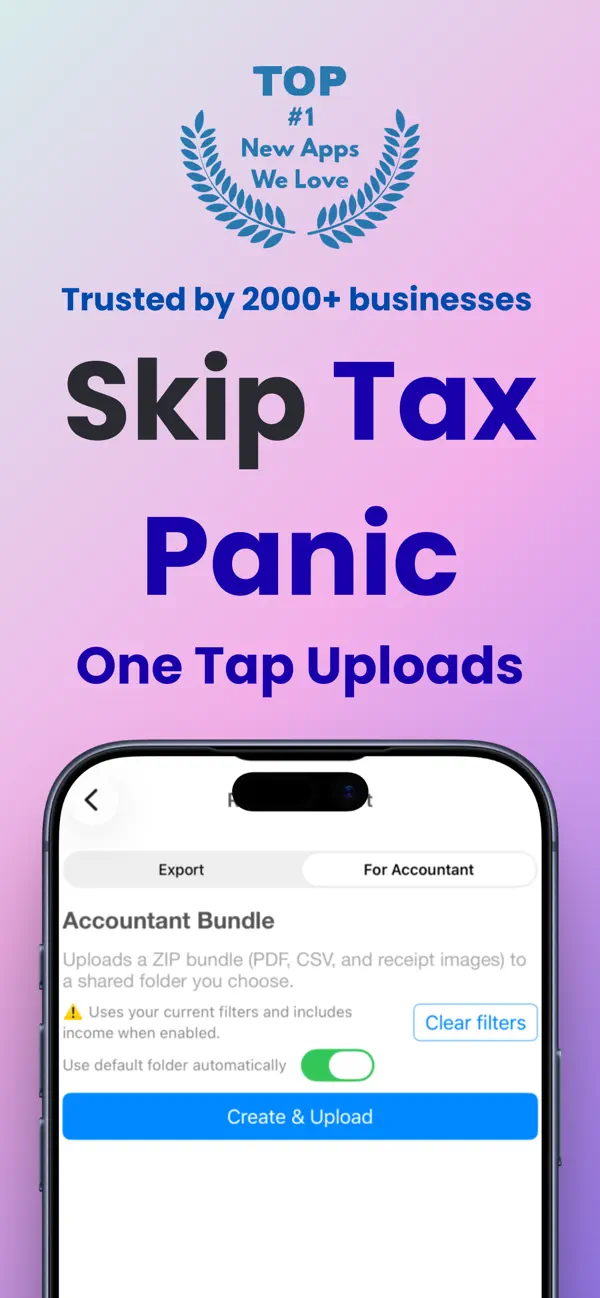
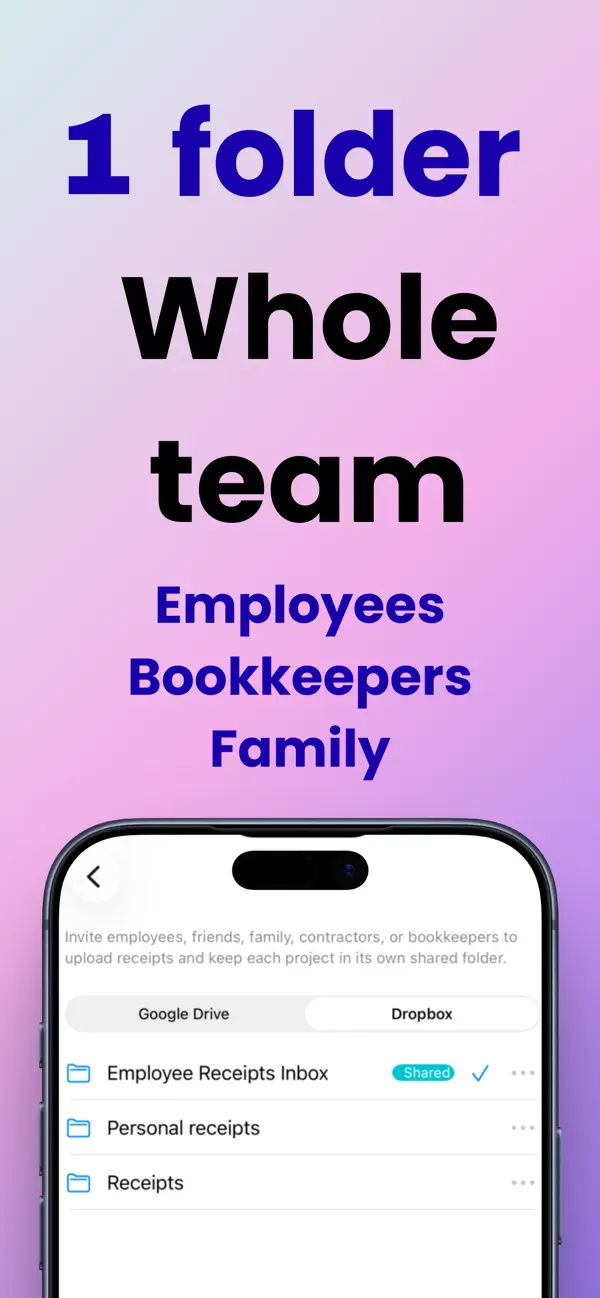
• Tax-ready exports to PDF/CSV/ZIP, plus Dropbox and Google Drive uploads
• Built-in mileage tracker with IRS-compliant summaries and automatic deduction calculation
• Lightweight invoice maker for fast billing
• Privacy-first: receipt images stay on your device or your own cloud
Designed to be fast, clear, and compliant — without the clutter.
TAX DEDUCTIONS MADE SIMPLE
• IRS-compliant mileage deduction calculator at the current federal rate
• Categorize expenses by Schedule C categories
• Export tax-ready PDF/CSV reports for your accountant
• Track write-offs for self-employment: vehicle, supplies, home office, meals
PERFECT FOR
Freelancers • 1099 contractors • Gig workers • Self-employed professionals • Small business owners • Rideshare & delivery drivers • Realtors • Consultants • Side hustlers
UNLIMITED ACCESS TO ALL FEATURES
— Lifetime deal (one-time purchase)
— Monthly subscription
— Annual subscription
Subscriptions are billed automatically. All plans designed to help you save money.
Terms of Use (EULA): https://www.apple.com/legal/internet-services/itunes/dev/stdeula
Quoi de neuf dans la dernière version ?
"Between mileage and supply receipts for my catering business, I was bleeding money I couldn't prove. This app is the first thing I open every morning." - Marcus T., US
"Expensify kept raising prices and crashing on me. This replaced it completely, costs less, and the invoice feature alone was worth making the switch." - Diane M. JP
"I used to panic every April hunting for receipts. Last year I documented $4,200 in deductions I'd normally miss. My accountant actually complimented me." - Sarah K., UK
Receipt scanner and expense tracker for freelancers, 1099 contractors & small business owners. Snap a receipt → AI extracts merchant, date, total & category instantly. Track mileage, send invoices, and export tax-ready reports in one tap. Never lose a receipt. Track every mile. Send invoices in 30 seconds. Export a tax-ready PDF or CSV for your accountant in one tap. Built for gig workers who want IRS-ready records without the spreadsheets.
WHY USERS CHOOSE US
• Camera-first capture with AI extraction — merchant, date, total, category, payment method & tags, automatically
• Smart tags and clear tax categories for clean expense reporting and easy write-offs
• Unified receipts + income list with powerful filters and "search anything"
• Reimbursements, refund reminders, and recurring expense/income tracking
• Tax-ready exports to PDF/CSV/ZIP, plus Dropbox and Google Drive uploads
• Built-in mileage tracker with IRS-compliant summaries and automatic deduction calculation
• Lightweight invoice maker for fast billing
• Privacy-first: receipt images stay on your device or your own cloud
Designed to be fast, clear, and compliant — without the clutter.
TAX DEDUCTIONS MADE SIMPLE
• IRS-compliant mileage deduction calculator at the current federal rate
• Categorize expenses by Schedule C categories
• Export tax-ready PDF/CSV reports for your accountant
• Track write-offs for self-employment: vehicle, supplies, home office, meals
PERFECT FOR
Freelancers • 1099 contractors • Gig workers • Self-employed professionals • Small business owners • Rideshare & delivery drivers • Realtors • Consultants • Side hustlers
UNLIMITED ACCESS TO ALL FEATURES
— Lifetime deal (one-time purchase)
— Monthly subscription
— Annual subscription
Subscriptions are billed automatically. All plans designed to help you save money.
Terms of Use (EULA): https://www.apple.com/legal/internet-services/itunes/dev/stdeula