Saive: AI Budget Coach
iPhone / Finance
Stop restarting your budget every month. Saive logs your spending in 3 seconds — and its AI does the rest.
You focus on building wealth, solo or with your partner.
= WHY SAIVE? =
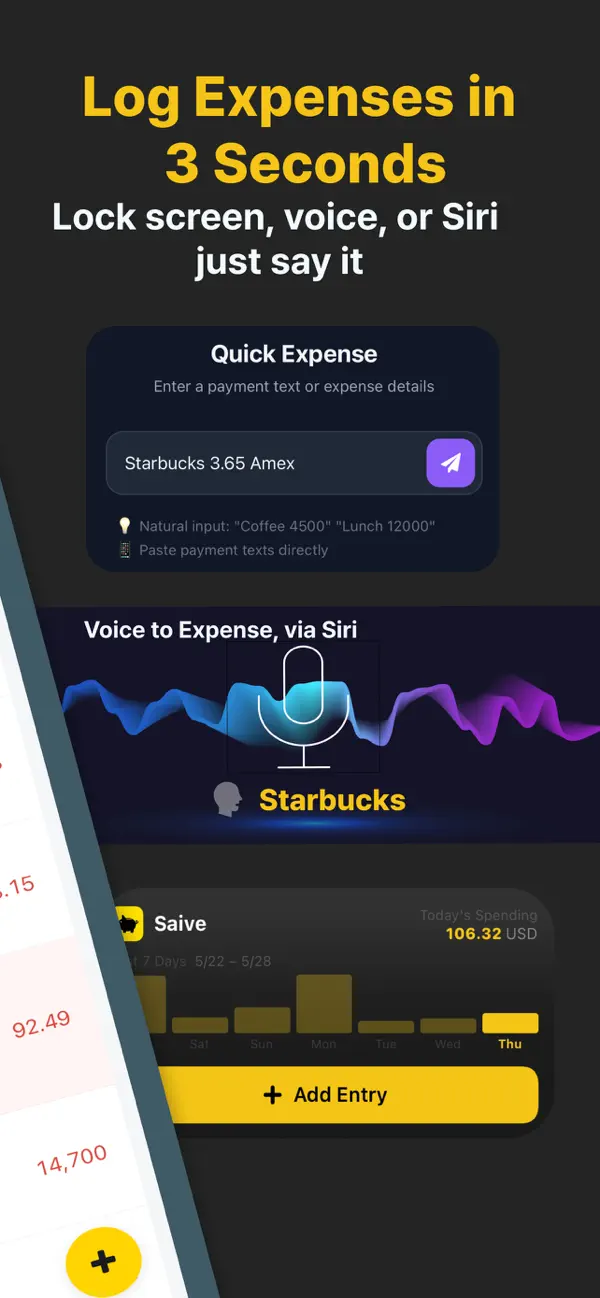
[Log in 3 Seconds — 3 Ways]
1. Auto-log card alert texts & email receipts with Shortcuts
2. Log in plain language from your Lock Screen — "Lunch $8 on card"
3. Add by voice with a Siri preset
Your spending adds up on its own — no manual typing.
[Shared Budget for Couples & Family]
Sync your budget with your partner, family, or roommate in real time. See who spent what, where. Annie gives savings tips for the whole group.
[AI That Diagnoses Your Spending]
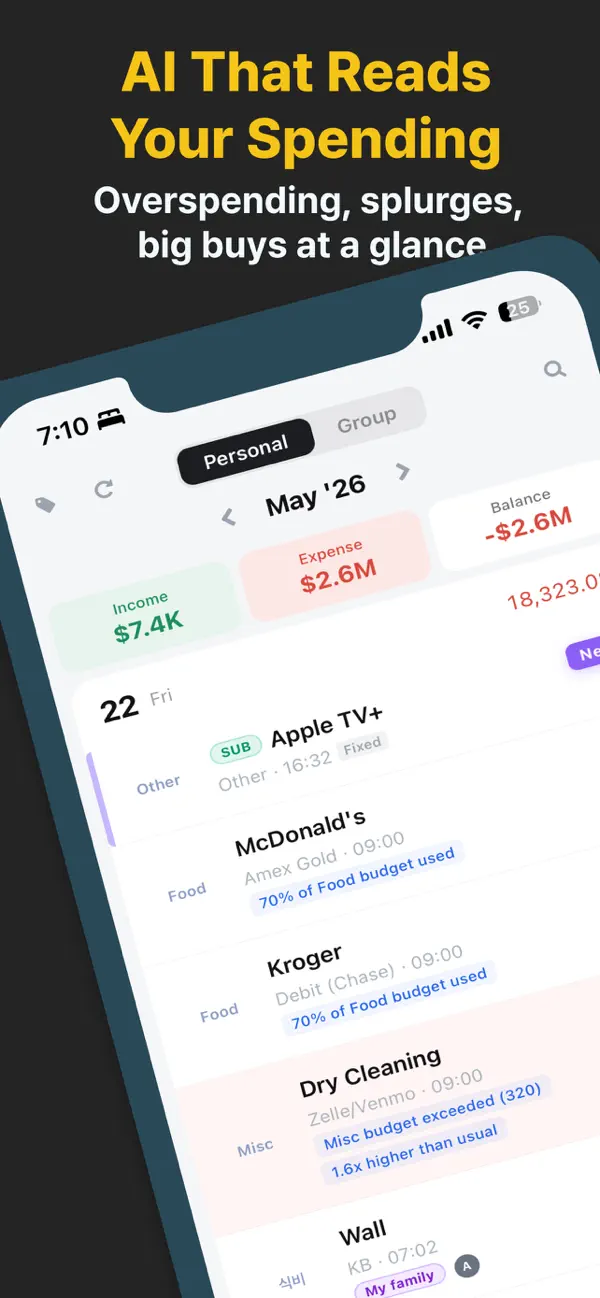
Saive surfaces the signals you'd miss — overspending, creeping habits — and coaches you first.
· Live insights on every transaction — food at 65% of its budget, a charge 1.5x your usual, your regular coffee shop. Budget %, high-spend alerts, and regulars sit right next to each line.
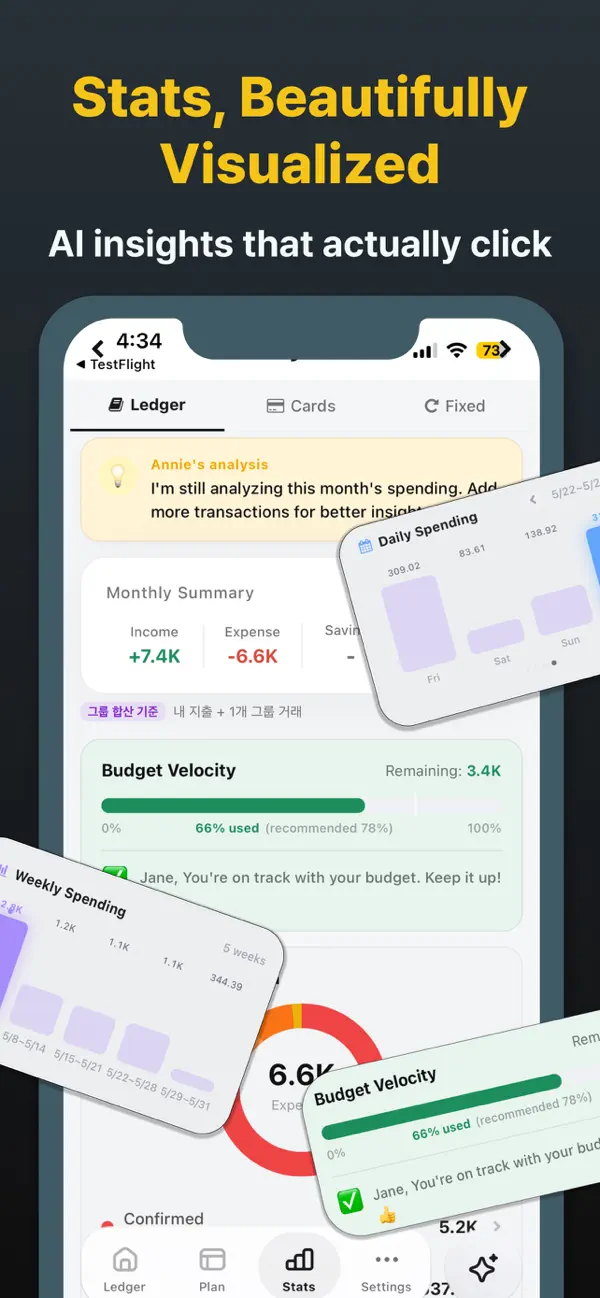
· Daily 1-line insight — spending more than usual? Where is your money leaking? One line, every day.
[Annie — Ask Your Money in Natural Language]
"What's blowing my budget this month?"
"Analyze my spending patterns"
"Any spending red flags this month?"
Annie answers from your actual transactions — not generic stats, but insights grounded in your own spending patterns.
[Built Around Your Card's Billing Cycle]
Every card closes on a different date. Most budget apps track by calendar month only — Saive aligns to each card's billing cycle, so your spending matches how you actually pay.
[Subscriptions, Installments & Loans, Tracked Apart]
Recurring subscriptions, installment plans, and loans are grouped on their own — so you always see the money you can really spend.
= MADE FOR YOU IF... =
· You've started a budget app and quit by week two — every time
· You want a clean, glanceable screen, not a dense spreadsheet
· You and your partner want one shared, honest view of money
· You want subscriptions, installments, and card billing dates handled realistically
· You're about to make a big purchase and want an objective check
= HOW TO START =
1. Download Saive → Sign in with Apple in 30 seconds
2. Connect card alert texts & emails via Shortcuts (optional)
3. First 14 days free. Upgrade to Premium if you love it.
= LANGUAGES =
English, 한국어, 日本語
= SUBSCRIPTION =
Premium auto-renews. You'll be charged 24 hours before each period ends. Cancel anytime in Settings > Apple ID > Subscriptions.
Support: support@type3soft.com
Privacy Policy: https://saive.type3soft.com/legal/privacy?locale=en
Terms of Use: https://saive.type3soft.com/legal/terms?locale=en
Quoi de neuf dans la dernière version ?
• Fixed an issue where some card transactions were missing from Card Payments.
• The app now detects assets mistakenly saved as non-cards and lets you convert them to a card in one tap.
• You'll be notified when adding a card that matches an existing asset name.