Saver – Personal Finance, Income & Expense tracker
iPhone / Finance
Join over a million people who save money with Saver — the most efficient finance tracker on the store.
Saver is an award-winning app that makes you smart at budgeting. It tracks your expenses, incomes, bills and savings within a simple, easy to use interface. You’ll see where your money actually goes and how much can be saved where you thought it was impossible.
Saver — spend less, live better.
• Ranked #1 Finance app worldwide
• Featured by Apple as App of the Week, New and Noteworthy, Top Grossing
• Best App Ever Awards, 2011
EXPERTS ON SAVER:
“Beautiful to look at and easy to use.” — Macworld
“Works fantastically well, close to the the much loved Tweetbot and Reeder.” — MacStories
“Gorgeous, simple, and well worth the price.” — Beautiful Pixels
“The most attractive and clever expense-tracking app I’ve seen.” — ShawnBlanc.net
“Adds a surprising amount of beauty to the boring task of tracking my expenses.” — iMore
“Functional and enjoyable to use. Our rating 5/5” — AppStorm
BASIC FEATURES:
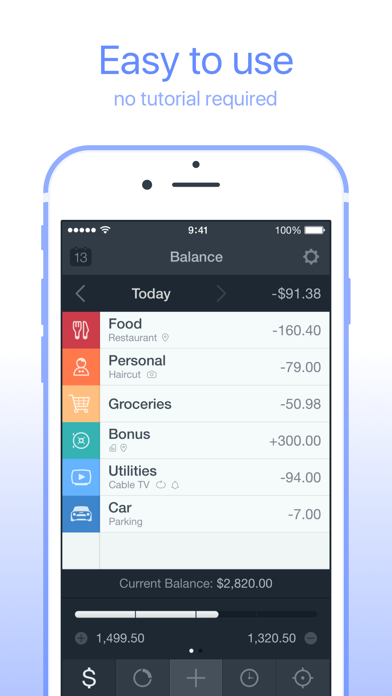
• Easy to use. No tutorial required
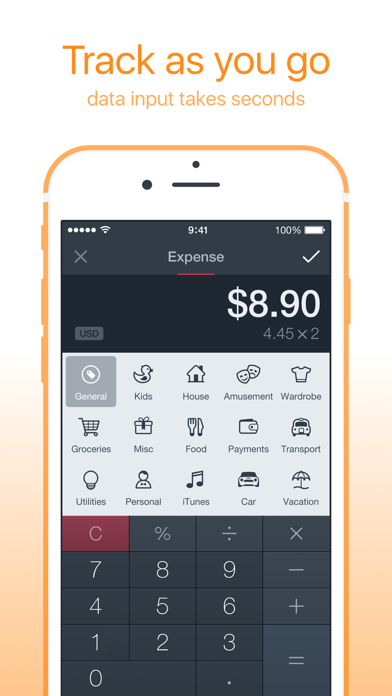
• Data input takes seconds
• Categories, tags, notes, photos
• Detailed financial history
• Budgets for chosen categories
• Goals for long-time savings and major purchases
• Doesn’t require access to your bank account
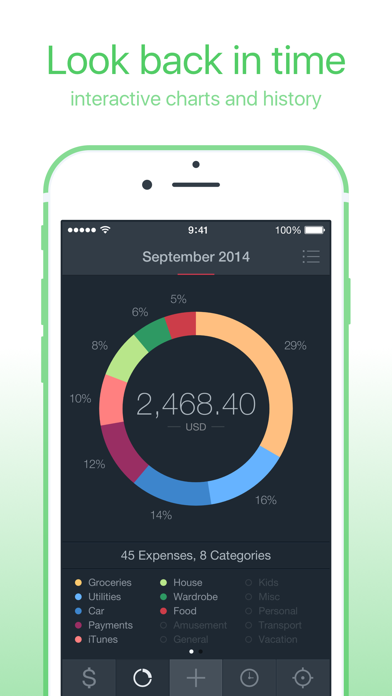
• Beautiful interactive charts
• Data import from Saver 1
• Powerful search
• Built-in calculator
• Passcode and Touch ID
• All major currencies
• Speaks 14 languages
EXTRA FEATURES (SAVER PRO):
• Unlimited incomes
• Editable categories, icons, colors
• Custom budget cycles
• Recurring entries
• Locations & Reminders
• Landscape charts
• Multi-currency with automatic conversion
• Backup and restore (iCloud Drive)
• Data export (pdf, csv)
• iCloud sync
Follow @saverapp on Twitter for news and updates. Visit saverapp.co/tips for Help.
Quoi de neuf dans la dernière version ?
This app has been updated by Apple to display the Apple Watch app icon.
• iOS 11 friendly
Note to Saver 1 users:
We feel your pain caused by Apple's brutal decision to block old Apps on iOS 11. If your old data is now trapped — please contact support@saverapp.co