Spend.Control
iPhone / Finance
'Spend Control' answers the following most basic of financial questions:
"How much can I safely spend today such that I can still meet my upcoming obligations and ultimately reach my desired goals?"
Or to put it more succinctly: "How much can I spend today without harming my future?"
And here's how it works:
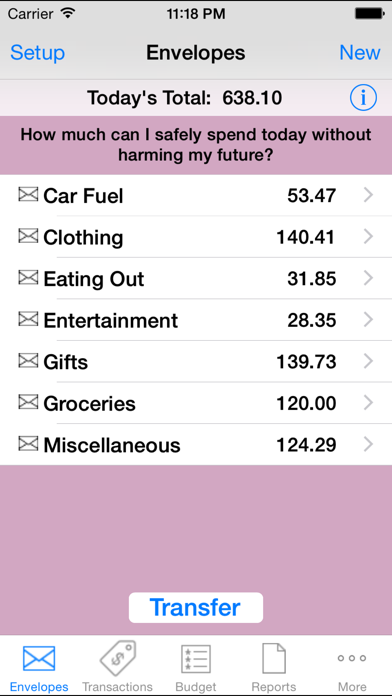
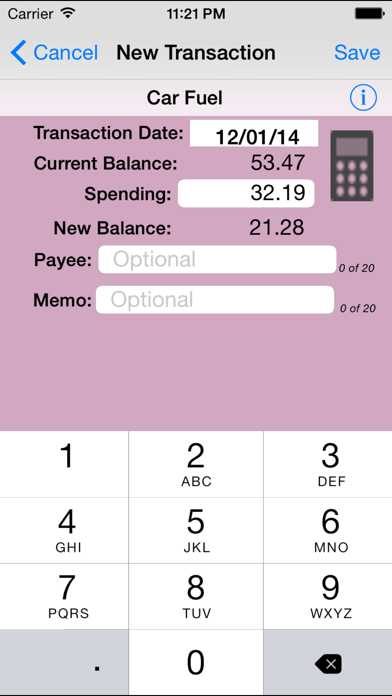
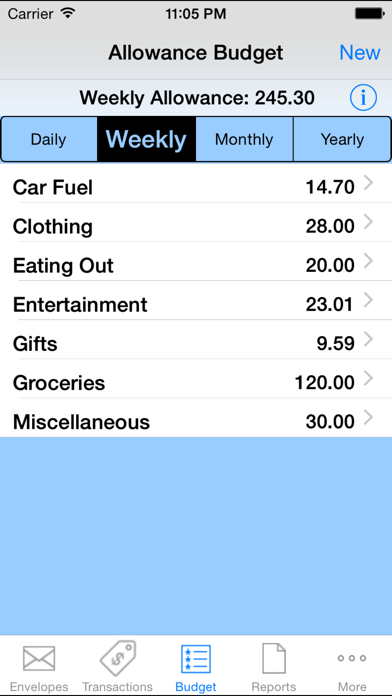
First you tell 'Spend Control' (in a user-friendly way) about your upcoming financial situation (your expected income over the next 12 months and how much of that income is already dedicated to such things as rent, utilities, car payments, savings, etc.) Given that information 'Spend Control' tells you how much is available for your “allowance” (i.e., discretionary spending money.) You then create a budget for that leftover allowance money at which point 'Spend Control' generates a virtual envelope for each category and seeds it with one week's allowance (an amount you can easily change.) Thereafter, the app will automatically, every day, feed each envelope with one day's allowance such that if you don't spend anything in that category your spendable amount will continue to grow. If you do spend something, you need only tap on the category, enter the amount spent and 'Spend Control' will subtract the amount from the appropriate envelope.
The process described above is the app's main function but there are other tools that further help you track and prioritize. For example, if you see an outfit you really want but don't yet have enough in your 'Clothing' envelope, you can choose (prioritize) to transfer money from another envelope, say, 'Entertainment' (as opposed to, say, 'Rent'.) Or you can use the tool called the 'Future Balances Calculator' to answer the question "If I hold off buying now, when will I have the necessary funds in that envelope?" or perhaps the question "How much will I have in my 'Paris Vacation' envelope when that date arrives?" 'Spend Control' also generates a number of reports, such as 'Current Budget' and 'Current Balances' which you can then email to yourself or to someone else.
Quoi de neuf dans la dernière version ?
This app has been updated by Apple to display the Apple Watch app icon.
* Localization of currency formatting (e.g., 1,234.56 vs 1.234,56 vs 1'234.56, depending on region).