iPhoneAddict Apps
  • Actualités
  • Accueil Apps
  • iPhone
  • iPad
  • Universelles
  • Mac
  • Apple TV
KG KultureGeek
App
iPhone / iPad Télécharger iAddict v5 Mac Télécharger iAddict Mac
  • Actualités
  • Accueil Apps
  • iPhone
  • iPad
  • Universelles
  • Mac
  • Apple TV
  • Archives keynotes
  • Firmwares & iTunes
  • Contactez-nous
  • Comparateur de prix
  • KultureGeek
Accueil » Liste des Apps » Apps iPhone » Forme et santé » age of Ears
L'application n'est plus disponible sur l'App Store français
1.3.1 iOS €Gratuit Nenriki 2 4 "age of Ears" is an application for measuring the highest frequency that you can hear. While you keep touching the center of the screen, the frequency of a sine wave sound gradually increases from 0Hz at a 0.1 second interval. As the frequency of...
age of Ears

age of Ears

iPhone / Forme et santé

Gratuit
Obtenir sur l'App Store
Facebook X E-mail

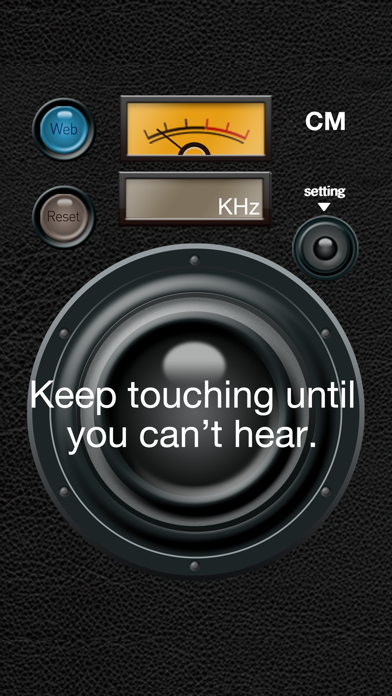
"age of Ears" is an application for measuring the highest frequency that you can hear. While you keep touching the center of the screen, the frequency of a sine wave sound gradually increases from 0Hz at a 0.1 second interval. As the frequency of the sound gets higher, it becomes hard to hear it. When you cannot hear the sound, release your finger from the screen. The frequency at the moment of releasing your finger is the highest frequency that you can hear.

"age of Ears" also has the function of measuring the age of ears on the basis of the measured frequency. So, you can realize the age of your ears as well as just check "What frequency can I hear up to?" "age of Ears" provides typical values of the ages of ears, which we, Nenriki, determined in our own right, considering a lot of sites and documents, however, did not examine medical evidences.

The audio-frequency range of humans varies with their age. The tone of the sound is different depending on devices, and therefore, the measurement results may not be accurate.

Adjust the volume and the distance between your ear and the speaker adequately so as to avoid hearing loud sound.

To improve the accuracy of the measurement, you can adjust the volume appropriately, while hearing "TEST TONE" (1kHz, 0dB, sine wave) , which you can play in Setting Screen, before measurement.

En voir plus...

Quoi de neuf dans la dernière version ?

This app has been updated by Apple to display the Apple Watch app icon.

a little bug fixed.
  • Screenshot #1 pour age of Ears
  • Screenshot #2 pour age of Ears
  • Screenshot #3 pour age of Ears

Note

(4 notes)

Détails sur l'application

Version
1.3.1
Taille
21.9 Mo
Version minimum d'iOS
9.2
Dernière mise à jour
15/01/2016
Publié par
Nenriki

Newsletter App Store

Recevez chaque jour les meilleures promos

Actualité Apple

Image iPhone 18e : les 9 Go de RAM se confirment un peu plus
iPhone 18e : les 9 Go de RAM se confirment un peu plus
Image Apple met à jour Shazam avec des autocollants iMessage pour l’album petal d’Ariana Grande
Apple met à jour Shazam avec des autocollants iMessage pour l’album petal d’Ariana Grande
Image AAPL : l’action d’Apple chute de 10 % après les résultats financiers
AAPL : l’action d’Apple chute de 10 % après les résultats financiers
Image Apple bat un record de dépenses en R&D avec 10,2 milliards d’euros dépensés au T3 2026
Apple bat un record de dépenses en R&D avec 10,2 milliards d’euros dépensés au T3 2026
iPhoneAddict Apps

Le catalogue iPhoneAddict pour suivre les nouveautés, mises à jour et baisses de prix de l’App Store.

Apps

Toutes les apps iOS iPhone iPad Universelles Mac Apple TV

iPhoneAddict

Actualité Apple Archives keynotes Contact À propos KultureGeek

Suivez-nous

©2009-2026 i2CMedia. Tous droits réservés.