Hangboard
iPhone / Forme et santé
A hangboard routine management application for rockclimbers. It currently supports the three protocols (beginner, intermediate, advanced) outlined by Mike Anderson in his seminal book "The Rock Climber's Training Manual".
To get going you need:
1) Access to a Trango Rock Prodigy split hangboard or one of the other supported boards.
2) A climbing harness and the ability to add and remove weight for training purposes (pulleys required for removal)
3) A familiarity with the concepts of hangboarding - reading Mike Anderson's book is the best way
4) This app downloaded on a smart phone or tablet
To use it:
1) Try it out before you get to the gym. You can't hurt anything. The Home tab in the bottom left will get you back to the beginning. The Settings tab lets you choose your board and default workout program.
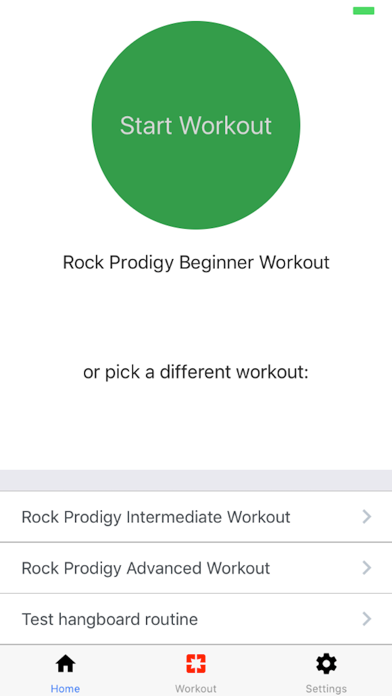
2) Hit the big green button to load the beginner program or select the intermediate or advanced workout below.
3) A warmup countdown of 20 minutes starts. You need to be really warmed up to hangboard safely. Don't skimp on this.
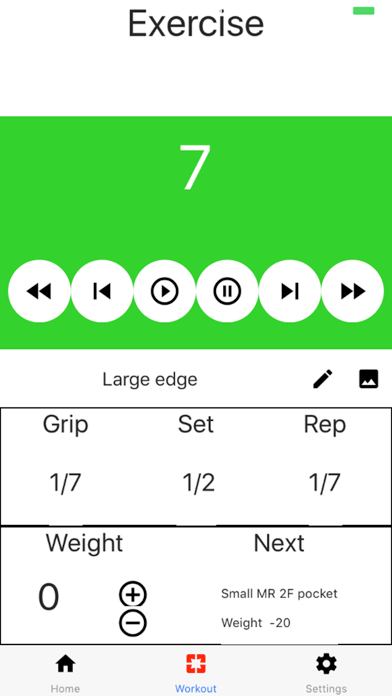
4) At any time you can pause the timer or even go back to the beginning of the current phase. You can also step ahead to the next phase.
5) The rewind button (far left) moves to the previous grip. The fast forward (far right) sends you to the next grip.
6) To execute a workout you will choose the grips to work with. For each Grip you will complete one or more sets. The app comes pre-loaded with the recommendations from The Rock Climber's Training Manual. The beginner program only has one set per grip. Intermediate has two sets per grip and advanced is three. For the intermediate and advanced workouts, 10lbs are added to the second set and 20lbs to the third set on each grip.
7) Each set consists of alternating on and off the hold. For the beginner routine you are on for ten seconds and off for five. You repeat this for six or seven Reps.
8) At the end of the set you get 3 minutes of recovery before the next set starts. This is a time to record your performance on the set you just completed and to prepare and weight adjustments needed for the next set. Climbers also do supplemental exercises here.
9) The app has some defaults set up you will want to change on your first workout:
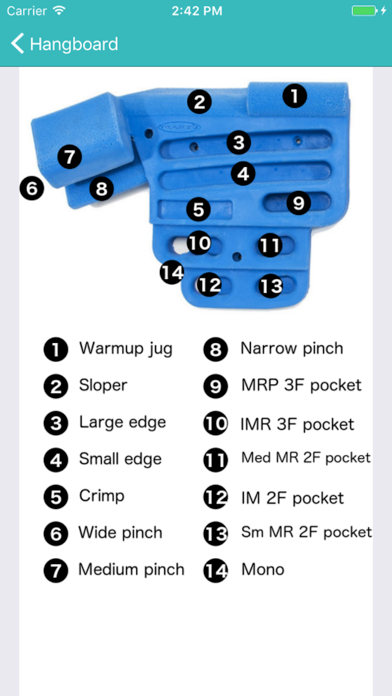
a) Grip - click the pencil next to the grip name to pick another one. Click the image icon to see a map of the hangboard.
b) Weight - click the +/- buttons to select how much weight you need to add/remove such that you are at failure at the end of the last rep of the last set.
10) At the end of the set you record your performance by entering:
a) Last successful rep - Click the number where you were able to cleanly complete the rep
b) Baseline weight - If you make it through a set successfully you should add weight on your next workout. The app remembers what you enter here for next time you are in the gym.
c) Hit the arrow in the upper left to go back to the exercise screen (the Recovery phase timer will still be running).
Please let me know your experiences, bugs, feature requests and improvement suggestions!
Quoi de neuf dans la dernière version ?
This app has been updated by Apple to display the Apple Watch app icon.
- Added support for Metolius Contact, Trango Forge and Beastmaker 1000
- History facility to allow you to browse and manage records of past workouts
- Lots of bug fixes and performance enhancements