Pado
iOS Universel / Forme et santé
Pado is all about geo-tracking.
RECORD TRACKS
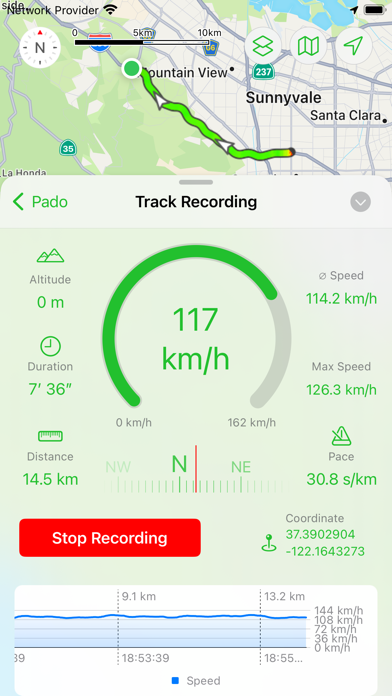
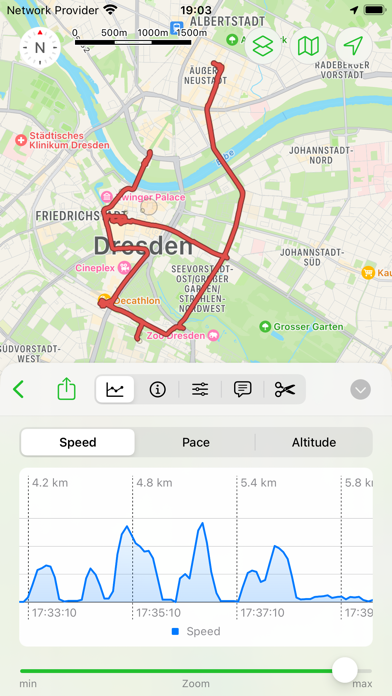
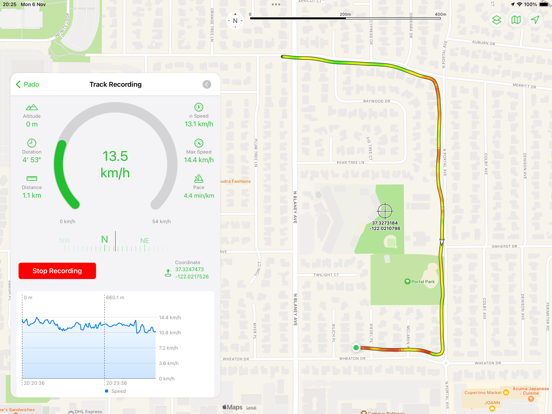
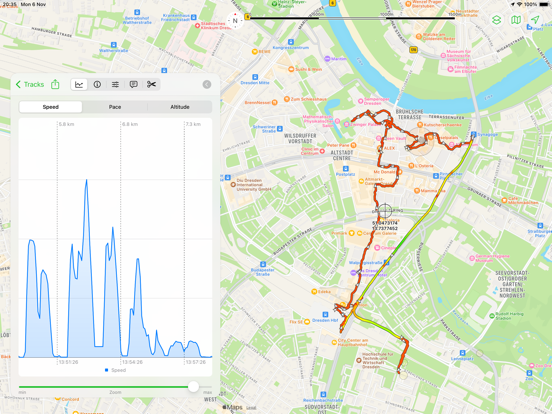
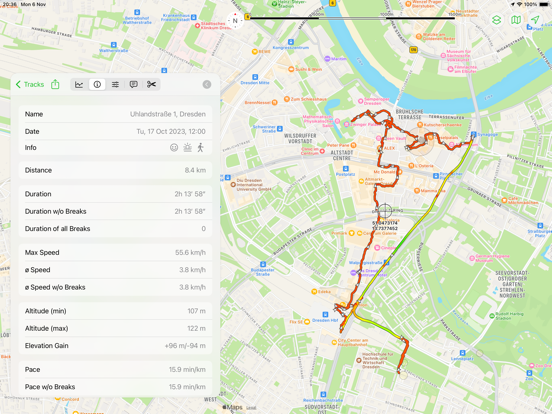
Record the routes/tracks of your hikes, bike tours, excursions, trips or sporting activities and evaluate them on a map, via diagrams and statistics.
You can do this manually and spontaneously, but also fully automatically in the background.
The latter can be helpful on vacations if you want to automatically record your local activities so that you can retrace them later ("Where was that café again?"). To do this, you tell the app once that the recording should be started when you leave the hotel and stopped when you enter it again. From then on, you no longer have to worry about it, but you still have all the routes of all the activities saved in the app when you get home.
Pado can display the heart rate data from Health-Kit together with the recorded tracks/routes. The photos from the album that were taken during the recording of the track can also be accessed via pins on the map. This makes it very easy to have all the data and photos directly available on the map if you want to retrace a hike.
The exported/imported options as GPX or KML files allow data exchange with other apps.
Especially for sporting activities, the app offers a voice output that provides status messages about the distance already covered, current speed, duration, altitude, direction, etc. during a track recording. This keeps you informed about your progress without having to look at your iPhone.
STEP COUNTER
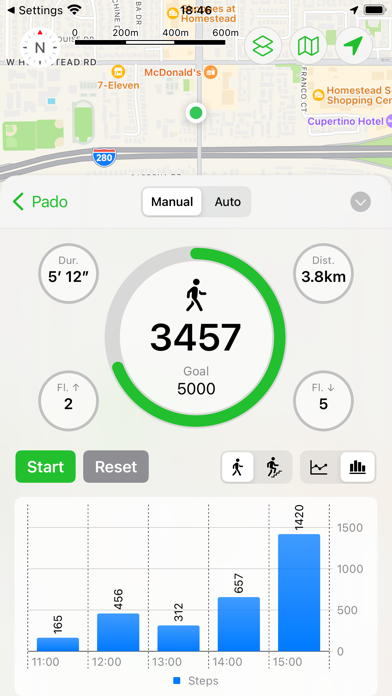
The app offers a pedometer that can also count the floors climbed and shows how far you are from your daily steps goal.
TIME TRACKING
The "Time tracking" feature allows to automatically log when you are at which location and for how long. You simply define the locations to be monitored and the app does the rest.
ACTIONS
The heart of Pado are the location-based actions. You can define locations and what the app should do when you enter or leave these (the App will do this automatically in the background, it does not need to be active). The action can control track recording, the pedometer, the music player, notifications. The "WebHook" feature can be even used to carry out actions outside the iPhone. WebHook sends data to your own server, which can be used to link Pado to your own home automation system.
APPLE WATCH
Pado supports the Apple Watch and can record tracks/routes and steps autonomously (without having the iPhone with you). The Watch app can also remotele-control the iPhone app so that the iPhone can stay in your pocket.
SYNCING OPTIONS
- iCloud
- Dropbox
- WebDAV
HARDWARE SUPPORT
- Bluetooth Beacons, NFC Tags, AirTags (as trigger for actions)
- WLAN positioning (in areas with good WLAN coverage) for devices without GPS hardware (some iPad models).
NOTE
Long-term use of GPS in the background can shorten the battery life.
PAYMENT MODEL
With Pado 3, the payment model has changed. The previously paid app is now offered free of charge. There are now three app levels:
- Free:
A maximum of 3 locations, 3 actions and 3 entries for time tracking can be created
- Standard (one-time purchase):
A maximum of 25 locations, 25 actions and 25 entries for time tracking can be created.
- Pro (one-time purchase):
Any number of locations, actions and entries for time tracking can be created.
Everything else is available in all three levels without restrictions
Users who have already purchased earlier versions of the app will automatically receive the Standard level free of charge. If restrictions have already been reached, existing actions/locations are not restricted.
New users can now react more flexibly to their own needs and use one of the three options as required. An inexpensive update from the Standard to the Pro version is also available at any time, in case you need more than you initially thought.
There is now also a tipping option for all those who value the app more than the small one-time payments and want to do something good for the developer.
Quoi de neuf dans la dernière version ?
- New option in the settings to configure the "activity" mode for the location services of the iOS.
* The "Standard" option is usually best for general use cases if there's no other more specific option available (the iOS should not pause location updates even when the user doesn't move for a while as long as this action is active).
* The "Automotive" option is best if you drive vehicles on roads (the iOS might pause location updates when the vehicle doesn’t move for an extended period of time).
* The "Fitness" option is good for workout activity (the iOS might pause location updates if the user doesn’t move a significant distance over a period of time)
* The "Airborne" option is good for all activities related to flying (airplane, helicopter, paragliding, skydiving etc)
* The "Not tied to roads" option is good for activities that are not bound to roads or trails, Indoor and Outdoor (the iOS might pause location updates if the user doesn’t move a significant distance over a period of time).
- There are some new options available to make the trigger for actions more specific.
* The "Heading" options allows you to define in which direction you need to move in order to trigger the action. So you could make sure the action only ztriggers when you leave the region to the north, but not to the south, for example.
* The "Type of locomotion" allows you to define whether the action should only be triggered when driving a vehicle or walking.
In both cases the check for these options is done when the main trigger is activated (for example leaving a region) by the iOS. The "Locomotion" option checks if there were steps counted in the last 30 seconds to determine whether you are walking or driving.
- A new Homescreen Widget can show the speed and altitude graph of the latest track recording. Tap the graph to toggle between speed and altitude, in case only one of the graphs is visible (only the large widget will show both graohs at the same time)
- There are many additionals icons available to annotate saved regions or visited regions
- It's now also possible to only show the visited regions (from the Diary feature) without their connections to each other on the map.
- Bugfix: On the iPad changing the size of the sidebar did no longer work.
- Bugfix: The option "Auto-Stop at same location" was removed for the "significant location change" trigger of the actions because this option only makes sense for concrete locations, not random/undefined ones.