• KultureGeek
  • Comparateur de prix
       
iPhoneAddict
 iAddictv5Notre Application iPhone/iPad
  • Accueil Apps
  • Actualité Apple
  • Keynote Apple
  • Firmwares & iTunes
  • Contactez-nous
Accueil » Liste des Apps » Apps Universelles » Forme et santé » SwingSpeak: Golf Trainer
1.1.1 iOS €12,99€ ticketyboo.ai llc 0 0 SwingSpeak is a hands-free practice companion for Garmin R10 users, providing audio swing feedback even when no ball is hit—so you can work on your swing anywhere, anytime. WHAT MAKES SWINGSPEAK DIFFERENT Most golf apps need ball data to work....
SwingSpeak: Golf Trainer

SwingSpeak: Golf Trainer

iOS Universel / Forme et santé

12,99€ au lieu de 17,99€
Acheter sur l'App Store

SwingSpeak is a hands-free practice companion for Garmin R10 users, providing audio swing feedback even when no ball is hit—so you can work on your swing anywhere, anytime.

WHAT MAKES SWINGSPEAK DIFFERENT

Most golf apps need ball data to work. SwingSpeak doesn’t. Grab your driver and take some cuts in the backyard. Work through your bag on the range. Practice your tempo in the garage. SwingSpeak captures your club head speed and swing tempo from the Garmin R10 and announces them aloud so you never break rhythm.

No ball required. No looking at your phone. Just swing, listen, improve.

IMPROVE YOUR SPEED WITH YOUR OWN CLUBS

Want to swing faster? You don’t need special equipment to start. SwingSpeak tracks your driver speed over time, helping you monitor progress session after session. Warm up with smooth swings, then push for max effort—and hear the difference instantly.

Immediate feedback helps golfers train with intent and track changes in swing speed over time. Your R10 + SwingSpeak provides that feedback on every swing.

MASTER YOUR TEMPO

Your swing tempo is the ratio of backswing time to downswing time. Tour players typically swing at a 3:1 ratio—three beats back, one beat through. Consistent tempo leads to consistent contact.

Most apps ignore tempo entirely. SwingSpeak announces it after every swing, helping you build a repeatable rhythm without breaking focus.

HOW IT WORKS

1. Connect SwingSpeak to your Garmin R10 via Bluetooth
2. Select your club (driver, iron, wedge—whatever you're swinging)
3. Swing—with or without a ball
4. Hear your metrics announced instantly

No looking at your phone between swings. No breaking your flow. Just swing, listen, repeat.

VOICE ANNOUNCEMENTS

SwingSpeak speaks your metrics aloud after every swing. You control what gets announced:

• Club head speed
• Swing tempo
• Ball speed (when hitting balls)
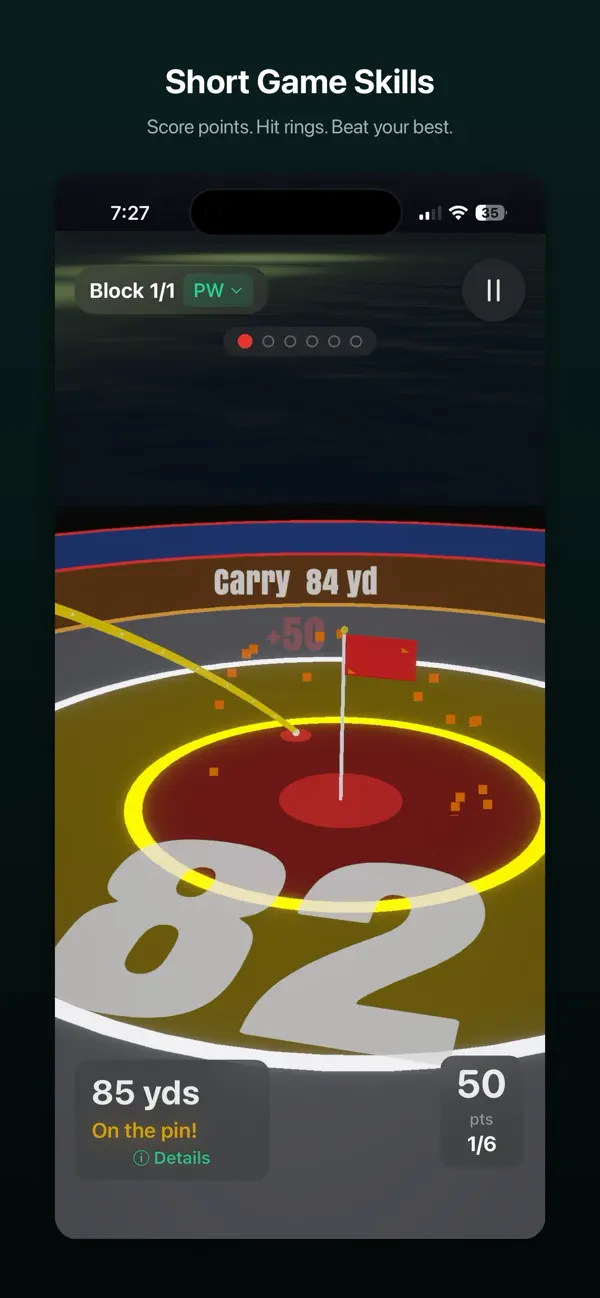
• Carry distance
• Total distance
• Launch angle
• Spin rate

Choose your metrics, set your voice speed, and practice without ever glancing at a screen.

WORKS WITH SPEED TRAINING AIDS TOO

If you're using The Stack System, SuperSpeed Golf, Rypstick, or other speed training programs, SwingSpeak has you covered. Built-in presets let you track your training clubs separately from your golf clubs.

Your driver has its own history. Your Stack Heavy has its own. See your progress with each implement over time.

REQUIREMENTS

• Garmin Approach R10 launch monitor
• iPhone or iPad with Bluetooth
• iOS 17.0 or later

ABOUT THE DEVELOPER

SwingSpeak is built by ticketyboo.ai llc. We built it because we wanted hands-free feedback during practice—and nothing else on the market did it.

Questions or feedback? We'd love to hear from you.

En voir plus...

Quoi de neuf dans la dernière version ?

v1.1.1:
Metric Units
Meters and km/h are now supported, choose your units in Settings > Units

Improved Club Manager
Redesigned cloud management with cleaner layout.

Better voice recognition, bug fixes and UI/UX improvements.

v1.1:
Voice Commands
SwingSpeak now listens and responds to voice commands. After each swing you'll hear a chime, that's the app listening for your input. Everything runs on your device, no internet needed. You can find more information on this at: https://swingspeak.app/help

Here's what you can say:

Tag your shot: "pure", "fat", "thin", "topped", "toe", "heel", "hosel"
Change clubs: "change club 7 iron", "switch to driver"
Set swing type: "change club 7 iron three quarter swing", "change club driver max effort"
Add a note: "note: changed to a new glove"
Flag a misread: "misread" or "delete"
Control tempo: "start tempo", "stop tempo", "faster", "slower", "drums on"
End session: "end session"
Compound commands: "pure, change club pitching wedge" tags and switches in one go

The mic button on the bottom bar shows three states: grey (voice off), green pulse (listening enabled, waiting for your next swing), and green with animated bars (actively listening). Tap it anytime to start listening manually. Auto-listen can be toggled on or off from the new audio strip.


Tempo Training
The app can now play Tempo Tones that you match your swing to. Tap the waveform icon on the bottom bar to open the audio strip, then tap Tempo. You'll get:

Preset tempos (Slow, Medium, Tour, Fast) or auto-calibration based on your actual swing tempo
An optional drum layer for a fuller metronome sound
Voice control: "start tempo", "stop tempo", "faster", "slower"

This is great for working on rhythm and consistency, especially during speed training sessions.


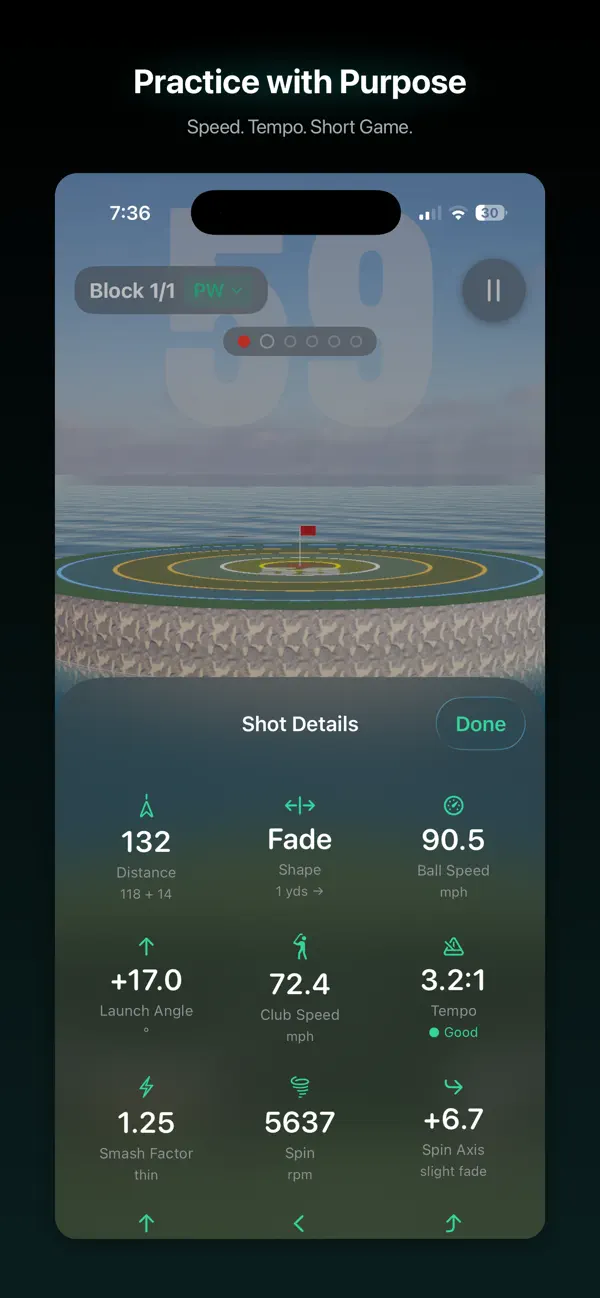
Distance & Shot Shape
For ball strikes, you'll now see two new metrics:

Total distance (carry + rollout), not just carry
Shot shape: draw, fade, push, pull with yards of lateral deviation

These are announced by voice and show up in the metric grid alongside your other numbers.


Session Notes
You can add text notes at any point during a session:

By voice: "note: working on backswing rotation"
By button: tap the note icon in the shot history panel
At end of session: the end-session flow now prompts for a wrap-up note

Notes appear in your shot timeline alongside your swings and are saved with the session.


Shot Tags & Swing Types
Two new ways to add context to your practice:

Shot tags (ball strikes only): pure, thin, fat, topped, toe, heel, hosel. Tag via voice after the shot, or use the tag popup.
Swing types: full, 3/4, 1/2, punch, chip, max, warm-up. Set before the shot using the chips in the club picker, or include it in a voice command.

Misread Flagging
You can now swipe left on any shot in the history panel to flag it as a misread. Flagged shots are removed from your averages and hidden by default. Tap the eye icon in the panel header to reveal them, and swipe to restore if you change your mind.

This helps us improve the automatic filtering over time. The more you flag, the smarter it gets.


Enhanced Voices
We've added support for enhanced and premium text-to-speech voices. Head to Settings > Voice Announcements to browse and select one. The app will walk you through downloading the voice to your device if needed. The difference in quality over the default voice is significant, worth trying.

Note

(0 note)

Détails sur l'application

Version
1.1.1
Taille
9.9 Mo
Version minimum d'iOS
17.6
Dernière mise à jour
18/02/2026
Publié par
ticketyboo.ai llc

Newsletter App Store

Recevez chaque jour les meilleures promos

Actualité Apple

Image Apple Music s’associe à une marque de chocolat pour un cadeau
Apple Music s’associe à une marque de chocolat pour un cadeau
Image iOS 26.4 bêta 2 : Apple confirme que la vérification d’âge au Royaume-Uni était un bug
iOS 26.4 bêta 2 : Apple confirme que la vérification d’âge au Royaume-Uni était un bug
Image Avant l’arrivée d’Apple, les ventes de lunettes connectées progressent de 139 %
Avant l’arrivée d’Apple, les ventes de lunettes connectées progressent de 139 %
Image Apple propose une nouvelle vidéo immersive pour le Vision Pro
Apple propose une nouvelle vidéo immersive pour le Vision Pro
Partenaires : Actualité iPhone - Culture Geek
©2009-2026 i2CMedia | A propos |