NCS+
iOS Universel / Graphisme et design
Find the right colour for your next project. NCS+ helps you to succeed in any colour design.
With NCS - Natural Colour System®©, developed by world-renowned colour experts, it has never been easier to find the right colour for your project.
EXPLORE COLOUR THEMES
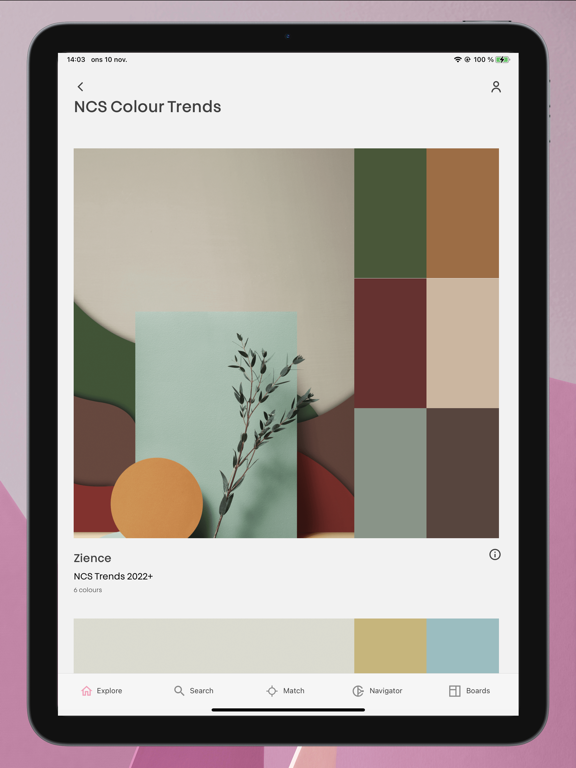
In NCS+, you have access to all of the standardized NCS colours, and can explore all of the NCS Colour products, including Trend collections, the NCS Index, NCS Exterior and NCS Inspire.
FIND YOUR COLOUR
Search for colours in the new and innovative search panel, either through an NCS Notation (or parts of it) or filter for colours based on their hue and/or nuance.
MATCH A SURFACE
Using the built-in support for the Colourpin II / SE / PRO colour readers, you can easily scan any surface and find the closest matching NCS colour with the click of a button. You can also see how much the scanned surface differs from the closest matching colours with the built-in rating function and its corresponding delta E 2000 value.
NAVIGATE THE NCS COLOUR SPACE
The new and improved NCS Navigator brings unparallelled ease of navigating in the NCS System, through the NCS Circle selecting the prefered hue, and the NCS Triangle to select the correct nuance. The innovative beehive allows you to fine-tune your selection by modifying the selected colour in either chromaticness, blackness or whiteness, giving you exactly the colour you want.
COMBINE COLOURS
Through the smartness of the NCS System, you can combine colours of your choice based on colour similarities such as nuance-, hue-, blackness-, chromaticness-, whiteness and NCS lightness similarity. Basing your combination colours on these properties are one of the most certain ways of creating colour combinations that harmonize.
COLOUR SAMPLE REFERENCES
With unprecedented on-screen colour accuracy, you can now bring up any standard NCS colour on your mobile device. On each colour, you can also find out in which collections they are available, buy a physical sample in different sizes from the NCS Colour web shop or any NCS reseller as well as find translation values into other systems such as RGB, HEX, CMYK and Lab values.
SAVE, SHARE AND INSPIRE
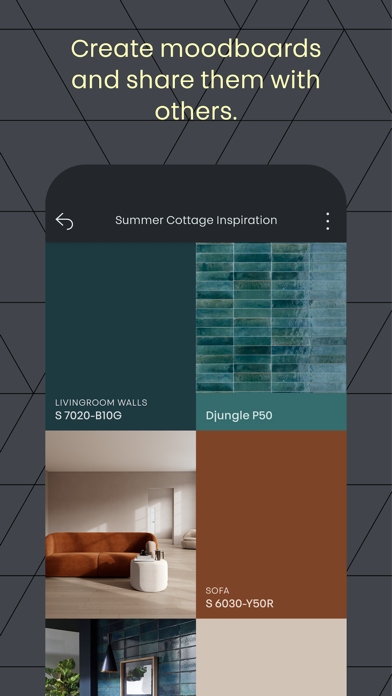
Save your favourite colours into mood boards, upload images or take photos of your project to provide addional context to the board. You can then share the boards with friends or colleagues to inspire and collaborate.
Quoi de neuf dans la dernière version ?
Fix issue with COLOURPIN discovery.