• KultureGeek
  • Comparateur de prix
       
iPhoneAddict
 iAddictv5Notre Application iPhone/iPad
  • Accueil Apps
  • Actualité Apple
  • Keynote Apple
  • Firmwares & iTunes
  • Contactez-nous
Accueil » Liste des Apps » Apps Universelles » Jeux » ROLLING BALL - 3D
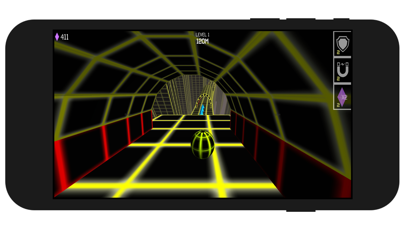
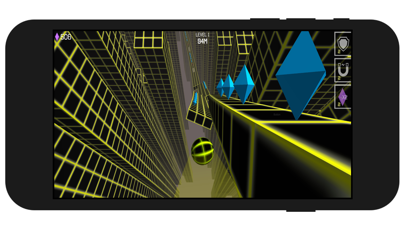
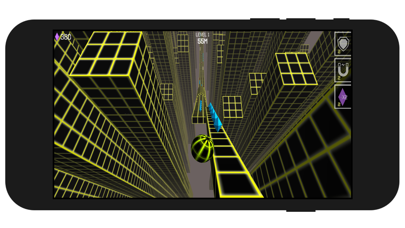
1.0 iOS €Gratuit A2G3 Media inc 0 0 ROLL BALL 3D - Use your balance skill to avoid the obstacles on the way, with the high slope angle You must pay extremely focus on the screen to reach the highest level in the slope world
ROLLING BALL - 3D

ROLLING BALL - 3D

iOS Universel / Jeux

Gratuit
Obtenir sur l'App Store

ROLL BALL 3D - Use your balance skill to avoid the obstacles on the way, with the high slope angle
You must pay extremely focus on the screen to reach the highest level in the slope world

En voir plus...
  • Screenshot #1 pour ROLLING BALL - 3D
  • Screenshot #2 pour ROLLING BALL - 3D
  • Screenshot #3 pour ROLLING BALL - 3D
  • Screenshot #4 pour ROLLING BALL - 3D
  • Screenshot #5 pour ROLLING BALL - 3D
  • Screenshot #6 pour ROLLING BALL - 3D

D'autres applications du développeur

Notes in Contacts
Notes in Contacts
/ iOS Universel
Pulse - Breathing & Meditation
/ iOS Universel
Learn Moral Stories Collection
/ iOS Universel
My Pills Reminder
My Pills Reminder
/ iOS Universel
Toddler Flashcards: Baby Phone
/ iOS Universel
Ground Golf - Dig & Score
/ iPhone
Voir toutes les apps

Note

(0 note)

Détails sur l'application

Version
1.0
Taille
46 Mo
Version minimum d'iOS
11.0
Game Center
Non
Dernière mise à jour
28/09/2020
Publié par
A2G3 Media inc

Newsletter App Store

Recevez chaque jour les meilleures promos

Actualité Apple

Image Coruna, un kit pour pirater les iPhone, se propage chez les hackers
Coruna, un kit pour pirater les iPhone, se propage chez les hackers
Image iPad Air M4 : les premiers benchmarks dévoilent la puissance
iPad Air M4 : les premiers benchmarks dévoilent la puissance
Image Les Studio Display (XDR) ne fonctionnent pas avec les Mac Intel
Les Studio Display (XDR) ne fonctionnent pas avec les Mac Intel
Image Le Studio Display XDR ne propose pas le 120 Hz avec certains Mac
Le Studio Display XDR ne propose pas le 120 Hz avec certains Mac
Partenaires : Actualité iPhone - Culture Geek
©2009-2026 i2CMedia | A propos |