Christmas and New Year - Frames & Greeting Cards
macOS / Graphisme et design
••• 60% Off Time Limited Offer •••
Christmas and New Year are precious moments to spend with family and friends. Register this moments of happiness, gratitude and changes with Christmas and New Year - Frames, Collage and Greeting Cards and share them with beloved friends and family members.
With 50 special frames to celebrate these especial holidays Christmas and New Year - Frames, Collage and Greeting Cards offers you a simple and easy interface to use allowing you to make this especial days more than unique!
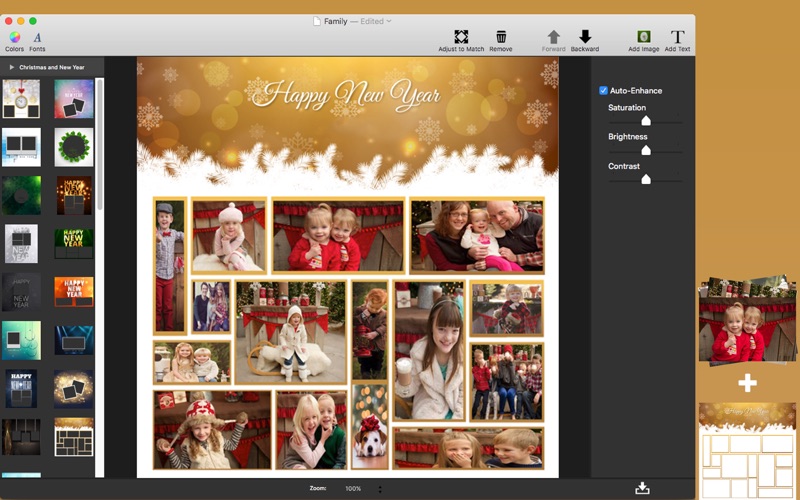
* Image Edition: Enhance the quality of your pictures using Auto Enhance, Saturation, Brightness and Contrast.
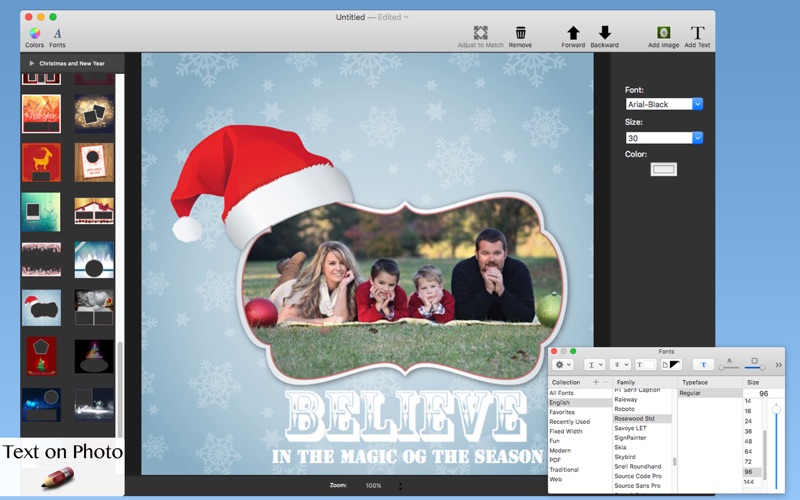
* Text on photo: Allows you to add text on images. Add captions, quotes or anything else you can imagine just with the right click.
* Adding Images: Allows you to add a image or with a right click to add one or more pictures.
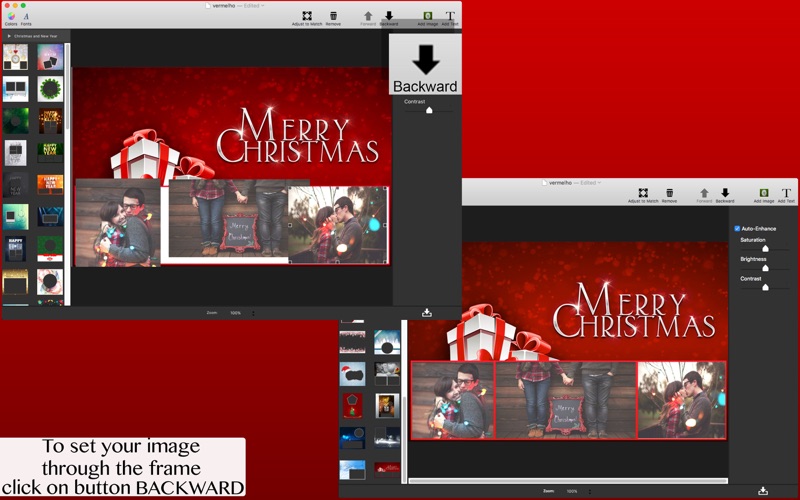
* Backward & Forward tool: With just a button or just a right click you can set your image through the frame.
* Canvas Adjustment: With this tool you don't need to be adjusting your image to the canvas size, with just a click on the button or just a right click you can match the canvas to your picture size.
* Export Images: Select the format you want: you can choose between PNG, JPEG, JPEG200, TIFF and BMP.
••••••••••••••••••••••••••••••••••••••••••••••••••••••••••••
Enjoy our features:
••••••••••••••••••••••••••••••••••••••••••••••••••••••••••••
• 50 Frames inspired Christmas and New Year themes
• Auto Enhance
• Saturation
• Brightness
• Contrast
• Add Text with Multiple Fonts
• Add multiple images
• Simple and easy interface
• Backward & Forward tool
• Adjust Canvas tool
• Convert Images: PNG, JPEG, JPEG2000, TIFF and BMP
• Save and Export your pictures to anywhere
• Zoom
Be creative and have unique and happy holidays with Christmas and New Year - Frames, Collage & Greeting Cards!
••••••••••••••••••••••••••••••••••••••••••••••••••••••••••••
How to use:
••••••••••••••••••••••••••••••••••••••••••••••••••••••••••••
1. Select the desired image size or open with image to create a new image with its size.
2. Click on Add Image to insert new images. Click on the desired image to edit.
3. Adjust the settings like you want (Auto Enhance, Saturation, Brightness and Contrast).
4. Select the desired frame on the left panel.
5. Select and adjust the desired image to set through the frame.
6. Clicking on the button on the menu or just with the right click use the Backward & Forward tool to set it through.
7. Click on Add Text to insert texts.
8. Export your image. Click on the button in the bottom corner of the right side.
••••••••••••••••••••••••••••••••••••••••••••••••••••••••••••
If you need help?
••••••••••••••••••••••••••••••••••••••••••••••••••••••••••••
Do you need any help? If you have any doubt or trouble with our products and company, like to make a suggestion or submit a request for a new feature, you can use the following tools:
Go to our website: ••• bravecloud.org
There you can find:
• Frequently Asked Questions
• List of applications
• Tutorials
and more…
You can also send an email to: ••• support@bravecloud.org
We’ll respond as soon as we can. Your contact is very important and with it we can constantly improve our apps.
Quoi de neuf dans la dernière version ?
* Minor improvements.
* New support form.