iPhoneAddict Apps
  • Actualités
  • Accueil Apps
  • iPhone
  • iPad
  • Universelles
  • Mac
  • Apple TV
KG KultureGeek
App
iPhone / iPad Télécharger iAddict v5 Mac Télécharger iAddict Mac
  • Actualités
  • Accueil Apps
  • iPhone
  • iPad
  • Universelles
  • Mac
  • Apple TV
  • Archives keynotes
  • Firmwares & iTunes
  • Contactez-nous
  • Comparateur de prix
  • KultureGeek
Accueil » Liste des Apps » Apps Mac » Graphisme et design » Smart Image Converter
L'application n'est plus disponible sur l'App Store français
2.0 macOS €1,99€ UAB Macmanus 0 0 - Converts your images and photos to the most popular file formats in a fast and convenient way. - Changes the file names and the size of your images in the blink of an eye. - Easily converts hundreds of photos just by one click. It is a...
Smart Image Converter

Smart Image Converter

macOS / Graphisme et design

1,99€ au lieu de 2,49€
Acheter sur l'App Store
Facebook X E-mail

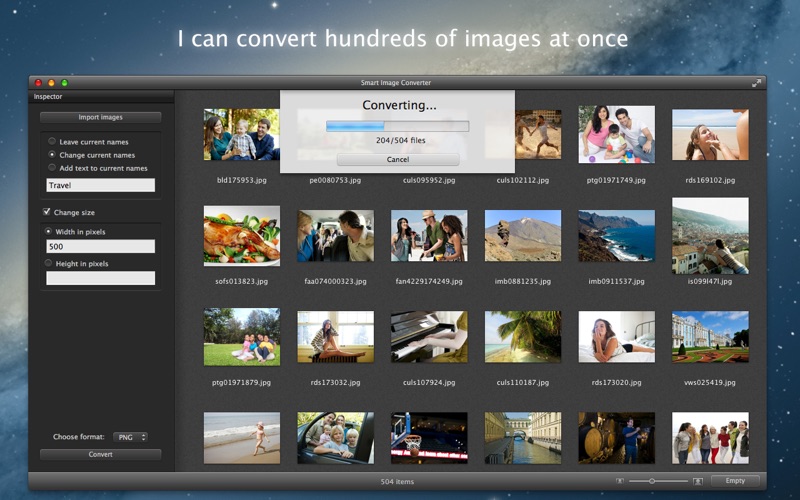
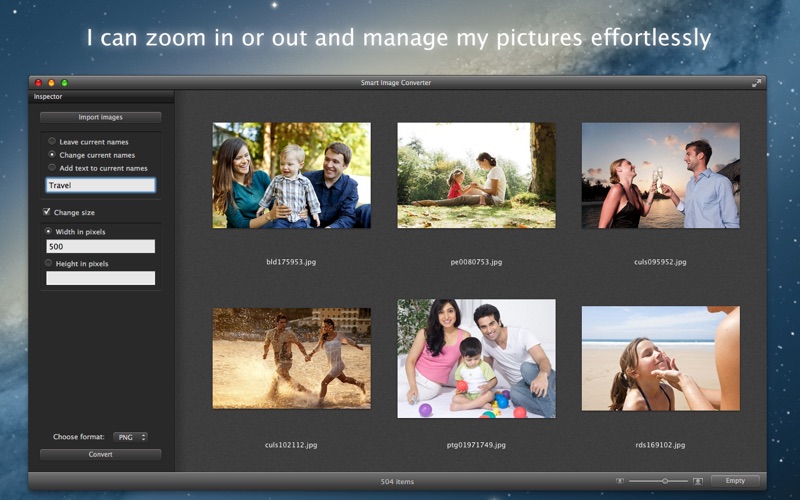
- Converts your images and photos to the most popular file formats in a fast and convenient way.
- Changes the file names and the size of your images in the blink of an eye.
- Easily converts hundreds of photos just by one click.

It is a simple-to-use App for saving your time. You can just drag your images or photos to the App window and you will be able to do more than you could expect in such a short time.

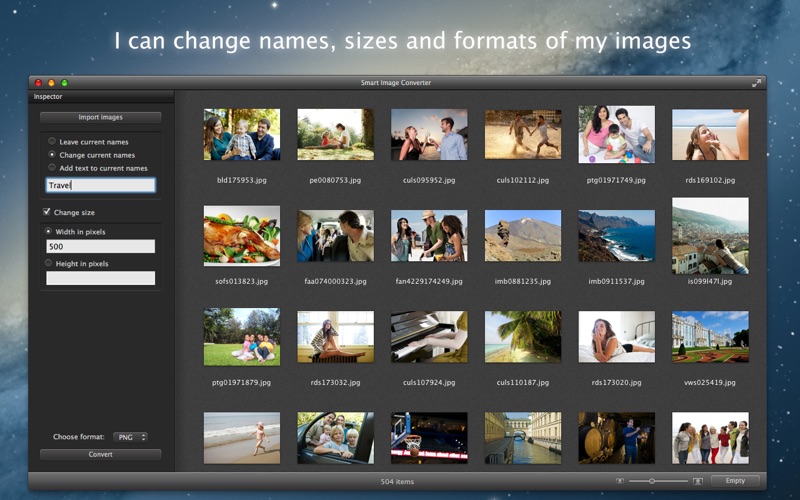
- Change the file names for hundreds of images and photos in seconds.
- Change the image size for plenty of images or photos just by one click.
- Convert Your current images to PNG, JPG, GIF, TIFF file formats.
- Convert Your images from PNG, JPG, GIF, TIFF, PSD, ICNS file formats.

The app can be used for one separate function or the functions can be combined and all the tasks can be completed at once.

- If you want just to change the file names for hundreds of images or photos on your Mac - it's really fast.
- If your images need to be resized - it's really easy.
- If you prefer your images in different file format - it's really simple.

The main advantage of Smart Image Converter is clear usage, just a few simple settings and fast results with only a few clicks.
Accurately grouped images will help you not to lose way among thousands of photos on your Mac.
Smart Image Converter is a fast, simple and easy-to-use App for every Mac user!

En voir plus...

Quoi de neuf dans la dernière version ?

- Support for .PSD and .ICNS file formats.
- New and intuitive user interface.
- Full Screen mode.
- Improved capabilities to manage imported images.
- Minor bugs fixed.
  • Screenshot #1 pour Smart Image Converter
  • Screenshot #2 pour Smart Image Converter
  • Screenshot #3 pour Smart Image Converter

D'autres applications du développeur

Clipart for iWork & MS OfficeClipart for iWork & MS OfficeiOS UniverselTemplates Box for PagesTemplates Box for PagesmacOSTemplates for iBooks AuthorTemplates for iBooks AuthormacOSStationery for MailStationery for MailmacOSFolder FactoryFolder FactorymacOSClipart CollectionClipart CollectionmacOSVoir toutes les apps

Note

(0 note)

Détails sur l'application

Version
2.0
Taille
1.5 Mo
Version minimum de macOS
10.6
Dernière mise à jour
05/10/2012
Publié par
UAB Macmanus

Newsletter App Store

Recevez chaque jour les meilleures promos

Actualité Apple

Image iPad Air 2027 : écran OLED, puce M5 et possible nouveau design
iPad Air 2027 : écran OLED, puce M5 et possible nouveau design
Image iPhone : Apple a capté 49 % des revenus de smartphones au 2e trimestre, un record
iPhone : Apple a capté 49 % des revenus de smartphones au 2e trimestre, un record
Image L’iPhone Air 2 aurait une Dynamic Island plus petite et d’autres nouveautés
L’iPhone Air 2 aurait une Dynamic Island plus petite et d’autres nouveautés
Image iPhone 18e : les 9 Go de RAM se confirment un peu plus
iPhone 18e : les 9 Go de RAM se confirment un peu plus
iPhoneAddict Apps

Le catalogue iPhoneAddict pour suivre les nouveautés, mises à jour et baisses de prix de l’App Store.

Apps

Toutes les apps iOS iPhone iPad Universelles Mac Apple TV

iPhoneAddict

Actualité Apple Archives keynotes Contact À propos KultureGeek

Suivez-nous

©2009-2026 i2CMedia. Tous droits réservés.