Prime MultiTrack App
macOS / Musique
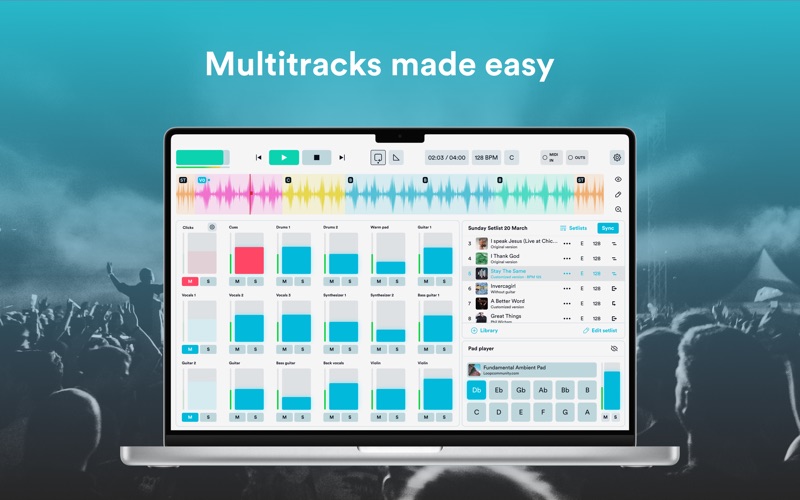
Prime is an easy and powerful way to play back all of your multitracks, loops and click tracks in worship or rehearsal.
GENERAL FEATURES:
• Change the Key of any song
• Change the Tempo of any song
• Customize Song Arrangements (easy drag and drop)
• Unlimited Tracks Mixer: Adjust the volume, mute and solo
• Multi-Out: With iOS Compatible Audio Interfaces
• Auto-Pan: Click and Cues are panned LEFT, Instrument Tracks are panned RIGHT
• Preview songs in full stereo or panned
• Waveform: Displayed for each song
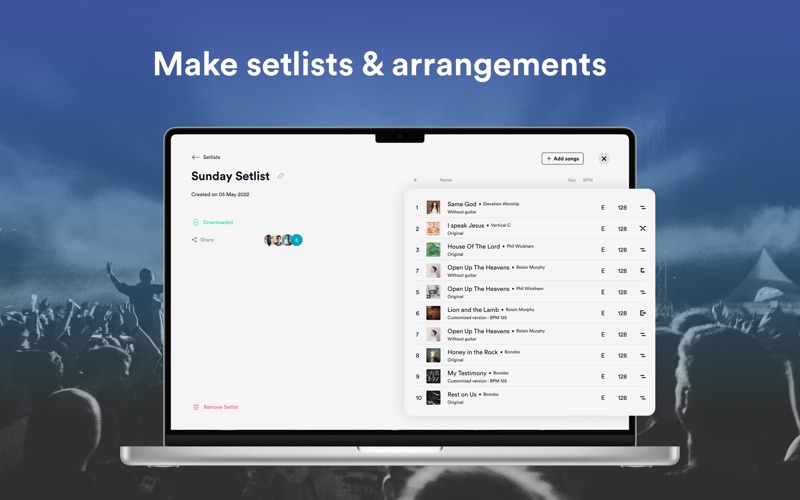
• Create and Save Setlists
• Add a Click Track Metronome to any setlist
• Click Sounds: Choose from 5 different metronome sounds
• Cue Voices: English, Spanish & Portuguese
• Dark theme option
PLAYBACK CONTROLS
• Song Sections: Let you see where in the song you are!
• Section Looping: Loop and repeat any section
• Infinite Loop: Loop a section 1 time or infinitely
• Section Jumping: Jump in time spontaneously to different sections of the song
• Jump Time: Choose when Section Jumping takes place (end of section, after 1 bar, after 2 bars)
• Transitions: Crossfade, Auto-Advance, Overlap and more!
• Set Start / End Times: Trim the beginning and end of a song
• Set Fade Out: Add a fade out to the end of a song
• Auto-Fade In and Out Button
MIDI INTEGRATION
• Map any MIDI controller to various app functions
• MIDI Integration with the Looptimus USB Controller
• Control master volume with a MIDI expression pedal
• Map individual songs sections and looping functions to a controller
• MIDI Out: Send Program Changes, Control Changes and Notes over MIDI Network to control Lyrics, Lighting and more!
PRIME CLOUD
• Import your own audio files with Prime Cloud
• Custom Section Markers: Add your own sections markers to content you upload
• Dynamic Cues: When you change the arrangement of a song, the cues follow you
• Sync and manage setlists between all your devices
• Save custom arrangements to your library
• Share setlists with team members
Quoi de neuf dans la dernière version ?
- Bug fixes and improvements
- Rename and delete pad presets