Spotica Menu
macOS / Musique
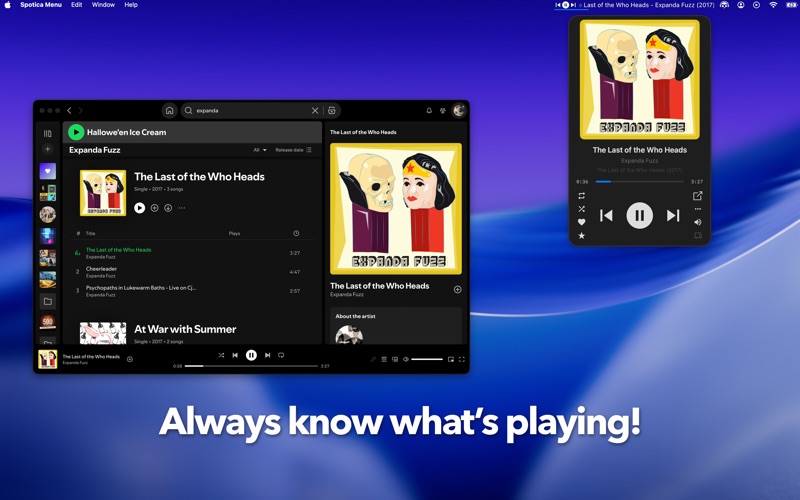
Spotica Menu is a MacOS menu bar app and mini player that shows the currently playing track, album, and album cover from Spotify or Apple Music.*
It puts common music controls (play, next, previous, and more) right in your menu bar, along with a choice of mini players and global hotkeys. A large number of custom configuration options are available including the colours, layout and global hotkey actions.
*Some features are only available on Spotify
Menu bar
● Show the current track information including song name, artist, and year
● Show the album cover and playback position
● Drag and drop to arrange menu bar items exactly how you want
● Customize colours, fonts, glyphs, and progress bar styles
● Bold and italic text formatting
● Save your colours as custom themes
● Choose what appears when nothing is playing
Mini players
● Five styles to choose from, including the new Llama retro skin and a Liquid Glass skin for a modern translucent look
● Bring your music player to the front by clicking the album cover
● Album and artist artwork and information
Controls and shortcuts
● Control Spotify and Apple Music directly from the menu bar
● Global hotkeys for almost any action
● Follow or add the current track or artist
● Play and add to playlists
● Add the current song to a playlist with a hotkey
● Set the album or artist image as your desktop wallpaper
● Keep the player on top of other windows
● Show a notification when the song changes
Last.fm support!
● Scrobble your listening and love tracks straight from the player
macOS 14.0 or later required
Visit http://spoti.ca/ for more details, or email info@spoti.ca to send us comments.
Quoi de neuf dans la dernière version ?
- Macos widgets!
- macOS 13 Ventura support is back!
- multi line text support on the menu bar (and independent scrolling)
- Lots of bug fixes
- CPU usage reduction