• KultureGeek
  • Comparateur de prix
       
iPhoneAddict
 iAddictv5Notre Application iPhone/iPad
  • Accueil Apps
  • Actualité Apple
  • Keynote Apple
  • Firmwares & iTunes
  • Contactez-nous
Accueil » Liste des Apps » Apps Mac » Photo et vidéo » Color Splash Effect
L'application n'est plus disponible sur l'App Store français
1.0 macOS €8,99€ Clovis Michel Pedroso Picanco 0 0 ••• 65% Off - Limited Time Offer ••• Color Splash is a great tool for everyone who likes to give a stylish effect on their photos. It uses the grayscale effect and enables to highlight portions of the picture leaving them in the original...
Color Splash Effect

Color Splash Effect

macOS / Photo et vidéo

8,99€ au lieu de 9,99€
Acheter sur l'App Store

••• 65% Off - Limited Time Offer •••

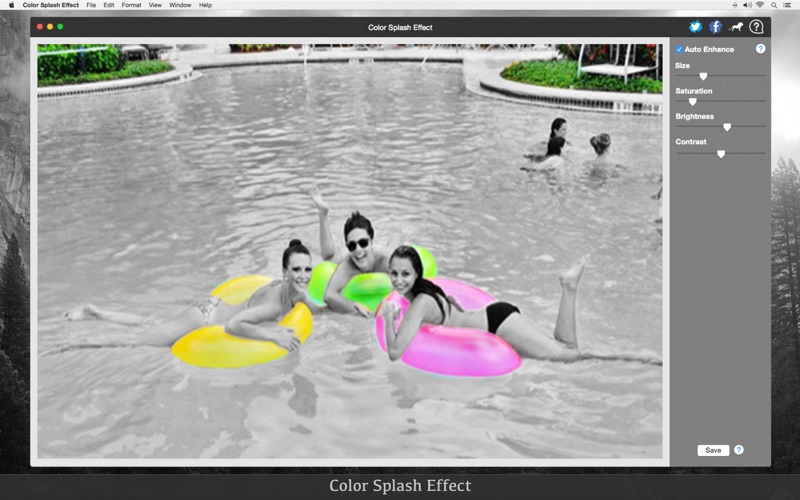
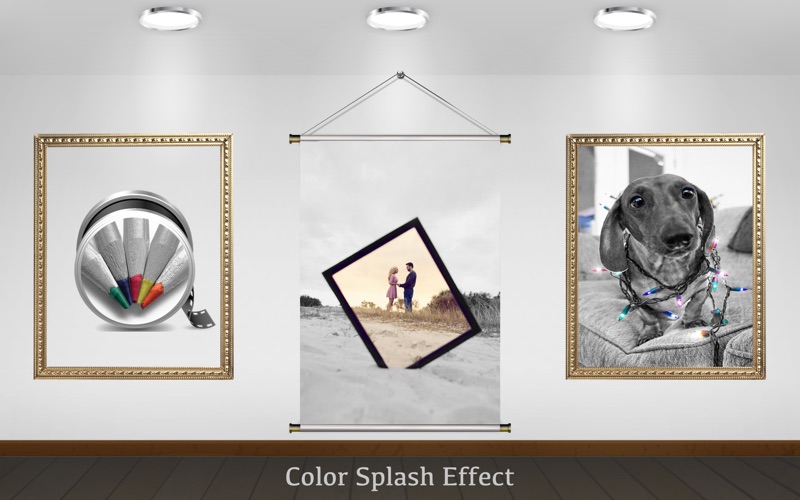
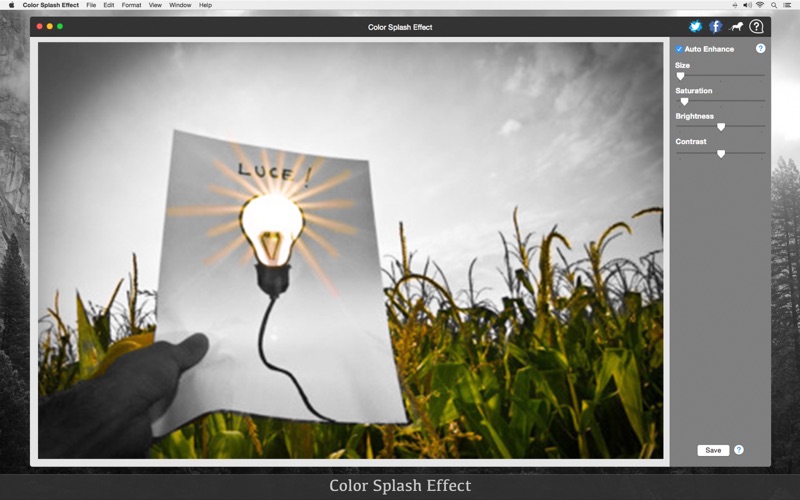
Color Splash is a great tool for everyone who likes to give a stylish effect on their photos. It uses the grayscale effect and enables to highlight portions of the picture leaving them in the original color.

The Color Splash Effect is perfect for you who want to color only parts of pictures/photos. It is easy to use, so you do not have to be an image editing expert.

••••••••••••••••••••••••••••••••••••••••••••••••••••••••••••
Enjoy our amazing features:
••••••••••••••••••••••••••••••••••••••••••••••••••••••••••••

• Stretch, expand and shrink.
• Preview and tune parameters with simple sliders.
• Enhance the final result with adaptive filters.
• Tune the Saturation, Brightness and Contrast.
• Save in different formats: PNG, JPEG, TIFF and more.

••••••••••••••••••••••••••••••••••••••••••••••••••••••••••••
How to use:
••••••••••••••••••••••••••••••••••••••••••••••••••••••••••••

1. Open your photo.
Go to File > Open. Almost all images type allowed.
2. Use Size slider.
You can move your mouse on the photo to get a preview. Tune Size sliders to get the desired effect.
3. Click or Click and drag to apply.
When you click the preview is applied.
4. Enhance your photo.
Check Auto Enhance, use the Saturation, Brightness and Contrast to tune your photo's quality.
5. Save your photo.
Go to File > Save. You can save it in PNG, JPEG, TIFF and more.

••••••••••••••••••••••••••••••••••••••••••••••••••••••••••••
If you need help?
••••••••••••••••••••••••••••••••••••••••••••••••••••••••••••

Do you need any help? If you have any doubt or trouble with our products and company, like to make a suggestion or submit a request for a new feature, you can use the following tools:

Go to our website: ••• bravecloud.org
There you can find:

• Frequently Asked Questions
• List of applications
• Tutorials

and more…

You can also send an email to: ••• support@bravecloud.org

We’ll respond as soon as we can. Your contact is very important and with it we can constantly improve our apps.
En voir plus...

  • Screenshot #1 pour Color Splash Effect
  • Screenshot #2 pour Color Splash Effect
  • Screenshot #3 pour Color Splash Effect

D'autres applications du développeur

PSD 2 JPEG: Batch convert PSD files to JPEG
/ macOS
Convert All Images
Convert All Images
/ macOS
Image Mix - Dissolve
/ macOS
Photo Text Editor - Add Effect
/ macOS
Christmas and New Year - Frames & Greeting Cards
/ macOS
Christmas Collage - Greeting Card & Photo Editor
/ macOS
Voir toutes les apps

Note

(0 note)

Détails sur l'application

Version
1.0
Taille
6.3 Mo
Version minimum de macOS
10.10
Dernière mise à jour
24/05/2016
Publié par
Clovis Michel Pedroso Picanco

Newsletter App Store

Recevez chaque jour les meilleures promos

Actualité Apple

Image La justice US rejette le blocage des ventes d’Apple Watch réclamé par Masimo
La justice US rejette le blocage des ventes d’Apple Watch réclamé par Masimo
Image Apple a envisagé des AirPods en plusieurs coloris
Apple a envisagé des AirPods en plusieurs coloris
Image Apple : les nouveaux produits attendus pour 2026 (il n’y en a jamais eu autant !)
Apple : les nouveaux produits attendus pour 2026 (il n’y en a jamais eu autant !)
Image Brevet : Apple prépare un Vision Pro avec suivi du regard recalibré en temps réel
Brevet : Apple prépare un Vision Pro avec suivi du regard recalibré en temps réel
Partenaires : Actualité iPhone - Culture Geek
©2009-2025 i2CMedia | A propos |