• KultureGeek
  • Comparateur de prix
       
iPhoneAddict
 iAddictv5Notre Application iPhone/iPad
  • Accueil Apps
  • Actualité Apple
  • Keynote Apple
  • Firmwares & iTunes
  • Contactez-nous
Accueil » Liste des Apps » Apps Mac » Photo et vidéo » Compress Images and Photos
L'application n'est plus disponible sur l'App Store français
5.1 macOS €5,99€ Rodrigo Dutra de Oliveira 0 0 Save space on your computer by compressing your photos/images. With Compress Images and Photos you can compress a set of photos/images quickly. 1. Drag and Drop or click in [Add Files]. 2. On the right panel: 2.1. Select the destination folder....
Compress Images and Photos

Compress Images and Photos

macOS / Photo et vidéo

5,99€
Acheter sur l'App Store

Save space on your computer by compressing your photos/images.
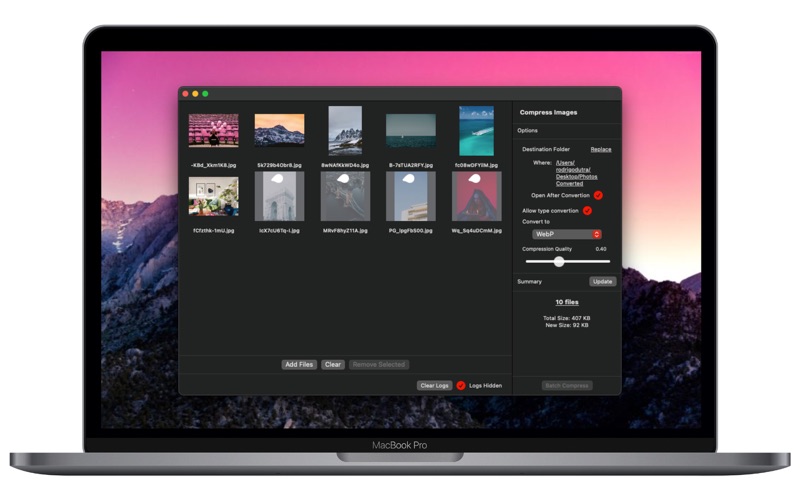
With Compress Images and Photos you can compress a set of photos/images quickly.

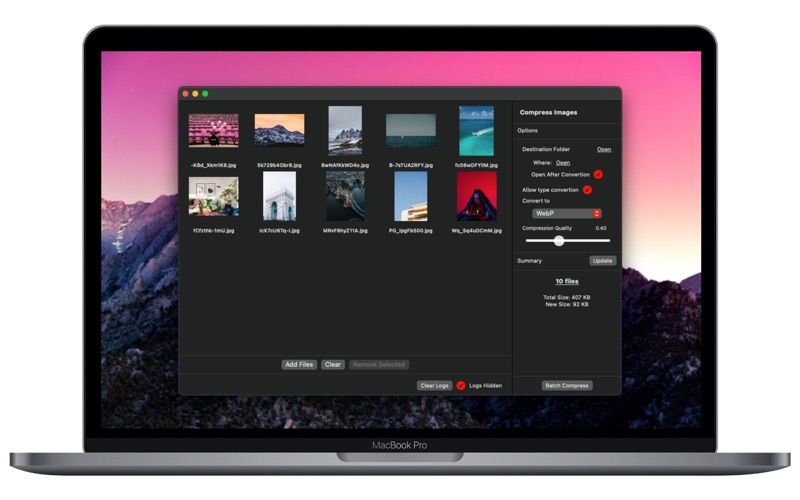
1. Drag and Drop or click in [Add Files].

2. On the right panel:
2.1. Select the destination folder.
2.2. If "Allows type conversion" is checked, you can select the destination image format type.
2.3. Use the "Compression Quality" slider: 1 means no quality reduction and values between 0.01 and 0.99 the final quality.
2.4. On Summary, [Update] button will show you your images total size and the new total size, after the compression.

3.0 Select a file and click in [Show] on the right panel, bellow the selected image preview. That will open a preview with the original image and the compressed. There you'll see the quality and compressed image final size.

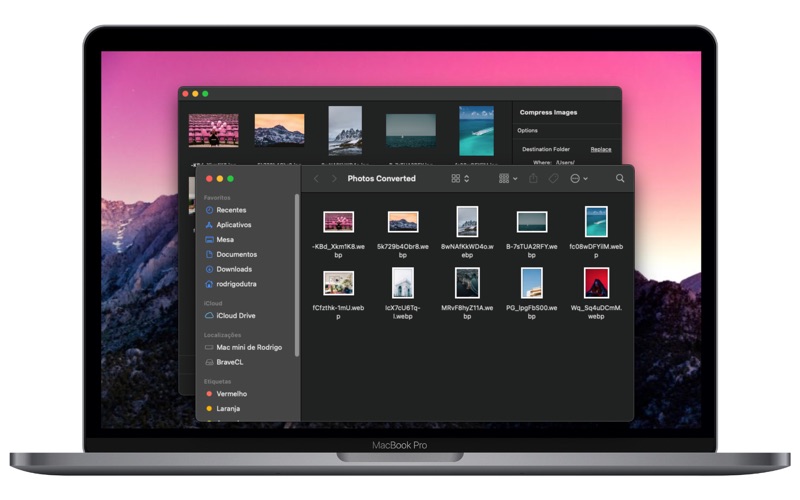
4.0 Click in [Batch Compress] to compress all images. You'll be asked to select the destination folder.
4.1 Uncheck the [Logs Hidden] to see file per file result.

En voir plus...

Quoi de neuf dans la dernière version ?

- Interface improvements.
- Performance improvements.
  • Screenshot #1 pour Compress Images and Photos
  • Screenshot #2 pour Compress Images and Photos
  • Screenshot #3 pour Compress Images and Photos

D'autres applications du développeur

Assets for Xcode
Assets for Xcode
/ iOS Universel
MD5 Generator - Hash Tool
/ macOS
FileName - Batch File Rename
/ macOS
Watermark Logo - Protect Files
/ macOS
WebP Batch Image Converter
/ macOS

Note

(0 note)

Détails sur l'application

Version
5.1
Taille
9.1 Mo
Version minimum de macOS
10.15
Dernière mise à jour
10/10/2021
Publié par
Rodrigo Dutra de Oliveira

Newsletter App Store

Recevez chaque jour les meilleures promos

Actualité Apple

Image Lucky : Apple TV dévoile la bande-annonce de sa série avec Anya Taylor-Joy
Lucky : Apple TV dévoile la bande-annonce de sa série avec Anya Taylor-Joy
Image Le MacBook Neo se vend bien, là où les PC reculent avec la pénurie de RAM
Le MacBook Neo se vend bien, là où les PC reculent avec la pénurie de RAM
Image Apple dévoile son premier centre de développeurs en Europe
Apple dévoile son premier centre de développeurs en Europe
Image macOS 27 pourrait se nommer Big Bear ou Emerald
macOS 27 pourrait se nommer Big Bear ou Emerald
Partenaires : Actualité iPhone - Culture Geek
©2009-2026 i2CMedia | A propos |