Leawo Video Converter Lite
macOS / Photo et vidéo
The best Mac free video converter that converts video and audio files between 180+ formats for totally free!
------------------------------
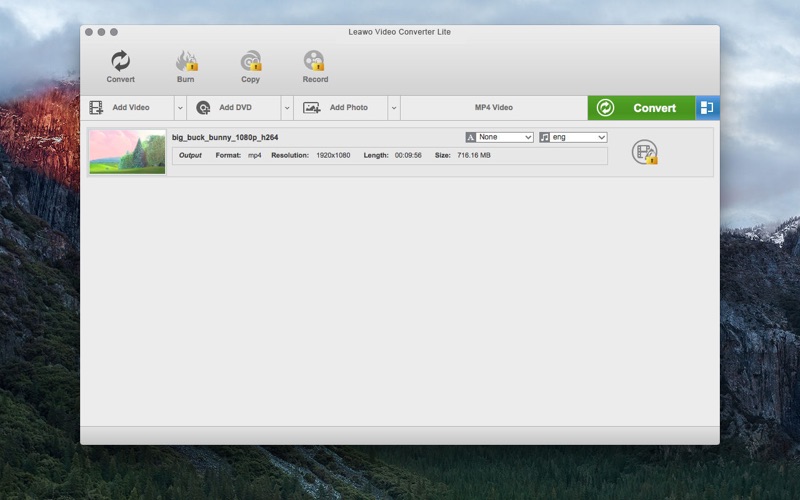
Leawo Video Converter Lite offers totally free video and audio conversion services to convert video and audio files in 180+ formats on Mac for totally free, like MP4, AVI, FLV, MOV, MPEG, WMV, 3GP, MKV, MTS, M2TS, MPG, MP3, AAC, FLAC, etc. It converts video from camcorder, smartphones, camera and online videos for multiple purposes: sharing online, home movie watching, saving into DVD disc, and playback on various portable devices like iPad, iPhone, iPod, etc. For video converting, this free Video Converter allows you to select subtitles and audio tracks, add external subtitles, play back video and audio files, handle multiple tasks at the same time, etc.
Besides free video and audio converting, Video Converter also offers In-App purchases, including: photo to video slideshow converting, video editing, DVD ripping, DVD copy and backup, DVD authoring and burning, Blu-ray burning, screen recording, and webcam recording.
------------------------------
Basic features:
1.Convert video and audio files between 180+ preset formats;
2.Convert 1080P HD videos and common videos between MP4, AVI, FLV, MOV, M4V, MPEG, WMV, MKV, etc.
3.Convert audio files without quality loss between MP3, AAC, FLAC, M4A, OGG, etc.
4.Convert video and audio files for almost all existing devices and media players like iPad, iPhone, iPod, iTunes, QuickTime, smartphones, tablets, PSP, PS4, Xbox, etc.
5.Select subtitles and audio tracks freely, and even add external subtitles at will;
6.Play back video and audio files via the built-in player;
7.Merge multiple video and audio files into one big file;
8.Support multiple-tasking management.
Advance (IAP) features:
1.Photo slideshow maker: generate photos into slideshow videos and save in different video formats, allowing slideshow editing like adding photos, removing photos, repositioning photos, setting slideshow transition and effect, adding background music, setting audio effect;
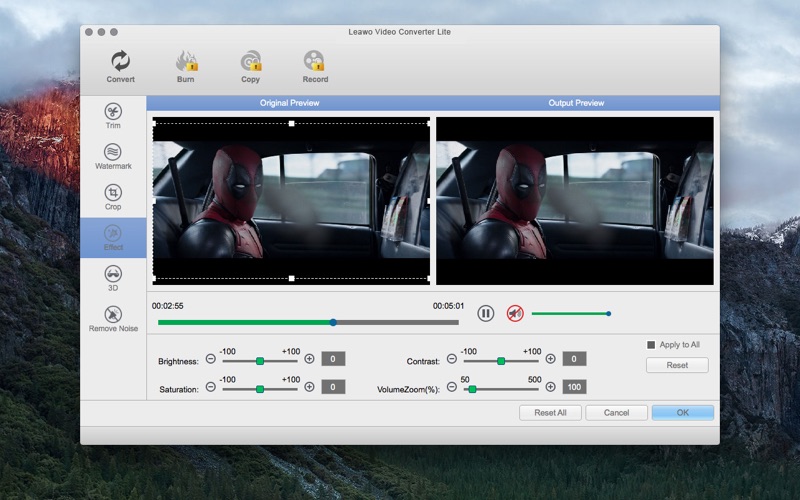
2.Video editor: trim video length, crop video size, add image or text watermark, rotate video for special angle, adjust video brightness, contrast and saturation, etc.
3.DVD Ripper: decrypt, rip and convert DVD movies to videos in 180+ formats for multiple uses;
4.DVD Copy: copy DVD disc and folder to computer hard drive or blank disc, and directly copy ISO image file onto DVD disc in one click. Supports 1:1 disc to disc duplication, full movie backup, main movie only backup, etc.
5.DVD Creator: convert and burn any video to DVD disc, folder and/or ISO image file, directly burn ISO image file onto DVD disc, edit video files, add disc menu to output DVD, and design disc menu with personal preferences at will.
6.Blu-ray Creator: convert and burn any video to Blu-ray disc, folder and/or ISO image file, burn ISO image file to Blu-ray disc easily, edit video files, add and design disc menu to output Blu-ray files freely, play back Blu-ray movies, etc.
7.Screen Recorder: record screen actions and then save into different video formats;
8.Webcam Recorder: record everything via computer camera or external webcam.
------------------------------
If you have any question, please contact support@leawo.com and you will receive a reply within 24 hours.
------------------------------
Twitter.com/Leawo_Software
Facebook.com/Leawo
Support@leawo.com
Quoi de neuf dans la dernière version ?
1. Support *.265, *.264, *.h265, *.h264 formats;
2. Support to manually change title order under Copy module;
3. Optimized screenshot taker to display editing effect;
4. Optimized bottom layer for faster decoding, better disc reading and playback;
5. Optimized UI interface and added Dutch version.
6. fixed program bugs;
7. Added video noise removal feature to video editing;