Observatory
macOS / Photo et vidéo
Observatory is powerful image management software for astrophotographers.
Just drop your imaging folder on Observatory, and it will create a new library, without copying or modifying any of your folders or files. It doesn’t matter how you organize the images in your file system. Observatory automatically groups them inside the library by session, astronomical target and equipment. Plate solved images are tagged, so you can easily find other astronomical objects within, and albums are created to reflect your file system hierarchy. You can reorganize these albums independently of your file system, or create smart albums to dynamically organize images, creating a unique view on your data. New images in the imaging folder are detected automatically, and your library is updated accordingly.
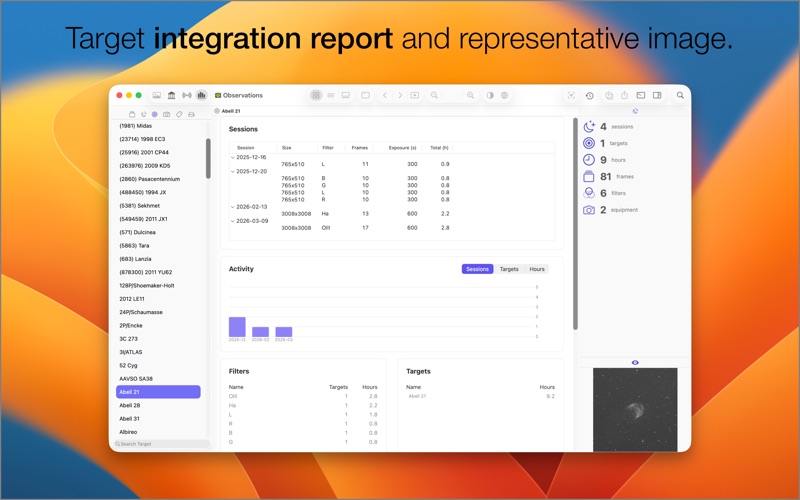
In addition to cataloging and browsing all your images, Observatory lets you see your observing session history, equipment usage, and it gives you the necessary insight in target integration time, for each filter, so you know when you collected enough data to start processing your images.
Observatory itself is not a full featured image processing application, but it does support limited preprocessing to help you better organize your library. Basic image calibration, registration, stacking and adjusting images is supported, all nondestructively, without creating any intermediate files or modifying your master images.
When you plate solve images with Observatory it automatically tags them and lets you identify galaxies, clusters, nebula, variable stars, exoplanet host stars, planets, dwarf planets, minor planets and comets using its built-in catalog of 60 million stars, 500,000 minor planets, and a million other astronomical objects.
Observatory contains plugins to have your Mac display thumbnails and previews of FITS, XISF and SBIG images in Finder and other applications. It shows you the metadata and FITS headers in the previews, and for plate solved images the image scale and image orientation. The Spotlight plugin indexes the metadata, so you can quickly find your images even from within Finder.
It also provides a convenient interface to find and download research images from professional ground-based observatories and space telescopes. It has many more features not listed here. You can download a demo from our website to learn more.
OPTIONAL FEATURES (VIA IN-APP PURCHASE)
• Up to 750 million additional stars for the Gaia star catalog, extending the default magnitude 16 limit to magnitude 20.
SUPPORT
If you have any feedback or questions, we’d love to hear from you! You can reach us by email at support@codeobsession.com.
Quoi de neuf dans la dernière version ?
• Session, target & equipment navigators.
• Statistics Persona with session activity, filter and equipment usage, constellation coverage, and integration reports.
• New attributes, like moon phase, angular separation, target type, e-gain, focuser temperature, focuser position, focal ratio, and more.