Photo Tamer - Convert & Resize
macOS / Photo et vidéo
Photo Tamer is the easiest, fastest way to convert unruly images to small, tidy JPG and PNG files.
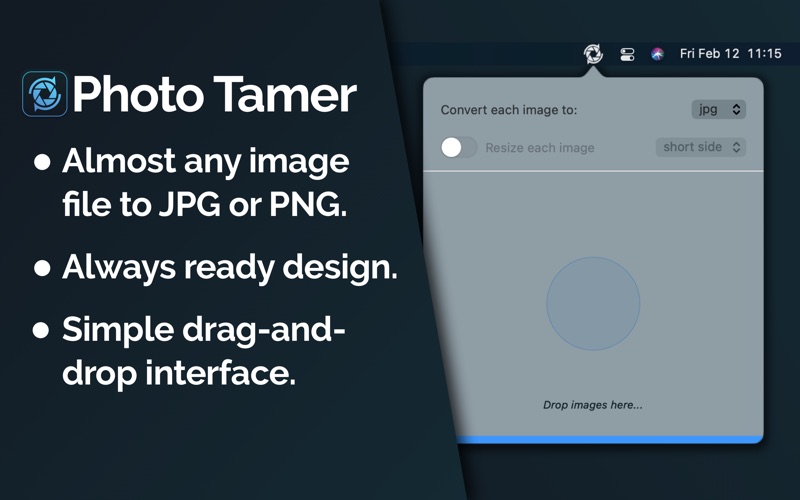
It lives in your menu bar so it's always ready to go when you need it. Just drag and drop images in almost any format and in seconds you'll have a pile of tidy photos ready to save.
• Convert and resize in one pass.
Whether you're dealing with retina PNG screenshots or a massive 40 megapixel TIFF you want to share online. Save yourself time and space by converting and shrinking images at the same time. Photo Tamer can export as PNG or JPG, and it can shrink your images to a target width, height, or intelligently pick whichever side is longer or shorter.
• Lives in your menu bar.
Photo Tamer is the #1 image conversion app because it lives in the background at the top of the screen. It's always ready to go, but it never gets in your way. You don't even have to click it to start converting - just drag and drop image files right into the status icon.
• Handles almost every native filetype.
Whether you're dealing with TIFFs, HEICs, or PNGs - if Mac OS can handle the image, then Photo Tamer can handle it. Photo Tamer uses the Mac's native image processing pipeline to read and convert your images, so even PSD and RAW files are fair game.
• Built for performance first.
Photo Tamer takes up less than 10MB on disk and 0% CPU when running in the background. It's written entirely in native code with no 3rd party tracking or analytics cruft. The app is here only to help you with your photos as fast as it possibly can.
Quoi de neuf dans la dernière version ?
For those who are processing lots of photos in a row, you can now disable revealing converted photos in Finder using a new option in the Preferences window.