Quick Clip
macOS / Photo et vidéo
- Clip and rescale a movie, watermark video, add audio to video -
QuickTime Player is a great piece of software that we all get to use. It even lets you record a desktop movie. One small problem is that it records the entire screen when in fact I often want a portion of it like an area of 1,440 points x 900 points starting at the top-left corner. I also want to watermark my desktop movie. Maybe, add an audio track to a movie, too? So I've developed Quick Clip for my own use.
- Important -
Please quit the application after you launch it for the first time.
- Features -
1. Open a movie clip with the following supported video container formats: 3GP, 3G2, DV, M4V, MOV, MP4, MPEG, MPG
2. Clip an area of the movie.
3. Rescale a movie.
4. Add one or more audio tracks to a movie.
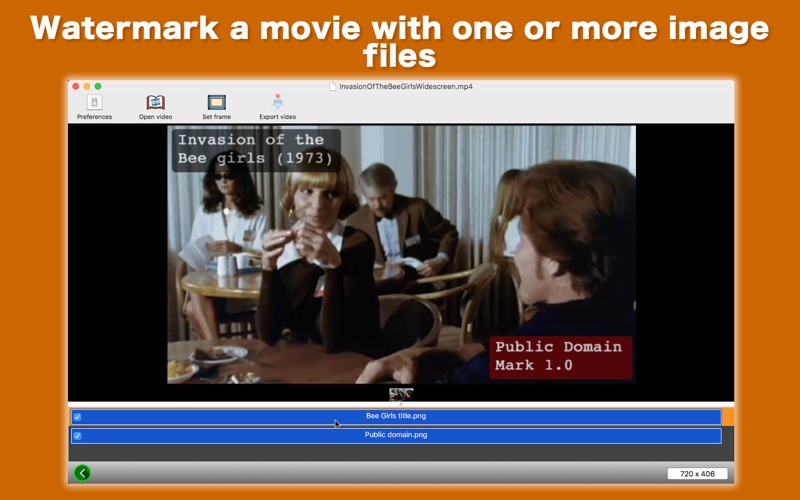
5. Watermark a movie with one or more images.
6. Move a watermark image freely around the screen with your mouse pointer.
7. Rescale a watermark image. Change opacity of a watermark image.
8. Save a movie, removing an existing audio track.
9. Rip an audio track off a movie, saving it as an M4A media file.
10. The fullScreen mode is supported.
11.The application supports the retina screen.
12.Languages: English only.
13.Application file size: 29.0 MB.
14.The application comes with a built-in 18-page user guide. Click on the Quick tour toolbar button or choose Show Quick Tour under Quick Clip whenever you need to see it.
- System requirements -
1. 10.12 (tested with 10.12.6), 10.13 (tested with 10.13.4)
2. 64-bit system
- Limitations -
1. A clip frame must start from the top-left corner.
2. The application will save a movie or an audio file with a duration of 5 seconds at most. Saving them at full duration requires a one-time in-app purchase.
3. Regardless of the original video container format, a final movie will be saved as a QuickTime video (MOV).
4. Regardless of the original frame rate, when you clip an area of a video, a new movie must be saved with a frame rate defined by an integer (a counting number like 24, 25, 30).
Quoi de neuf dans la dernière version ?
1. Fixed is an issue where the application could crash after the user launched it for the first time and then resizes the window.