• KultureGeek
  • Comparateur de prix
       
iPhoneAddict
 iAddictv5Notre Application iPhone/iPad
  • Accueil Apps
  • Actualité Apple
  • Keynote Apple
  • Firmwares & iTunes
  • Contactez-nous
Accueil » Liste des Apps » Apps Mac » Photo et vidéo » Trimster
1.1.0 macOS €1,99€ Wells Consulting LLC 0 0 Trimster is the easy way to trim MPEG-4 videos with precision. Set “in” and “out” points, then save the clip. It’s that simple. You can use Trimster to split a long video into shorter clips, remove scenes you don’t want, or just trim a...
Trimster

Trimster

macOS / Photo et vidéo

1,99€
Acheter sur l'App Store

Trimster is the easy way to trim MPEG-4 videos with precision. Set “in” and “out” points, then save the clip. It’s that simple.

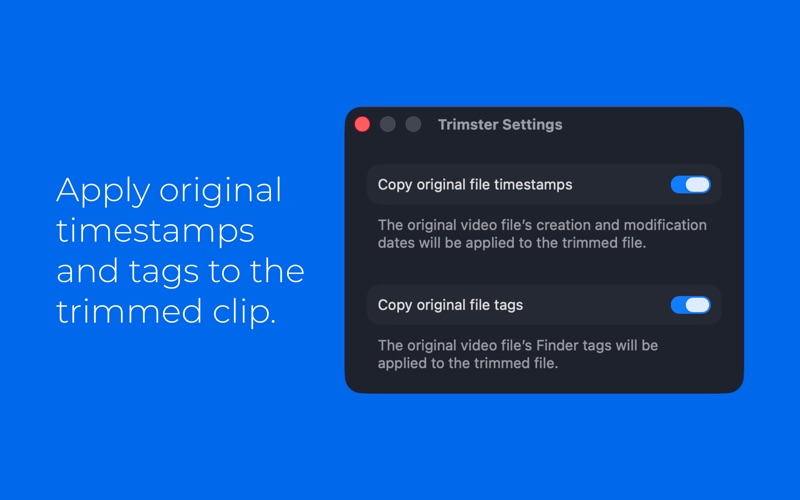
You can use Trimster to split a long video into shorter clips, remove scenes you don’t want, or just trim a little off the top. Trimming MPEG-4 videos is quick and easy but oh-so-precise: set your exact “in” and “out” frames, then save the clip as a new video. Trimster doesn’t convert or re-encode movies, so saving trimmed clips is easy and fast. If you want, the new clip can even retain the created/modified dates and Finder tags from the original file.

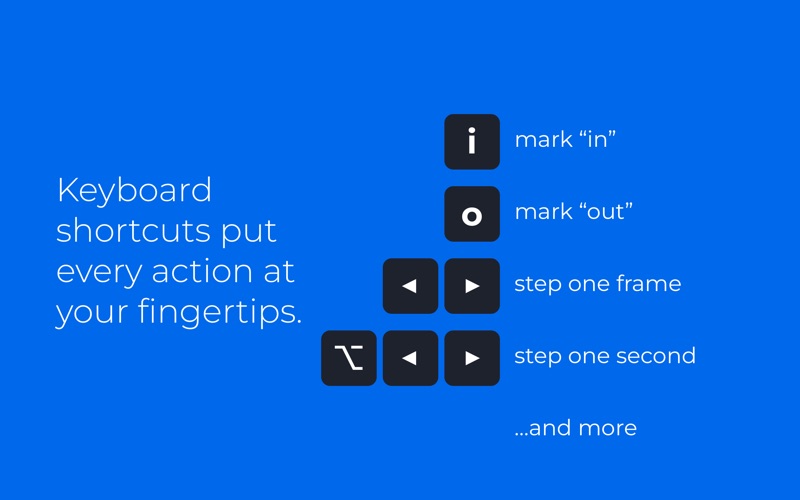
Use standard movie player controls and menu items to mark your desired in/out clip points, or take advantage of convenient keyboard shortcuts:
– Step frame-by-frame using the left/right arrows keys for precise trimming
– Step second-by-second using Option + left/right arrow keys
– Mark in/out points with I and O keys
– Other keys let you jump to the beginning/end of the video or marked clip

Trimster works with any unprotected, exportable MPEG-4 movie. Compatible file extensions include MP4, M4V, MPG, MPEG, and MOV. Trimster doesn’t work with MPEG-2 files or other video formats, but if you use another utility to convert them to MP4, you can then trim them with Trimster.

En voir plus...

Quoi de neuf dans la dernière version ?

– Minor UI adjustments make it easier to use the play track and see in/out time codes.
– Press Command-I to see details about the video, including the precise playhead location.
– In Settings, you can now choose to copy Finder tags from the source video to the saved clip.
– Under the hood, improved code takes advantage of modern Swift and SwiftUI conventions.

  • Screenshot #1 pour Trimster
  • Screenshot #2 pour Trimster
  • Screenshot #3 pour Trimster

D'autres applications du développeur

Sidepic 2
Sidepic 2
/ iOS Universel

Note

(0 note)

Détails sur l'application

Version
1.1.0
Taille
1.4 Mo
Version minimum de macOS
26.0
Dernière mise à jour
09/04/2026
Publié par
Wells Consulting LLC

Newsletter App Store

Recevez chaque jour les meilleures promos

Actualité Apple

Image XChat, l’application de messagerie de X, est disponible sur iPhone et iPad
XChat, l’application de messagerie de X, est disponible sur iPhone et iPad
Image Apple dévoile comment la vidéo du MacBook Neo a été créée
Apple dévoile comment la vidéo du MacBook Neo a été créée
Image Apple TV brille aux Peabody Awards 2026 avec deux nouvelles récompenses pour Pluribus et Come See Me in the Good Light
Apple TV brille aux Peabody Awards 2026 avec deux nouvelles récompenses pour Pluribus et Come See Me in the Good Light
Image L’iPhone 18 aurait bien 12 Go de RAM, comme les modèles Pro
L’iPhone 18 aurait bien 12 Go de RAM, comme les modèles Pro
Partenaires : Actualité iPhone - Culture Geek
©2009-2026 i2CMedia | A propos |