Caato: Time Tracker & Work Log
macOS / Productivité
+++ Time Tracking for your Mac – finally done right! +++
Time tracking should be easy and effortless. That's what Caato Time Tracker is about! It's reliable, easy-to-use and hassle-free. It’s perfect for you as a small business owner, designer, consultant, developer, architect, lawyer or freelance worker for tracking your worktime and billable hours as well as your projects and tasks.
The new and improved Caato Time Tracker features a date range filter that lets you see just the tracked time you are interested in. Getting the report you need for billing your clients is a matter of seconds with filter presets like "Last Month" and our new Excel export (Excel export Pro Version only).
The visibility toggle (Pro Version) allows you to hide certain projects so that you can focus on what's important right now. And, if you’re wondering how many hours you’ve already worked today, just take a look at the app icon and you'll know it.
Our customers around the globe love Caato Time Tracker for its simplicity:
“Wonderful app! Simple and efficient! I love this app.“
“I seriously love it for its simplicity.“
“This is great and simple to use.“
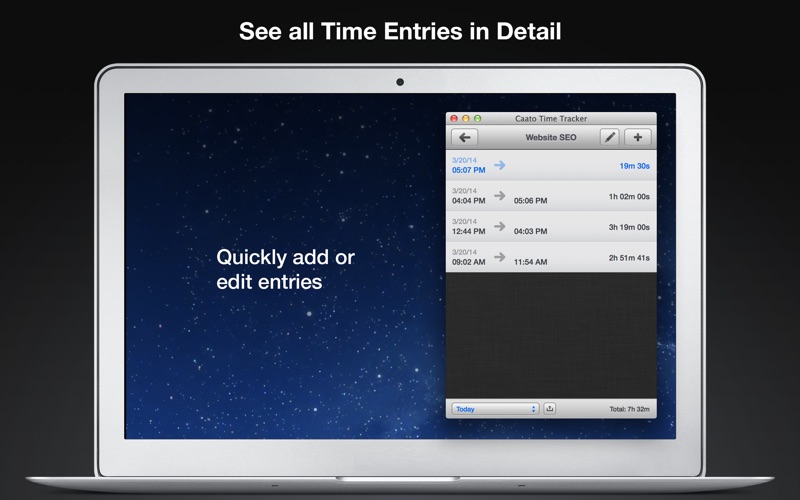
Easily stay on top of your time: Caato Time Tracker features a 3-tier hierarchy of projects, tasks, and detailed time entries. With the date filter you can quickly check how many hours you worked on your projects and tasks in a defined timeframe.
Relax and let Caato Time Tracker keep your time: You can always add, delete or edit entries on every level for maximum flexibility. Excel (Pro Version) and CSV export options enable you to easily build reports with your favorite spreadsheet application or send them directly via email (OS X 10.9 and higher).
Features
------------------------------------------------------
- Start and pause button
- Tracks projects, tasks and detailed time entries including seconds
- Show and hide projects
- Setting for automatically converting hours to days
- Tracks multiple projects at once (Pro Version)
- Allows editing of entries in the past and adding entries in the future
- Context-sensitive totals in the status bar
- Date range filter with presets and individual date range picker
- Shows today’s working hours or the number of currently tracked projects in dock icon
- Clean user interface with complete date labels
- Easy Excel (Pro Version) and CSV export with formatting options and email feature (OS X 10.9 and higher)
- Retina resolution support
- Auto-Backup (please contact Caato support for data recovery)
- Quick and friendly support
How you can use Caato Time Tracker
------------------------------------------------------
- Track time for several projects (Pro Version)
- Track time for several tasks of one project
- Track time for your personal projects
- Track time for your hobbies
In-App Purchase
------------------------------------------------------
- With the one-time "Pro Version“ in-app purchase, you will be able to add, hide, edit and delete as many projects as you like and export your data to Excel.
Quoi de neuf dans la dernière version ?
This update fixes an issue on macOS Ventura where the navigation bar wasn't displayed correctly