DFind - Advanced File Search
macOS / Productivité
DFind is a powerful file and folder search tool for macOS.
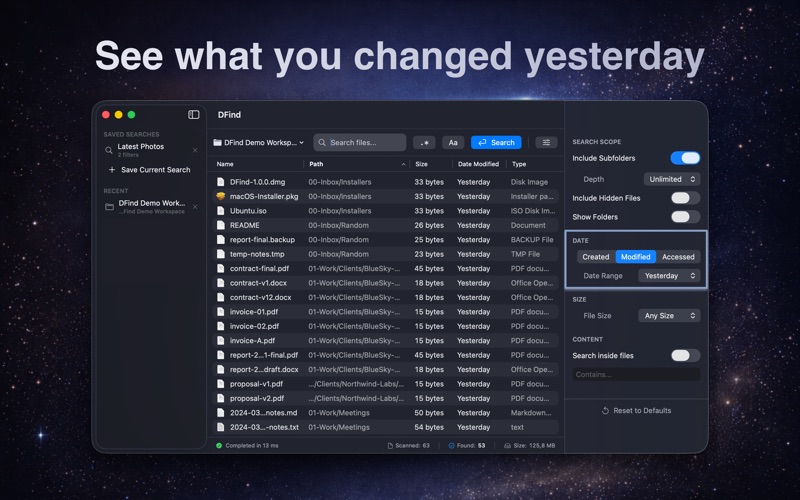
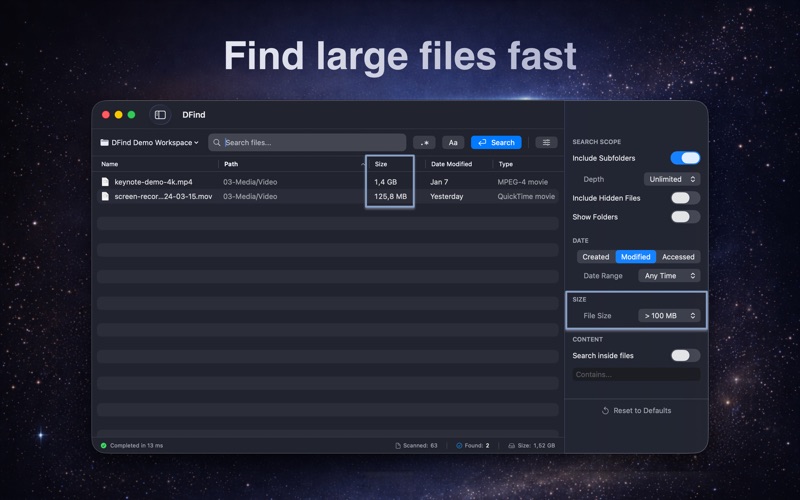
Find files instantly by name, content, date, size, or location, even when Spotlight can’t. Even if you’re looking for a document you edited yesterday, a huge file taking up disk space, or a specific line of text inside a config or log file, DFind helps you find it in seconds.
DFind adapts to how people actually remember files. You can search by full or partial filename, search inside files for specific text, or narrow results using precise filters.
You can quickly locate recently modified files, identify large files that consume disk space, or search inside documents, source code, logs, and configuration files. For more advanced use cases, DFind also supports regular expressions, while remaining simple to use for everyday searches.
Unlike Spotlight, DFind uses its own fast native search engine and does not depend on the macOS Spotlight index. This makes it reliable even when Spotlight is slow, incomplete, or disabled.
DFind is designed for performance and efficiency. It is fast, lightweight, and optimized for low CPU usage, even on large disks with deep folder structures.
You can search across your entire disk or limit searches to specific folders, include or exclude subfolders, control search depth, and optionally reveal hidden and system files. Filters allow you to narrow results by creation date, modification date, access date, file size ranges, and more.
To streamline daily workflows, DFind lets you save searches and reuse them anytime. You can open files directly from the results list, preview files with Quick Look, copy file paths, or move selected items to the Trash without leaving the app.
DFind is ideal for developers, designers, IT professionals, and anyone who needs a fast and reliable way to search files on macOS.
System requirements: macOS 14 Sonoma or newer.
Free updates for all versions.
If you encounter any bugs or have feature requests, please contact us at contact@devstorm-apps.com
App Store reviews do not allow direct replies, so email is the fastest way to get support.
Quoi de neuf dans la dernière version ?
This update focuses on clarity, precision, and performance.
- All-new interface with a modern Inspector for advanced search options
- New search presets to quickly find large, recent, hidden, or specific files
- Powerful content search to find text inside files, not just filenames
- More precise control over scope, depth, hidden files, and result types
- Faster searches with live results and detailed performance metrics
This update makes it easier than ever to find exactly what you’re looking for, even in large, complex folders.