DisplayProg
macOS / Productivité
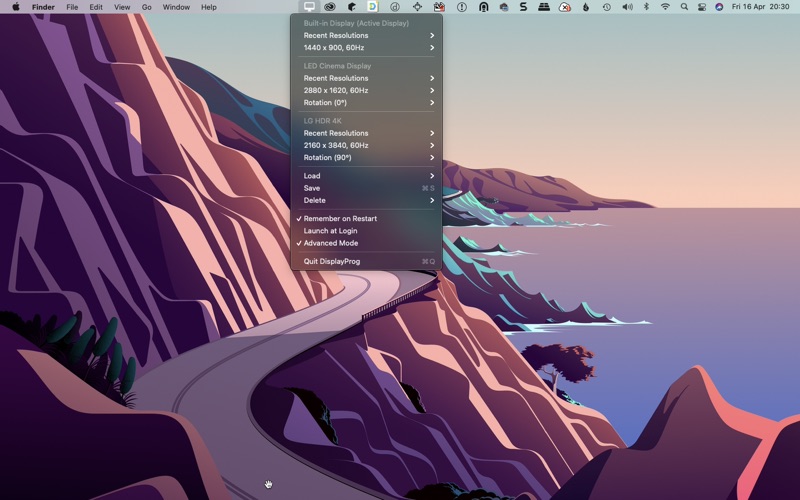
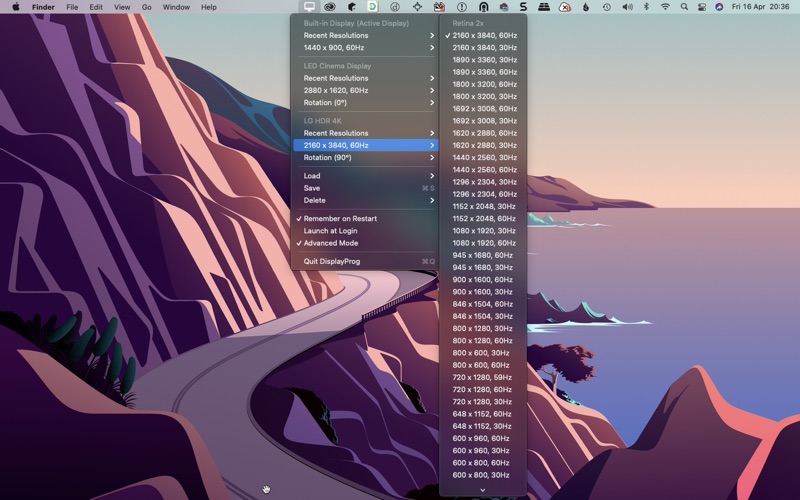
* Switch resolution of all connected monitor with a click
* Switch to Retina 2x resolution
* Switch to Standard 1x Resolution
* Launch at Login
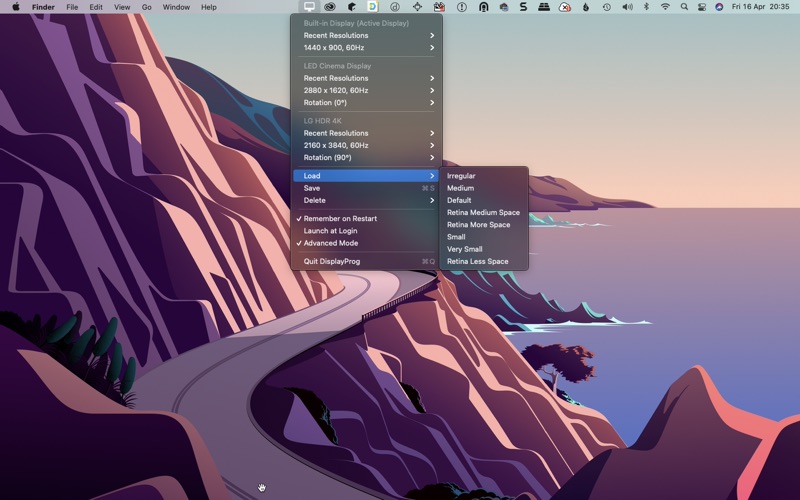
* Save and Restore the Resolution & Rotation on Restart
* Save and Restore the Resolution & Rotation using Custom Label
* Save Four Recent Resolutions for Quick Switch
* Change of Rotation of the Display
* Change Frequency of the Display
* Intel & Apple Silicon Native Support
* Custom Display Names
* Mirror / Extend Displays
* Profile keyboard shortcuts
* Display Info
* Tag profiles with colors
* Resolution Search
* Favorite Resolutions
* Profile Import / Export
If you are having any issues please write to us at support@makeprog.com
Quoi de neuf dans la dernière version ?
- **Custom Display Names**
Rename any display with a friendly name that persists across restarts.
- **Mirror / Extend Toggle**
Quickly switch between mirroring and extending your displays from the menu bar.
- **Profile Keyboard Shortcuts**
Load saved profiles instantly using ⌘1 through ⌘9.
- **Display Info Panel**
View key display details at a glance — resolution, refresh rate, pixel density, and color space.
- **Profile Color Tags**
Tag saved profiles with a color dot to easily identify them in the Load menu.
- **Resolution Search**
Enable a live search field inside the Resolutions submenu via Toggle Search — type to instantly filter the list by resolution or refresh rate.
- **Apply Last Used**
Instantly re-applies the last-used resolution to all connected displays with a single click — handy after macOS resets resolutions following sleep or reconnect.
- **Favorite Resolutions**
Pin frequently-used resolutions to a Favorites section at the top of the Resolutions submenu. Use Manage Favorites to add or remove pins per display.
- **Profile Import / Export**
Back up all saved profiles to a JSON file and restore via Import Profiles… and Export Profiles… in the menu.