DOCX to Markdown Converter
macOS / Productivité
Docx to Markdown Converter turns Microsoft Word documents (.docx) into clean Markdown (.md) — right on your Mac, in a single drag.
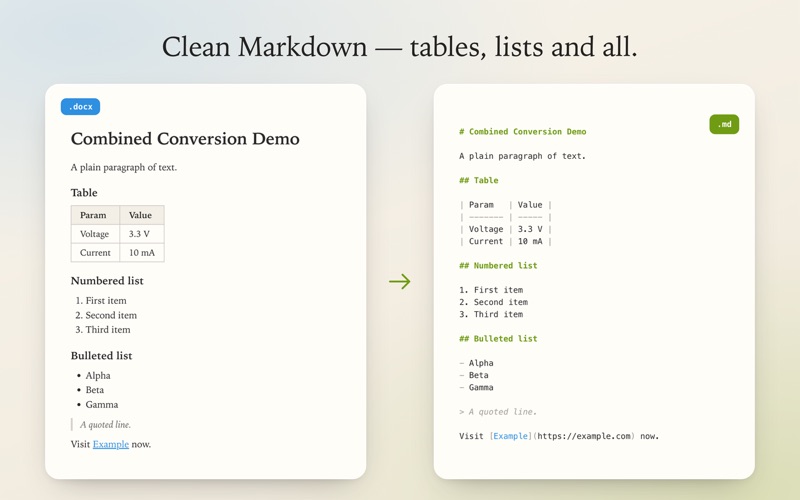
Write in Word or Google Docs, then publish to GitHub, a wiki, Obsidian, or any Markdown-based tool without the tedious copy-and-paste cleanup. Headings, tables, lists, bold and italic, and links all come across intact.
PRIVATE BY DESIGN
Conversion happens entirely on your Mac. Your documents are never uploaded to any server — unlike web-based converters. Ideal for confidential and work documents.
FAST AND SIMPLE
Drag a .docx file onto the window (or click to open), choose where to save, and you have Markdown. No account, no sign-up, no internet connection required.
FORMATTING PRESERVED
• Headings and paragraphs
• Tables
• Numbered and bulleted lists
• Bold, italic, and links
MADE FOR DEVELOPERS AND WRITERS
Output that drops straight into READMEs, issues, wikis, documentation, and static-site content.
Drag. Drop. Done.
Quoi de neuf dans la dernière version ?
Updated App Store preview, plus small under-the-hood refinements. Thanks for using DOCXtoMD!