Fast CAD Reader-View & Measure
macOS / Productivité
CAD Reader is a fast, reliable, cross-platform CAD solution compatible with DWG and DXF formats. Built for AEC professionals, engineers, designers, site supervisor and quantity surveyors, it delivers precise tools for viewing, measuring, tabulating measurement data, annotating, and editing drawings all with smooth, responsive performance across devices. With multilingual support, CAD Reader enables seamless collaboration across global teams. Unlock advanced features with a VIP membership available via in-app purchase.
Powerful Functions:
Drawing Management
• Open and view multiple drawings simultaneously.
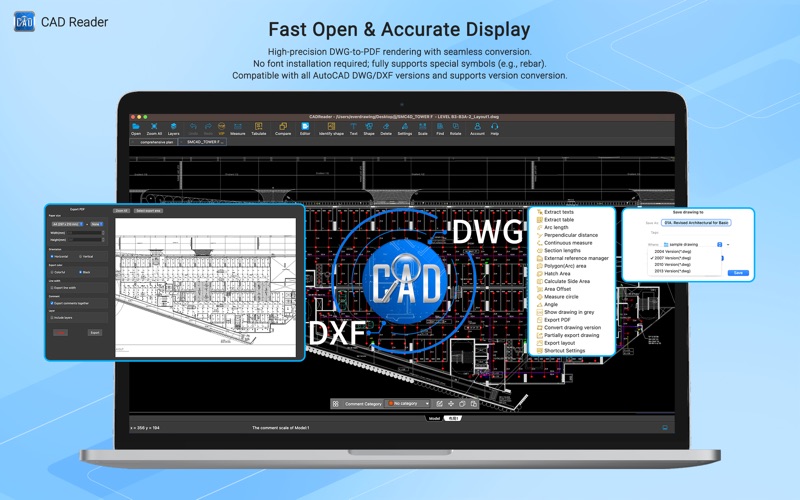
• No font installation required; fully compatible with all AutoCAD DWG/DXF formats, including external references.
• Manage layers with full visibility and property control.
• Compare revision drawings to detect design changes.
• Convert drawings across AutoCAD versions.
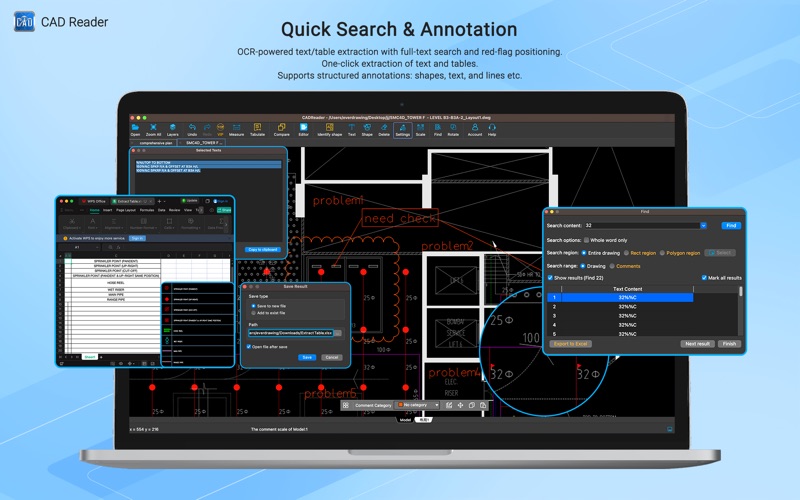
• Extract text and tables with one click.
• Export high-resolution PDFs with annotations and layers.
Measurement & Tabulation
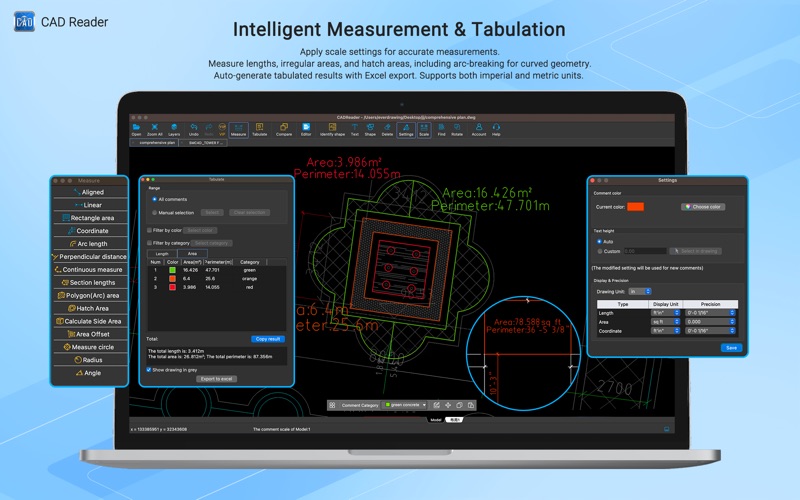
• Scale drawings and use automatic snapping for precision
• Accurately measure lengths, areas, radius, angles, and arcs
• Continuous length measurement.
• Polygon and irregular area measurement.
• One-click automatic counting of shapes, blocks, and legends
• One-click hatch area calculation.
• Instantly tabulate measurement results and export to Excel
Annotations & Markups
• Add markups using cloud lines, ellipses, rectangles, leaders, and freehand tools.
• Add, modify, and move single-line and multi-line text.
• Categorize annotations for organized review and management.
• Full-text search for rapid navigation.
Built-In Editing Tools
• Draw and edit lines, arcs, circles, and polylines
• Modify, move, mirror, delete, and explode objects easily
• Adjust object properties, layers, and text with precision
• Quickly Find & Replace text within drawings
User-Friendly Interface
Enjoy an intuitive, modern interface built for AEC professionals of all levels. Effortlessly review, edit, and share CAD drawings with CADReader.
*Some features are available exclusively with a VIP membership.
Need Help?
Contact our technical support via WhatsApp or email for free 1-to-1 assistance:
Email: cadreaderservice@gmail.com
WhatsApp: https://wa.me/60167402995
Follow us for tips, tutorials, and updates:
YouTube: https://www.youtube.com/@cadreader
TikTok: https://www.tiktok.com/@cadreader_official
Facebook: https://www.facebook.com/FastCADReader
Instagram: https://www.instagram.com/cadreader/
LinkedIn:https://www.linkedin.com/company/fastcadreader/
Website: https://dwg.fastcadreader.com/
Quoi de neuf dans la dernière version ?
1. Added Divide Length function
2. Optimized drawing display
3. Fixed known issues