iPhoneAddict Apps
  • Actualités
  • Accueil Apps
  • iPhone
  • iPad
  • Universelles
  • Mac
  • Apple TV
KG KultureGeek
App
iPhone / iPad Télécharger iAddict v5 Mac Télécharger iAddict Mac
  • Actualités
  • Accueil Apps
  • iPhone
  • iPad
  • Universelles
  • Mac
  • Apple TV
  • Archives keynotes
  • Firmwares & iTunes
  • Contactez-nous
  • Comparateur de prix
  • KultureGeek
Accueil » Liste des Apps » Apps Mac » Productivité » Narrator
L'application n'est plus disponible sur l'App Store français
2.3.1 macOS €34,99€ Mariner Software 0 0 The Mac OS uses great voice synthesis, but let’s face it, it’s limited. You can’t necessarily assign voices to your text and, if you wanted to hear what different folks have to say – like in a group or a meeting, well, that’s really limited...
Narrator

Narrator

macOS / Productivité

34,99€ au lieu de 35,99€
Acheter sur l'App Store
Facebook X E-mail

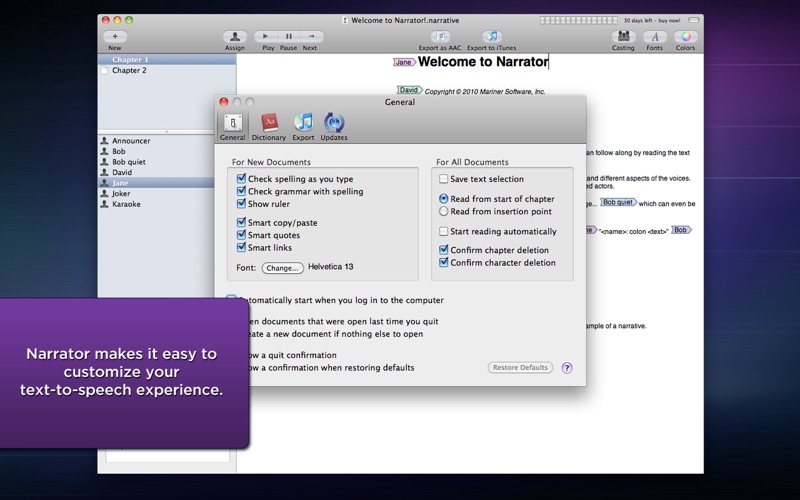
The Mac OS uses great voice synthesis, but let’s face it, it’s limited. You can’t necessarily assign voices to your text and, if you wanted to hear what different folks have to say – like in a group or a meeting, well, that’s really limited too.

Narrator changes all of that.

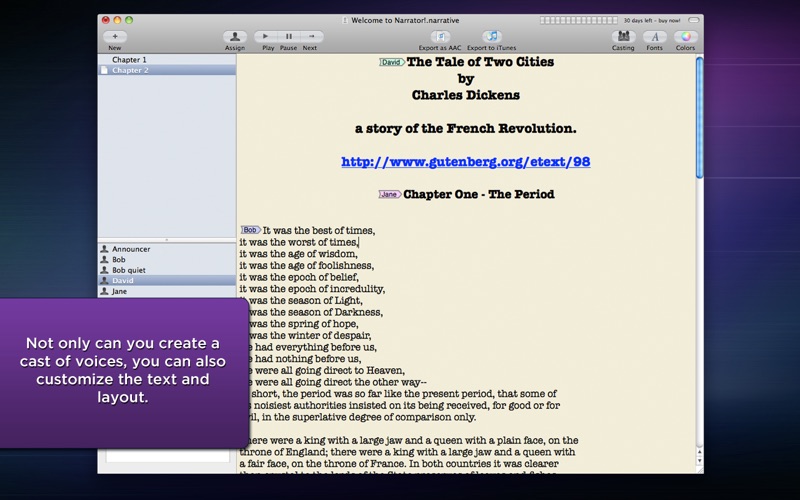
It’s simple, really. Just paste your text into the window or import an RTF, .txt or .doc file into Narrator and your letter, story – any text – is brought to life using voice synthesis. You can choose different voices, rates, pitches, inflections and volumes for each character you assign, giving your text a wide range of expressiveness. There are also silent read-along options for stage directions or for you to read out your own parts. And if you need more characters, you can purchase additional voices and in several languages by visiting our web site.

Narrator has its professional uses too. That business letter you’re ready to send to a prospective customer? Have Narrator read it out loud for you – you’ll know right away if what you wrote is what you want to have read. That big meeting where you took a lot of notes? Assign characters to each participant and listen again so you don’t miss anything.

You can even export speech directly to iTunes, where you can listen to it over and over, or sync it to your iPad, iPod or iPhone. This enables you to create your own audiobooks from text — for example, take a work of classic literature from Project Gutenberg, assign characters to the story and export to iTunes. There is also an export option for AAC sound files for use with other sound playing software, for example, using as a soundtrack in iMovie or as a screencast voiceover.

The possibilities are truly endless with Narrator.

En voir plus...

Quoi de neuf dans la dernière version ?

Fixed a permissions bug exporting files.
Fixed an AppleScript error that prevented iTunes import.
  • Screenshot #1 pour Narrator
  • Screenshot #2 pour Narrator
  • Screenshot #3 pour Narrator

Note

(0 note)

Détails sur l'application

Version
2.3.1
Taille
5.5 Mo
Version minimum de macOS
10.7
Dernière mise à jour
23/04/2015
Publié par
Mariner Software

Newsletter App Store

Recevez chaque jour les meilleures promos

Actualité Apple

Image iPhone : Apple a capté 49 % des revenus de smartphones au 2e trimestre, un record
iPhone : Apple a capté 49 % des revenus de smartphones au 2e trimestre, un record
Image L’iPhone Air 2 aurait une Dynamic Island plus petite et d’autres nouveautés
L’iPhone Air 2 aurait une Dynamic Island plus petite et d’autres nouveautés
Image iPhone 18e : les 9 Go de RAM se confirment un peu plus
iPhone 18e : les 9 Go de RAM se confirment un peu plus
Image Apple met à jour Shazam avec des autocollants iMessage pour l’album petal d’Ariana Grande
Apple met à jour Shazam avec des autocollants iMessage pour l’album petal d’Ariana Grande
iPhoneAddict Apps

Le catalogue iPhoneAddict pour suivre les nouveautés, mises à jour et baisses de prix de l’App Store.

Apps

Toutes les apps iOS iPhone iPad Universelles Mac Apple TV

iPhoneAddict

Actualité Apple Archives keynotes Contact À propos KultureGeek

Suivez-nous

©2009-2026 i2CMedia. Tous droits réservés.