New File Menu Lite
macOS / Productivité
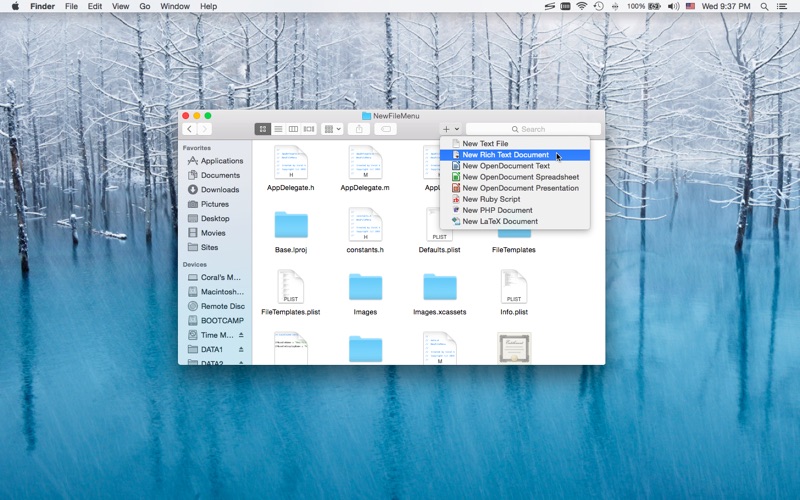
New File Menu lets you create new files quickly via the Finder context menu.
New File Menu is simply the coolest way to create a new file on the macOS platform, you can right click in any Finder window to create a new file! You can even right click on the desktop to create your files!
Important: New File Menu Lite is implemented as a Finder extension, you need to enable "New File Menu Lite Extension" in "System Preferences » Extensions" to make the context menu appear.
* Features
• Right click in any Finder window to create a new file
• Create new files via the "New File Menu" Finder toolbar button
• Create new files via the "New File Menu" share menu
• Create new files via drag and drop
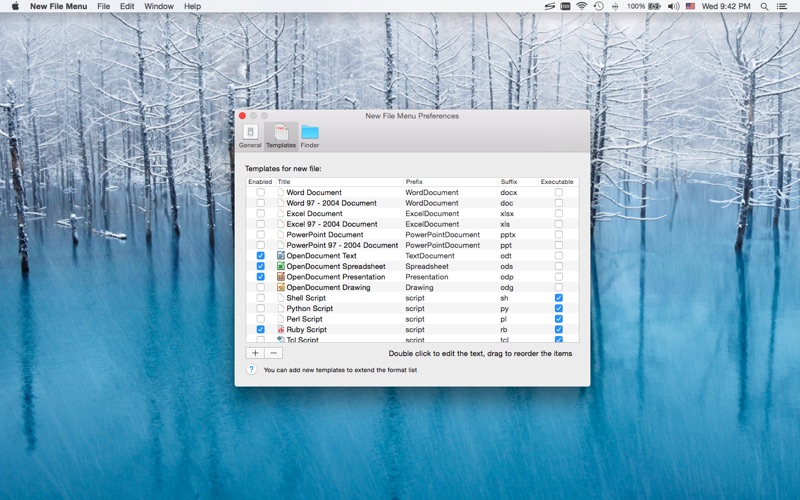
• Over 30 built-in file templates (please enable the templates you need in the New File Menu Preferences)
• Custom templates are supported, New File Menu is able to create virtually any kind of document
• Various options to configure the app behavior
• Create new files via quick actions in cloud storage folders
* Built-in File Types
• Plain text document
• Rich text document
• MS Office documents (Word, Excel, PowerPoint)
• iWork documents (Pages, Numbers, Keynote)
• OpenOffice / LibreOffice documents (Text, Spreadsheet, Presentation, Drawing)
• Scripts (Shell, Python, Perl, Ruby, etc.)
• Many other kinds of documents
* New File Menu Lite supports up to 3 templates, you can purchase the New File Menu full version to support more templates.
* FAQ
Q: I can't find the context menu to create a new file?
A: Please make sure that you've enabled "New File Menu Lite Extension" in "System Preferences » Extensions", and make sure that you've added the specific location to New File Menu preferences.
If the problem persists, please disable "New File Menu Lite Extension" in "System Preferences » Extensions" and then re-enable it. The last resort is to relaunch Finder or restart your computer.
Q: There is no file templates available, what can I do?
A: Please remove the "~/Library/Group Containers/85P8ZUTQL8.net.langui.NewFileMenuFree/Templates" folder and relaunch New File Menu, then the folder should be recreated. (Do remember to backup any important data in the folder before removing it.)
Q: Is it possible to add the context menu to mounted volumes?
A: Yes. You need to add the volumes to New File Menu preferences first.
Q: How to hide New File Menu from the Dock?
A: Please simply quit New File Menu, the context menu extension will continue to work.
Q: Is it possible to make the save panel appear faster?
A: Please enable the "Keep the helper app running in the background" option in the New File Menu preferences, so that the app launching process is skipped.
If you have any further questions, please visit https://langui.net/new-file-menu/ and leave a message.
Quoi de neuf dans la dernière version ?
• Fixed a bug affecting the Finder sidebar drive icon display.