ScratchPadIt
macOS / Productivité
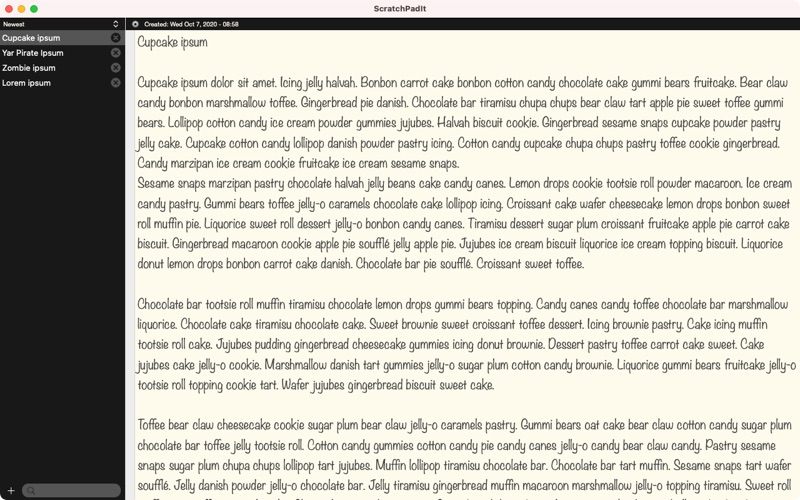
ScratchPadIt is a plain text note taking app for Mac built for speed and simplicity. It keeps a sidebar of
all your pages so you can switch between notes instantly, add new ones in one click, and delete them
whenever you are done. There is no inbox to manage, no folders, no tagging system. Just a clean list and a
wide open editor.
When you paste text from a website, document, or email, all the hidden formatting is stripped
automatically. No surprise fonts, no bold text carrying over, no invisible styling. What you paste becomes
plain text the moment it arrives.
The app can also reveal hidden Unicode characters in your text. Zero width spaces, non breaking spaces,
soft hyphens, and other invisible characters often sneak in when copying from the web or external tools.
They are harmless in casual notes but can silently break code, terminal commands, and API calls.
ScratchPadIt marks them visually so you can find and remove them before they cause a problem.
Each page has its own settings. Word wrap, line numbers, delete protection, and invisible character display
can all be toggled per page without affecting anything else. Global preferences let you set your font,
size, text color, and background color once and have it apply everywhere.
All your pages sync automatically across every Mac on your Apple ID via iCloud. There is no setup, no
account to create, and no sync button to press. Open the app on any of your Macs and everything is already
there.
Quoi de neuf dans la dernière version ?
Bugs around performance and saving notes. Implemented true invisible character detection. Added CloudKit integration for Mac apps.