Space Drop - Drag, Store, Drop
macOS / Productivité
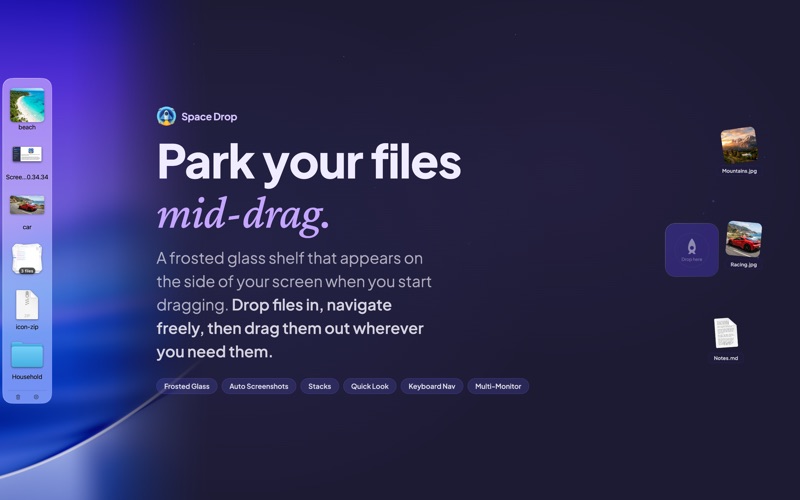
Park files mid-drag. Space Drop adds a frosted glass shelf to the side of your screen that appears the moment you start dragging. Drop files onto it, switch apps, browse folders, then drag them out wherever they need to go.
No more holding files hostage with your mouse.
WHAT IT DOES:
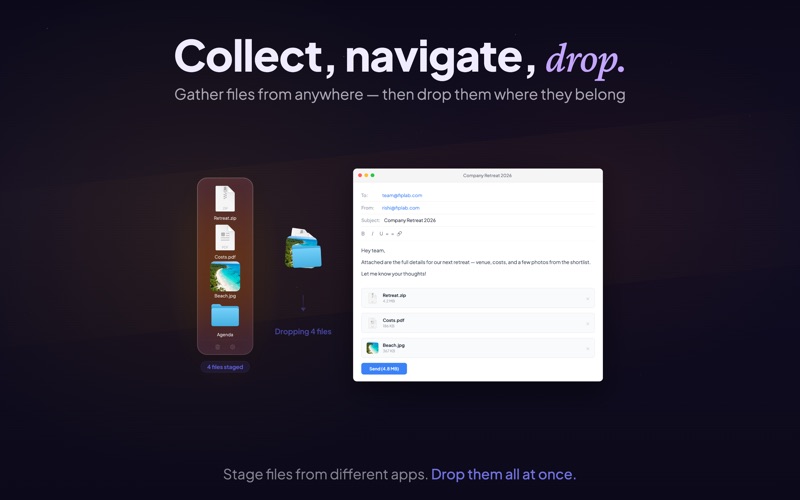
Drag files from any app onto the shelf. They stay there while you navigate. When you're ready, drag them out to their destination - a different folder, another app, an email, wherever.
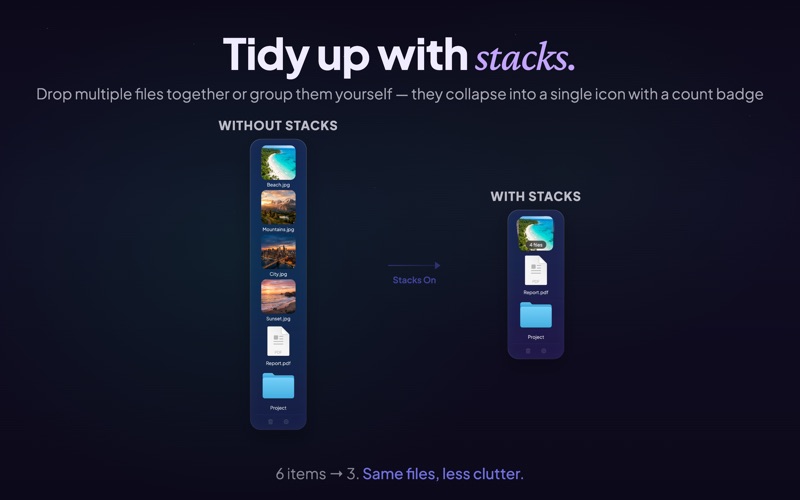
Drop multiple files together and they automatically form a stack, keeping your shelf tidy with a count badge.
FEATURES:
• Frosted glass shelf - blurs your desktop behind it, adapts to light and dark mode
• Stacks - drop files together or group them manually into a single icon
• Screenshot capture - every screenshot you take is automatically added to the shelf
• Keyboard navigation - arrow keys to browse, Delete to remove, Space for Quick Look
• Multi-monitor - the shelf appears on whichever screen your mouse is on
• Rocket Drop Zone - a compact drop target follows your cursor during drags
• Customizable - tint color, intensity, icon size, window position, file name display
• Menu bar drop - drag files directly to the Space Drop icon in your menu bar
• Copy or move - choose whether files are copied or moved when dragged out
• Works everywhere - full screen apps, Spaces, and virtually every Mac app
• Quick Look - preview files without leaving the shelf
• Launch at login - always ready when you are
Some features above require you to enable them via the app's preferences/settings panel.
GETTING STARTED:
Start dragging any file and the shelf slides in from the side of your screen. Drop the file, let go, navigate to where it needs to be, then drag it back out from the shelf. That's it.
Customize everything from the preferences - shelf position, tint color, icon size, keyboard shortcuts, and more.
Questions or feedback? Visit support.fiplab.com
Quoi de neuf dans la dernière version ?
Our biggest update ever for macOS Tahoe! Celebrating 10 years of Space Drop - please support us by leaving a review (it really helps) and writing in to us with your suggestions, we respond super quick! See changes below:
NEW
• Frosted glass shelf - the dock now blurs your desktop behind it with a beautiful glass effect
• Keyboard navigation - use arrow keys to browse files, Delete to remove, Space for Quick Look
• Edge-drag resize - drag the separator line to resize the shelf
IMPROVED
• New default settings - right-side positioning, larger icons, subtle tint
• Improved Stacks - badge count now displays how many files in a stack
• Larger file name labels across all dock sizes
• Better label spacing that scales proportionally with icon size
• Stack thumbnail aspect ratio - no more distorted images
• Adaptive colors for light and dark mode
• Footer icons (trash/gear) more visible
UNDER THE HOOD
• macOS Tahoe fully supported
• Bug fixes and performance improvements