unclutr files
macOS / Productivité
Unclutr Files is a fast, privacy-first duplicate finder and storage cleaner for Mac that helps you remove duplicate files, free storage, and understand exactly what’s taking space.
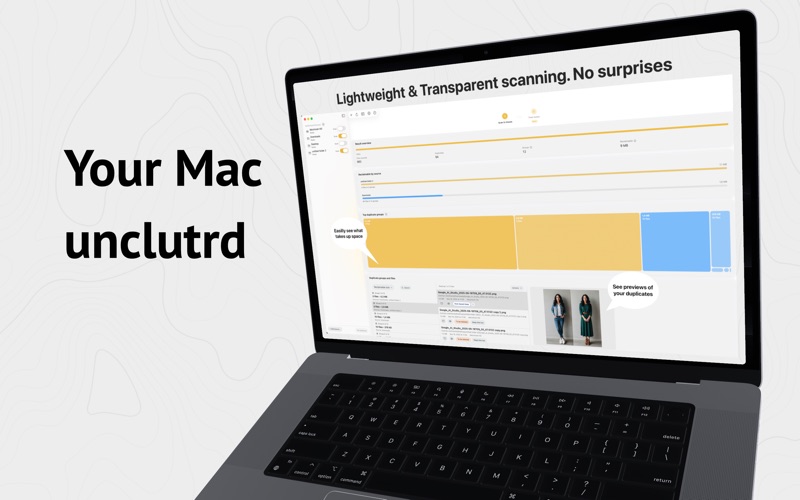
If your disk space is full or your folders are out of control, unclutr files gives you two things most tools don’t: **accurate duplicate detection** and a **visual storage map** to see your files at a glance.
### See your storage. Then clean it.
The new **Storage Map / Storage Visualization** lets you explore your disk space visually:
* Instantly spot large files and heavy folders
* Navigate your storage with an interactive map
* Zoom, pan, and drill into folders to find what matters
* Understand your storage before deleting anything
No guesswork. Just clarity.
### Powerful duplicate file cleanup
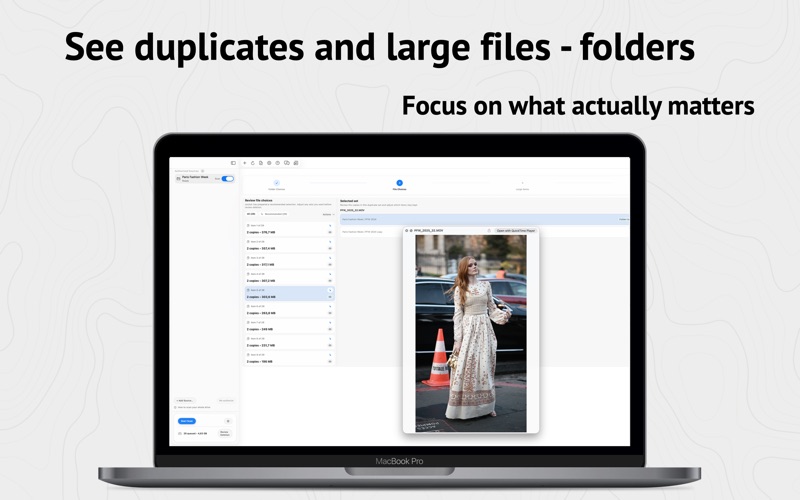
* Find **duplicate files** with exact byte-for-byte matching (no false positives)
* Reliable **duplicate finder** built for large libraries and real-world folders
* Smart grouping to compare duplicates quickly
* Rule-based keep options to speed up decisions
* Safe file cleanup workflow — nothing is deleted automatically
### Clean and reclaim disk space
* Identify **large files** eating your disk space
* Get clear reclaimable space estimates
* Clean storage across internal and external drives
* Reduce clutter in downloads, projects, and archives
* Designed to help you **free storage** without risk
### Built for macOS (and for sanity)
* Native Mac experience with a clean, fast interface
* Works with internal drives, external drives, and common folders
* Ignore rules for dev/build/cache folders to reduce noise
* Handles permissions and re-authorization gracefully
### Designed for safety
* 100% local — no files ever leave your Mac
* No “similar file” guesses — only real duplicates
* Full review before deletion
* Built on macOS security and sandboxing
### Great for
* Cleaning duplicate downloads and exports
* Managing large file collections
* Reclaiming SSD space
* Organizing external drives
* Keeping developer folders under control
Whether you’re looking for a **duplicate finder**, **file cleanup tool**, **storage cleaner**, or a way to visualize your **disk space**, unclutr files helps you clean smarter — not blindly.
Quoi de neuf dans la dernière version ?
This update focuses on stability, reliability, and performance:
- Improved responsiveness when working with very large file collections.
- Reduced hangs during scanning, reviewing duplicates, and opening Settings.
- Improved Map Mode performance for large datasets.
- Made moving files to Trash and undoing cleanup operations more reliable.
- Improved source-folder selection and admin-access workflows.
- Fixed several startup and background-processing issues.
- Additional crash fixes and general performance improvements.