John's Background Switcher
macOS / Style de vie
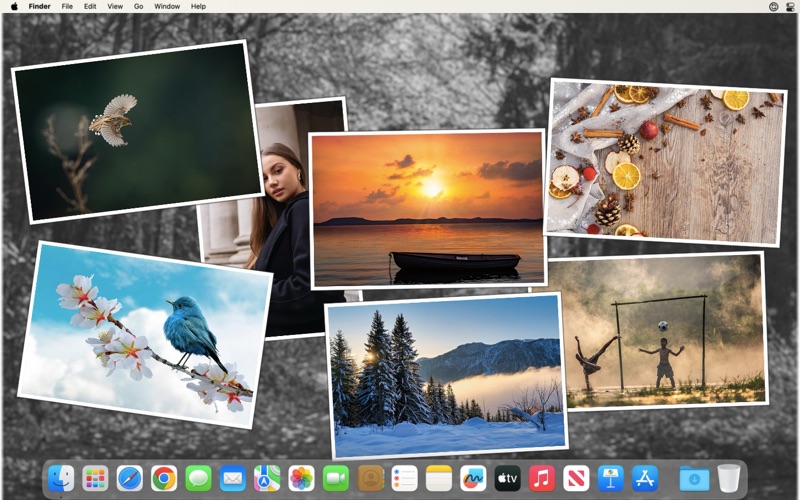
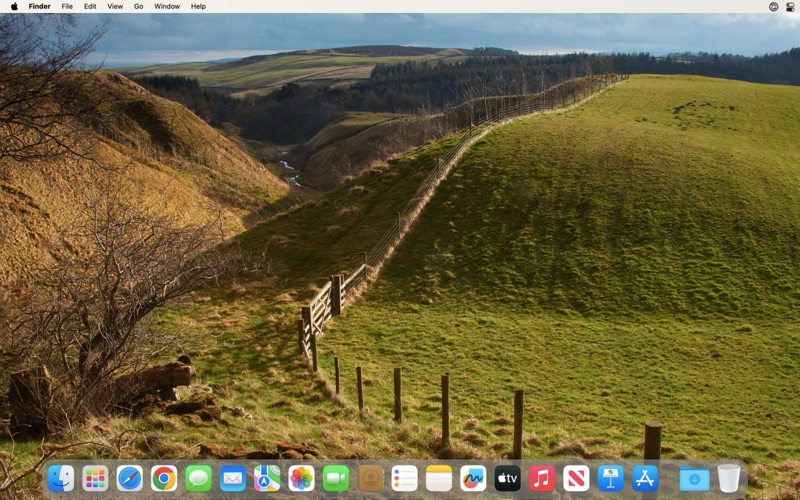
John's Background Switcher puts beautiful full-screen photos and stunning montages on your desktop. Choose the photos from your own collection on your Mac or websites like Flickr, Unsplash, Pixabay, SmugMug, Vladstudio, Immich and many more besides. You'll never know what's coming next - maybe photos from a recent holiday, landscapes from far and distant lands, pictures of small kittens or equally small dogs. If you're having a tough day, just take a look at your desktop and John's Background Switcher will get you through it!
Main features include:
• Show single photos or a variety of randomly generated beautiful montages on your desktop
• Choose photos from folders on your Mac or from the Photos app (with full support for iCloud photos)
• Rich Flickr, Unsplash, SmugMug, Pixabay, Vladstudio, Pinterest, Pexels, Wallhaven, Immich, Dropbox and OneDrive (personal) integration
• Media RSS photo feeds (so you can use a great many more photo sites)
• Multiple monitor support (show the same background all monitors, different pictures on each monitor or only on one monitor)
• Switching intervals from every 10 seconds to 7 days
• A variety of post processing effects like grayscale, sepia and desaturation
• Lots of new features in the works for future versions (plus if you'd like to see anything, let me know!)
Once set up JBS quietly runs in the background changing your desktop and stays out of your way. If you don't love it, tell me what you'd like it to do from the support link and I'll add it as soon as I can! And remember, I'm a real person called John so be nice. :)
Quoi de neuf dans la dernière version ?
This version adds shortcuts for common actions, photo shuffling to prevent repeats, improves the collage speed and increases the number of tiles you can have along with improving the readability of captions on pictures. Full details below!
• Added shortcut keys for next, previous, clear, preferences and play / pause - you can change them on the Switching tab
• Added the option to shuffle through stable source photos (i.e. local pictures, Apple Photos and Immich) to avoid repeats - on the Switching tab you can either stick with random selection every time or shuffle and prioritise sources or individual photos
• Using a new text drawing method so captions on postcards and the wallpaper info should be easier to read
• Increased the maximum number of collage pictures to 40 and dramatically speeded it up
• The JBS preferences is no longer "always on top" and will show in the dock when opened
• Updated the image library to the latest version (bringing more performance improvements)
• Added support for the newly released Immich 3
If you have any problems or suggestions then don't hesitate to contact me at support@johnsadventures.com and I'll be happy to help you out!