Calculeta: Menu Bar Calculator
macOS / Utilitaires
Calculeta lives in your menu bar. Click the icon and do the math right there — without leaving what you're working on. No Dock icon, no window to manage, no app to switch to.
WHY THE MENU BAR
Opening a full calculator app breaks your focus. Calculeta drops down from the status bar, gives you the number, and gets out of the way.
COPY AND PASTE THAT ACTUALLY WORKS
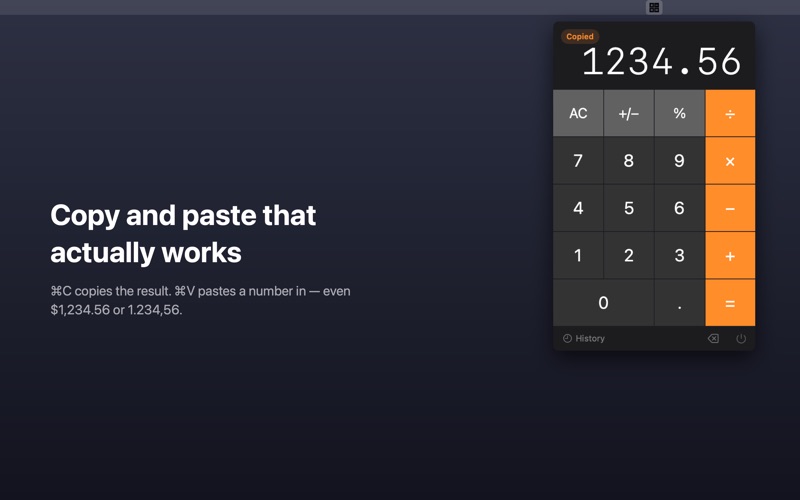
• Press ⌘C — or just click the display — to copy the current result
• Press ⌘V to paste a number in. Calculeta reads real-world formats, not just bare digits: $1,234.56, 1.234,56, ₺149,99 and 1 234.5 all work
• Click any line in the history to copy just its result
HISTORY
Your last 10 calculations stay one click away. Open the panel, click the result you need, paste it wherever it's going.
FULL KEYBOARD CONTROL
Numbers, + − × ÷, Return for =, ⌫ to backspace, Esc to clear. Your hands never leave the keyboard.
ALSO IN THERE
• Percent and sign toggle
• Press = repeatedly to replay the last operation
• Sandboxed, with no network access at all — no analytics, no account, no tracking
Calculeta is a one-time purchase. No subscription and no ads, ever.
Quoi de neuf dans la dernière version ?
• Copy and paste, for real this time. ⌘C copies the result, ⌘V pastes a number in — including formats like $1,234.56 and 1.234,56.
• Click the display to copy it. Click any history entry to copy just its result.
• History now keeps your last 10 calculations.