Floating Date and Time
macOS / Utilitaires
Floating Clock keeps the date and time — plus world clocks and task timers — in a small, always-visible window on your Mac desktop. Then it quietly steps out of the way.
Perfect for when you hide the menu bar or work in full screen. Lightweight, highly configurable, and it lives in the menu bar.
• Always-visible date and time in a frosted, non-obtrusive window
• Up to three world clocks with labels and day-offset indicators
• Task countdowns plus an unlimited number of timers, from one second to many hours, with notifications
• Nine preset positions, free dragging, three custom positions, and full multi-monitor support
• Fully customizable — date and time formats, locale, font size, colors and opacity
• Configurable global hotkeys for the clock, timers, drag mode and adding tasks
• Caps Lock indicator with an optional popup on change
• Quietly hides when your pointer gets close
Quoi de neuf dans la dernière version ?
• International clocks — show up to three time zones under the main clock, each with its own label and a day-offset indicator.
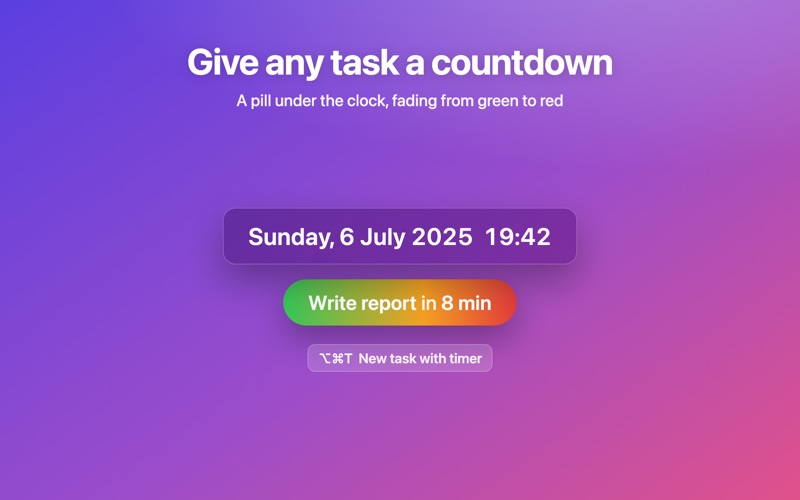
• Tasks with a timer — give any task a countdown with a global shortcut; a pill under the clock shows the one finishing soonest, fading from green to red.
• Works everywhere — the clock, its pills and your timers now follow you across every Space and stay visible over full-screen apps.
• A refreshed, native macOS interface throughout.