Hash/Check
macOS / Utilitaires
Hash/Check is the no-nonsense (okay, maybe a little nonsense) hash calculator for macOS.
Drop a file — any file — and Hash/Check instantly serves up its MD5, SHA1, SHA256, SHA384, and SHA512 fingerprints. Copy a hash from the internet, and Hash/Check quietly checks whether your download is the real deal. Green means go. Red means… maybe don't open that.
Works the way you work:
- Drag & drop files onto the window, or use the menu bar extra for quick checks without leaving your flow
- Clipboard magic — copy a hash from anywhere and Hash/Check matches it automatically
- Finder Quick Actions — right-click any file to hash it on the spot via Shortcuts
- Downloads watcher — turn on "Monitor Downloads folder" and Hash/Check keeps an eye on new arrivals. When the app is open, it asks if you'd like to hash them. When you're running lean in the menu bar, it just goes ahead and does it
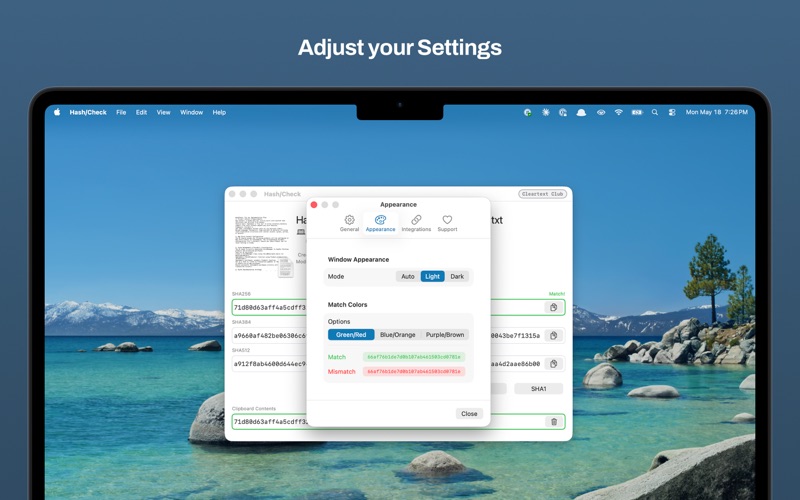
- Dark mode, light mode, auto mode — Hash/Check follows your lead
No subscriptions. No telemetry. No funny business. Just hashes.
Quoi de neuf dans la dernière version ?
Hash/Check got some upgrades. Nothing too flashy — just the good kind.
GitHub copies weird. Hash/Check is ready.
- Copying a hash from a GitHub release page tacks on a prefix like `sha256:` before the actual hash. Hash/Check now quietly strips that off and matches correctly. No manual editing required.
Monitor Downloads folder
- Turn it on in Settings and Hash/Check keeps watch over your Downloads folder. Pop open the app window and a friendly banner will ask if you want to hash whatever just landed. Running in the menu bar? It'll just hash it automatically and have the answer waiting for you.
A few things that were mildly annoying are now not annoying:
- The app no longer shows a "Calculate Hashes" button on a blank screen when nothing is loaded
- The menu bar popover now respects the "Monitor Downloads folder" setting instead of cheerfully loading your latest download whether you wanted it to or not