LaunchD Task Scheduler
macOS / Utilitaires
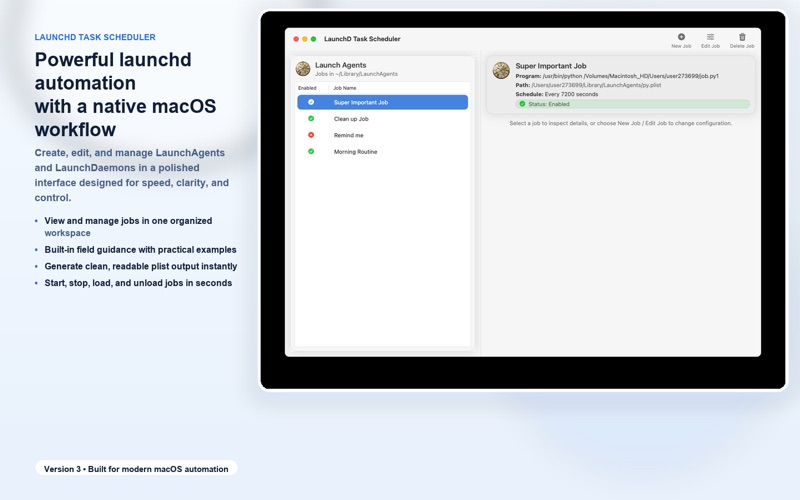
Launchd Task Scheduler makes macOS automation powerful, visual, and easy to manage.
Create, edit, and control LaunchAgents and LaunchDaemons with a polished native interface - without fighting XML by hand.
KEY FEATURES
- Visual launchd editor for fast, accurate plist creation
- One-click job control: load, unload, start, and stop jobs instantly
- Built-in field help with examples inspired by launchd.plist guidance
- Clean, readable plist output for safer reviews and easier maintenance
- Advanced configuration tabs that keep complex options organized and approachable
WHY LAUNCHD TASK SCHEDULER
If you rely on launchd for scripts, services, or automation, this app gives you the control of expert workflows with the speed and clarity of a modern native macOS tool.
FULL FEATURES & BENEFITS
Simple Setup (Tab 1)
- Configure labels, programs, arguments, and schedules quickly
- Set interval and calendar-based triggers with confidence
- Use practical controls for common launchd workflows
Benefit: Get reliable jobs running faster with fewer setup errors.
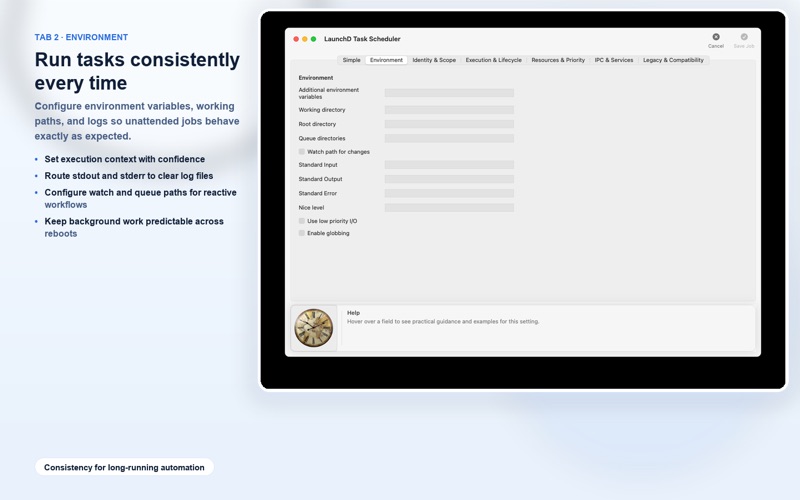
Environment & Execution Context (Tab 2)
- Configure environment variables and working directories
- Define queue/watch paths for event-driven workflows
- Route stdout/stderr to logs for easier troubleshooting
- Tune runtime behavior with priority-related options
Benefit: Keep unattended tasks predictable and easier to diagnose.
Identity & Scope (Tab 3)
- Set user/group execution context
- Control where jobs load using host/session/hardware constraints
Benefit: Deploy safely in real-world environments, including shared and managed Macs.
Lifecycle & Reliability (Tab 4)
- Configure keep-alive and restart behavior
- Tune timeout and throttling-related options
- Apply lifecycle settings in a clear, structured UI
Benefit: Build stable automation that behaves correctly over time.
Resources & Performance (Tab 5)
- Configure soft/hard limits and execution-related controls
- Apply resource settings to protect system responsiveness
Benefit: Run background automation responsibly on production machines.
IPC & Service Workflows (Tab 6)
- Configure service-oriented fields such as Mach services, sockets, and launch events
Benefit: Support advanced launchd scenarios without losing clarity.
Legacy Compatibility (Tab 7)
- Keep legacy/deprecated keys separated from modern options
Benefit: Modernize safely while maintaining compatibility with older jobs.
Central Job Management
- Browse installed jobs and manage them from one place
- Edit with confidence using structured forms and readable output
Benefit: Save time, reduce mistakes, and simplify long-term maintenance.
Quoi de neuf dans la dernière version ?
-tweaks and fixes