Maximum Power: Battery Utility
macOS / Utilitaires
Your battery is talking, let MaximumPower translate.
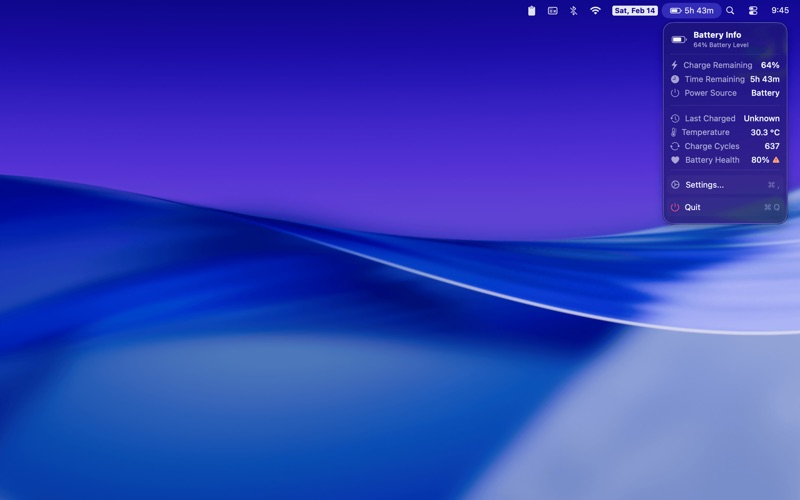
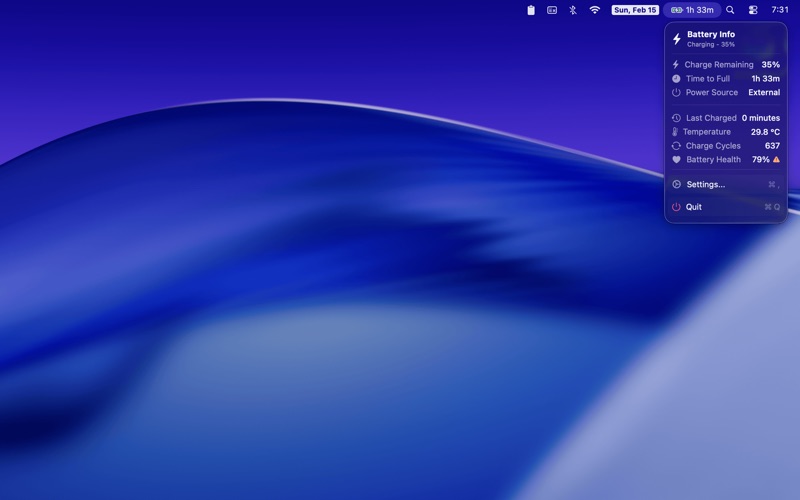
MaximumPower lives in your menu bar and gives you instant access to the detailed power information macOS doesn't show you.
Know exactly what's happening inside your battery with the most up-to-date estimate math can provide.
See what matters at a glance
A color-coded battery icon shifts from green to orange to red as your charge drops, so you always know where you stand without opening a thing.
Time remaining or time to full (when charging) sits right next to it.
Click the menu bar icon to see charge cycles, battery temperature, health percentage, voltage, or last charged time.
Built for modern macOS
- Updated for Liquid Glass
- Full VoiceOver, keyboard navigation, and Dynamic Type support
- Requires macOS Sonoma (14.0) or later
Quoi de neuf dans la dernière version ?
Version 1.11
- Improve battery status icon in the menu bar by using a better method of outlining the charging indicator (bolt) icon
Version 1.10
- Replaced SF Symbols-based battery indicator with new custom battery icon indicator
- Battery fill color now transitions through five zones — red (≤15%), orange (16–30%), yellow (31–40%), system default (41–74%), and green (>74%)
- Fully charged state now correctly shows green fill even when plugged in