PCalc
macOS / Utilitaires
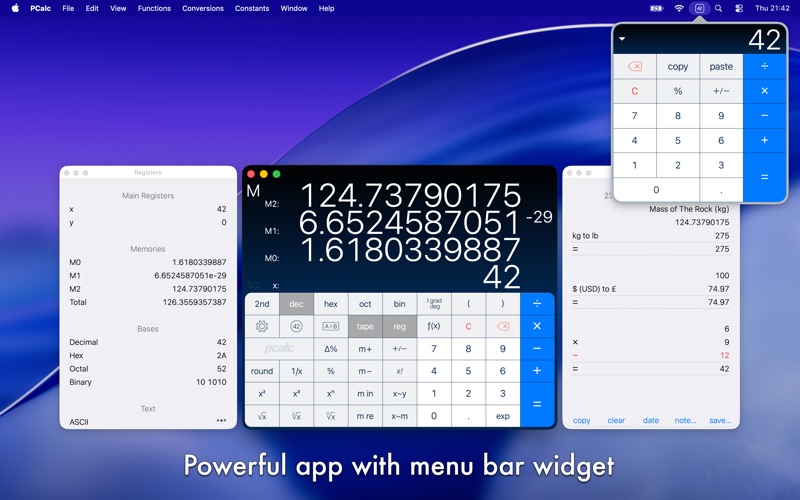
PCalc is the powerful choice for scientists, engineers, students, programmers, or indeed anybody looking for a feature rich calculator. It includes an optional RPN mode and multi-line display, a choice of button layouts, an extensive set of unit conversions and constants, a paper tape, multiple undo and redo, engineering and scientific notation, as well as support for hexadecimal, octal, and binary calculations.
Quoi de neuf dans la dernière version ?
Added an option to show labels on the buttons for 2nd functions, in the Advanced settings.
Added an option to use woodworking fractions, in the Advanced settings.
Added an option to use the Indian numbering system for thousands separators, in the Advanced settings.
Added an option to ignore trailing operators, on by default, in the Advanced settings.
Added an option to automatically press Equals before "M+" and "M in" operations, on by default, in the Advanced settings.
Added an option to hide any gloss effects on the display, in the Theme settings.
Added "Flow Rate", "Jewelry", and "Typography" sections to the conversions.
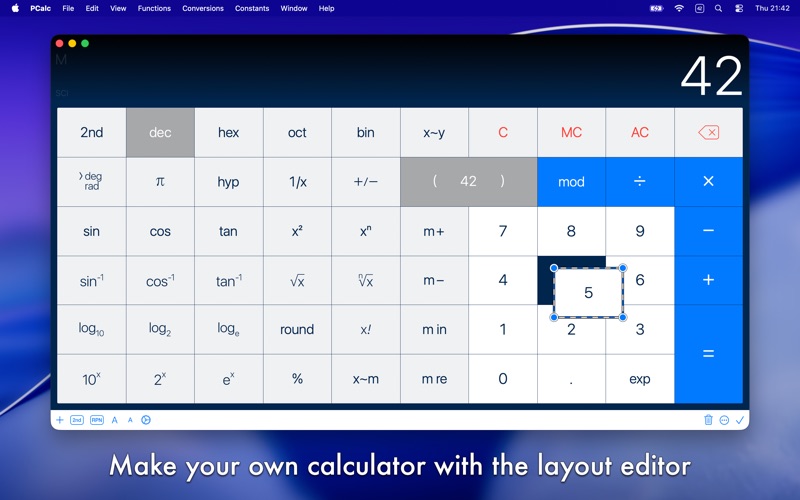
Added "norm", "sci", "eng", "acc", "frac", "nCr", "nPr", and "tau" buttons to the layout editor.
Added "tau" to the constants, and as a 2nd function of "pi" in most layouts.
Improved the user interface of the layout editor.
The "Clear on Open" option will now only trigger if you haven't used PCalc in the last five minutes.
You can now use combinations and permutations in user functions and conversions.
You can now resize the main window even smaller than before.
You can now edit buttons to display any SF Symbol as an image.
Now show a preview image when picking an SF Symbol.
Fixed a problem with the layout editing toolbar.
Fixed a problem undoing button edits.
Fixed a problem selecting themes from the View menu.
Fixed a problem speaking negative numbers.
Fixed a problem displaying overflows.