Rename It
macOS / Utilitaires
Rename It is an easy-to-use batch file* renaming tool that saves you time and energy.
Notable Features:
• A simple to use interface makes renaming your files easy.
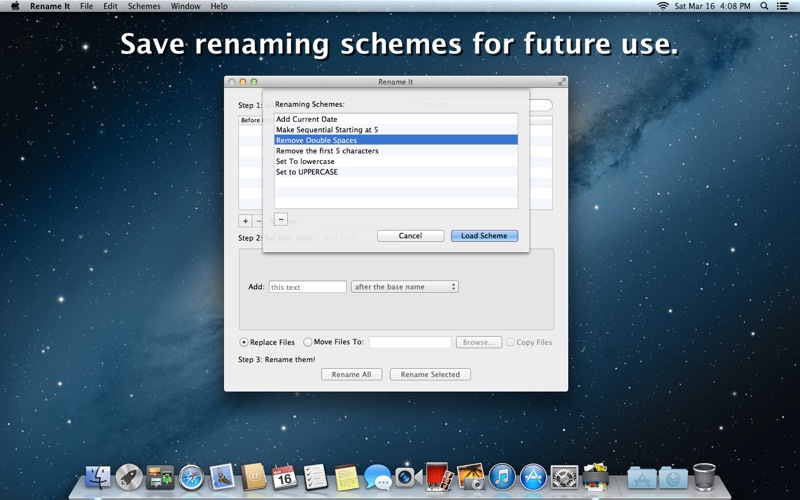
• Save your customized renaming schemes for future use.
• A handy preview window allows you to see the original file names as well as a live preview of the final file names.
• When renaming files, you can replace the original files, move the newly named files, or copy the newly named files.
• Drop files on the app icon in the dock to quickly add files to the renaming list.
• Use system services to quickly select files from the Finder to rename (You may need to log out and back in before this takes effect).
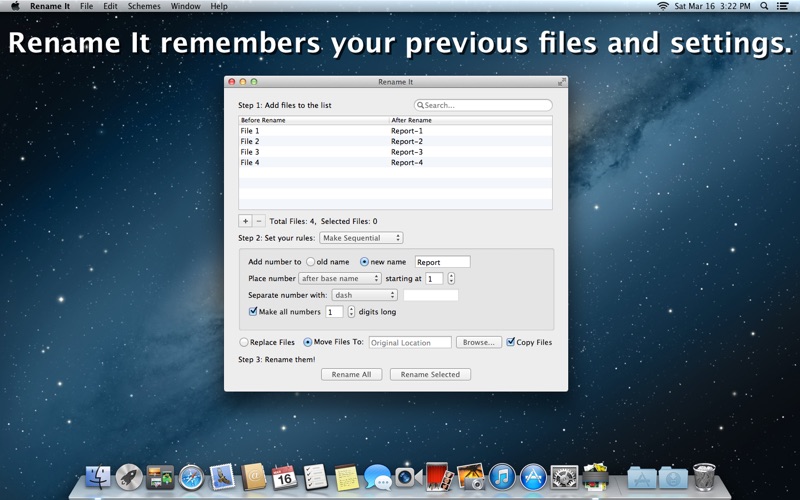
• Rename It remembers your settings and files from the previous session.
• QuickLook files right from the file list.
Renaming Schemes:
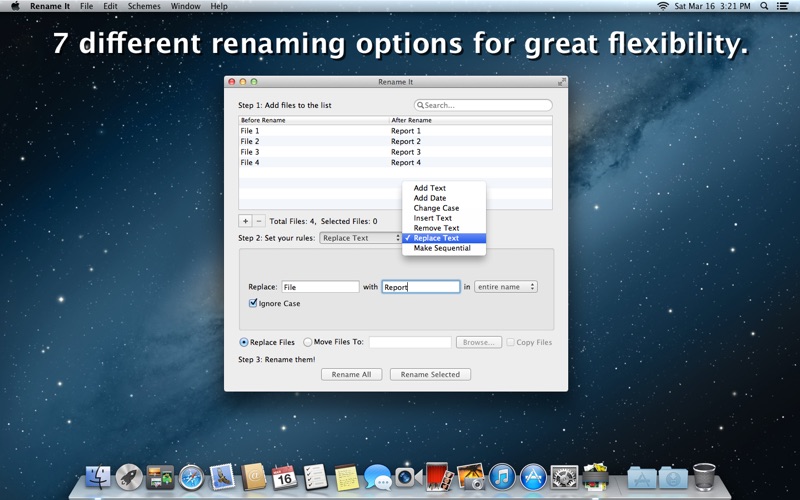
• Add Text: Allows you to add given text before or after the file's base name or extension.
• Add Date: Allows you to insert a chosen date, the current date, the file's date created, or the file's date modified into the file name.
• Change Case: Allows you to change a file's name to lowercase, uppercase, or title case.
• Insert Text: Allows you to insert given text at a given point in the file name.
• Remove Text: Allows you to remove a given number of characters from the beginning of the file name, the end of the file name, or within a range.
• Replace Text: Allows you to replace given text with other text.
• Make Sequential: Allows you to append a running count to the file's original name, or a new name.
*Please Note: Rename It does not currently support renaming folders.
Quoi de neuf dans la dernière version ?
Bug Fix:
- Fixed a bug that prevented Rename It from launching after quitting the app with files left in the file list.
What's new in version 1.4:
New Features:
- Added the ability to save renaming schemes for future use.
- Rename It remembers the renaming scheme, file list, and output options from the previous session.
- New preference enables you to turn on/off alerts for items that were not added to the file list.
- New icon
Bug Fixes:
- Fixed an issue that prevented preferences from saving.
- Fixed an issue where '/' turned to ':' and prevented rename.
- Fixed an issue where dates were off by a day due to a time zone localization error.
- Fixed an issue where copying to the original location does nothing.
- Other bug fixes.