Secure File Share Server
macOS / Utilitaires
Secure File Share Server turns your Mac into a private file portal for your local network. Share selected folders, control who can upload or download, and let people access your files from a browser on iPhone, iPad or another Computer.
Your files stay on your Mac. There is no external cloud storage required. Just choose the folders you want to share, create users, set permissions, and start your local web portal.
Key features:
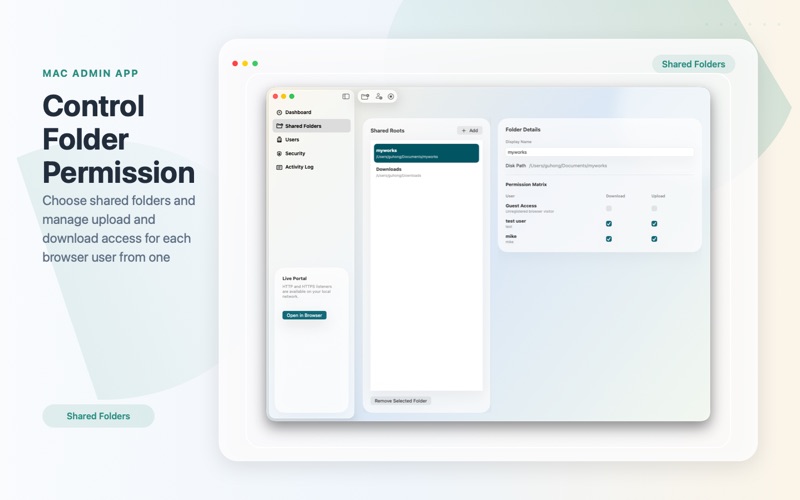
Share selected folders from your Mac through a clean browser-based portal
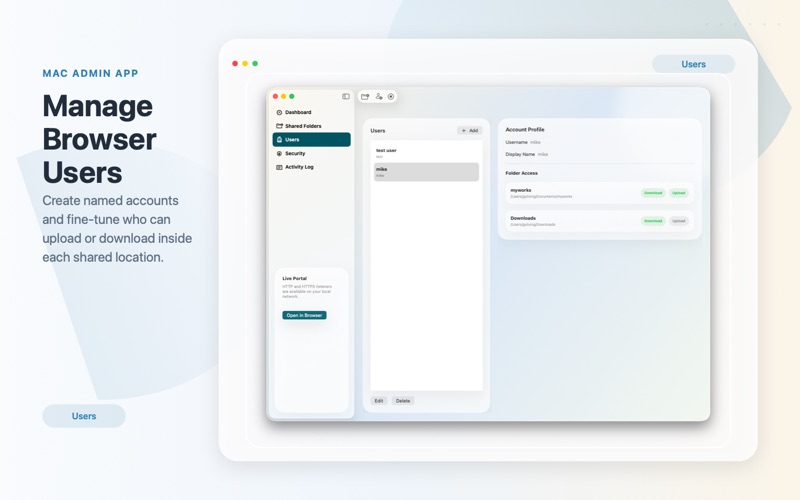
Create browser users and manage per-folder upload and download permissions
Upload very large files with a streaming transfer system built for large media, archives, and project files
Download files and folders from any device on your local network
Edit supported text files directly in the browser
Preview images and play videos online without downloading first
Stream media with seeking support for a smoother playback experience
Use HTTP or enable HTTPS for more secure local access
Work with sandbox-approved folder access designed for macOS
View activity logs to monitor server events and file actions
Secure File Share Server is ideal for home, office, studio, lab, and classroom environments where you want fast local file access without relying on third-party cloud services.
Quoi de neuf dans la dernière version ?
New UI design
Improve performance