Transceive
macOS / Utilitaires
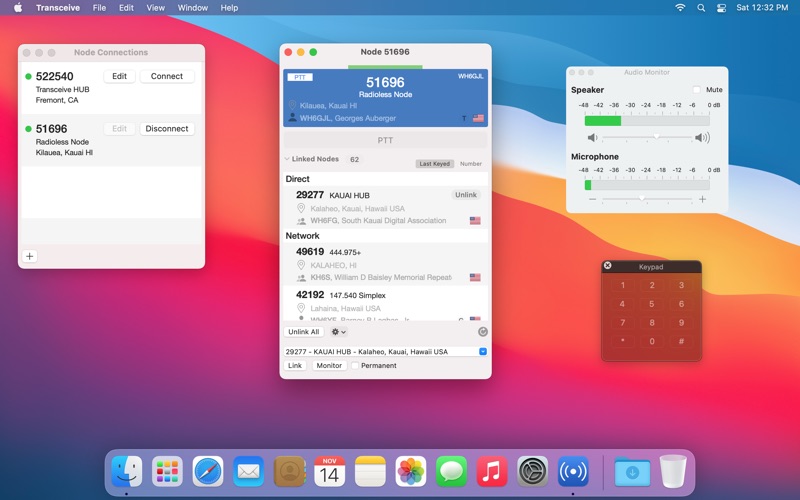
Transceive allows amateur radio operators to connect to their AllStar node from anywhere in the world. Operators can administer linked nodes, monitor traffic, and transmit audio, all from the comfort of their Mac.
You will either need an account on the node you are connecting to or register for an AllStar account and use it to connect to public nodes.
ALLSTAR PUBLIC AUTHENTICATION
• Connect directly to public nodes with your AllStar account. Experience the AllStarLink network without the complexity of setting up your own node. A callsign is required to sign up for an AllStar account.
NODE CONNECTIONS
• Account information is stored for every node you manage. Passwords are securely stored in the macOS keychain.
• Hostname and port for public nodes are automatically looked up via DNS so you don't have to remember specific IP addresses.
• Node indicators let you know if your node becomes unreachable due to change in network conditions, for example when connecting to a new WiFi.
• Connect to up to 8 nodes at the same time.
• Nodes can be set to automatically connect when the application opens.
AUTOMATIC IDENTIFICATION
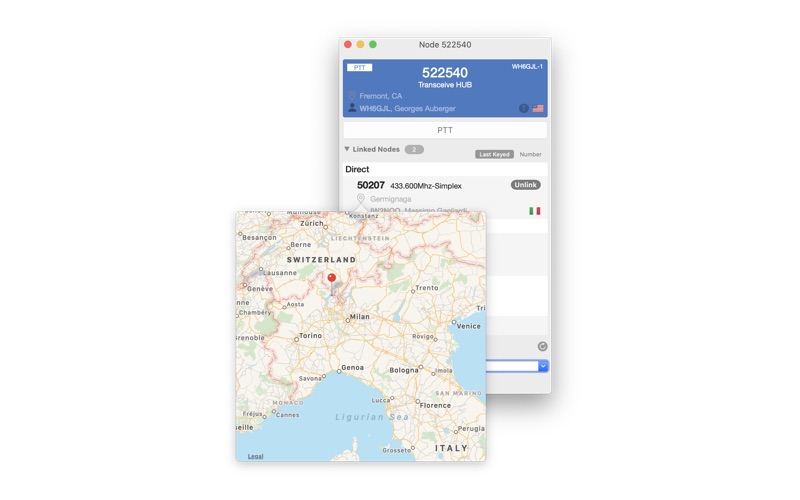
• Node attributes and location are displayed for each node.
• Callsign details such as name, license type and country are looked up automatically. (Availability varies by country of callsign issuance.)
• Node locations can be visualized on a map by clicking on the pin icon.
STELLAR AUDIO
• Experience high quality audio from any sources connected to your Mac.
• Monitor and adjust audio levels with the help of a calibrated audio monitor panel.
• Full duplex support.
RADIO LIKE
• Transmission is activated by holding down the PTT button or the SPACE bar.
• When transmitting, a timeout timer is displayed to help you avoid timing out a repeater.
• Latching PTT option provides a hands-free experience.
LINKED NODES MANAGEMENT
• Quickly link your node to other nodes on the network.
• Identify keyed nodes as they transmit.
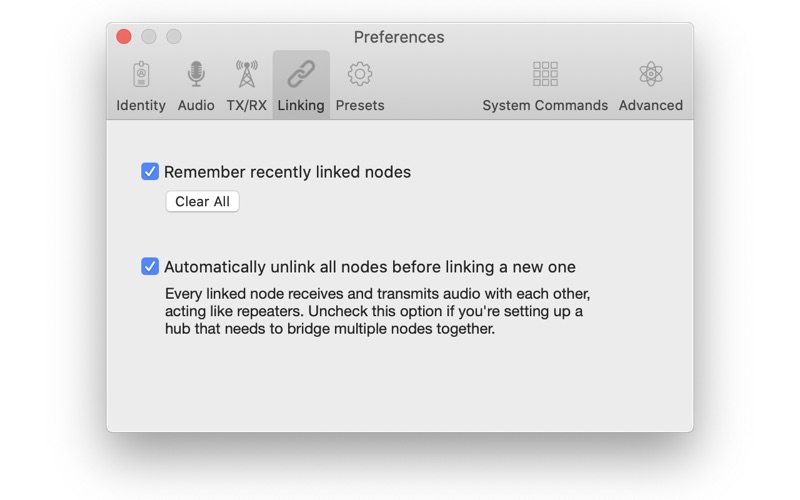
• A history of previously linked nodes is preserved for easy access in the future.
• Automatic unlinking prevents you from inadvertently linking multiple nodes together. This feature can be turned off when necessary, for example when managing a hub.
CUSTOMIZATION
• Modify built-in DTMF commands to match your specific node configuration.
• Define your own DTMF sequence presets for quick access to frequent operations.
KEYPAD
• A keypad allows you to enter arbitrary DTMF commands for your node.
Transceive is independently developed and not affiliated with AllStarLink or its developers.
Quoi de neuf dans la dernière version ?
Fixed compatibility issues with macOS 27.