ActiveTime FHO+
iOS Universel / Medecine
ActiveTime is a time tracking and billing app designed specifically for Ontario physicians under the FHO+ payment model.
Simple Time Entry
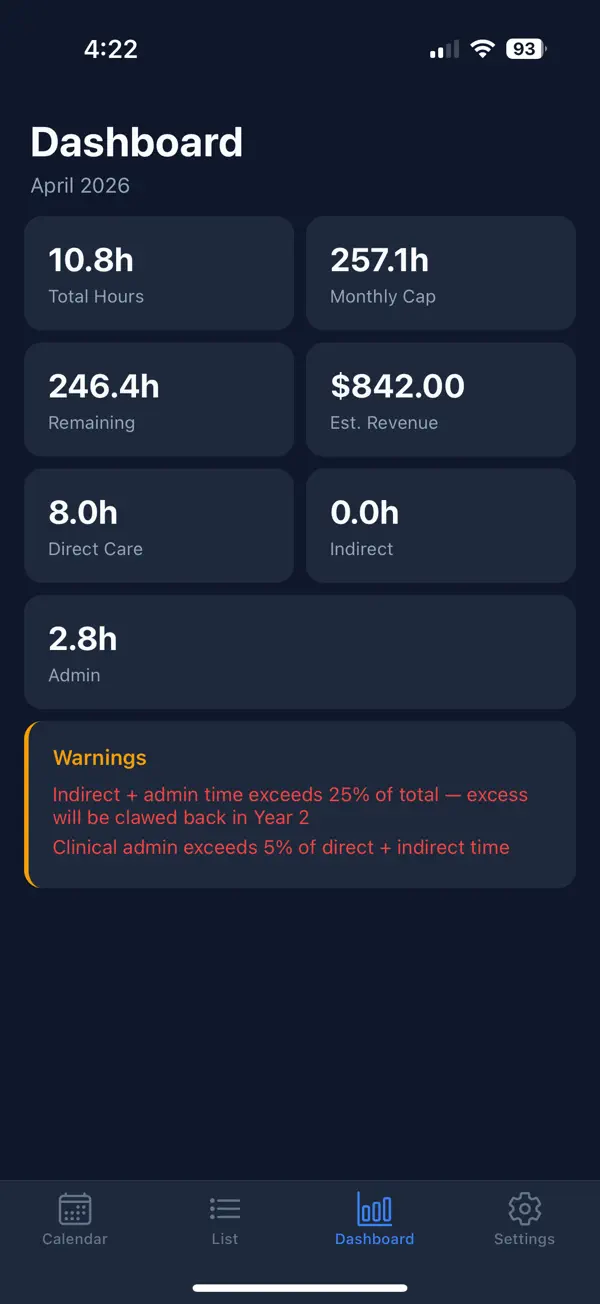
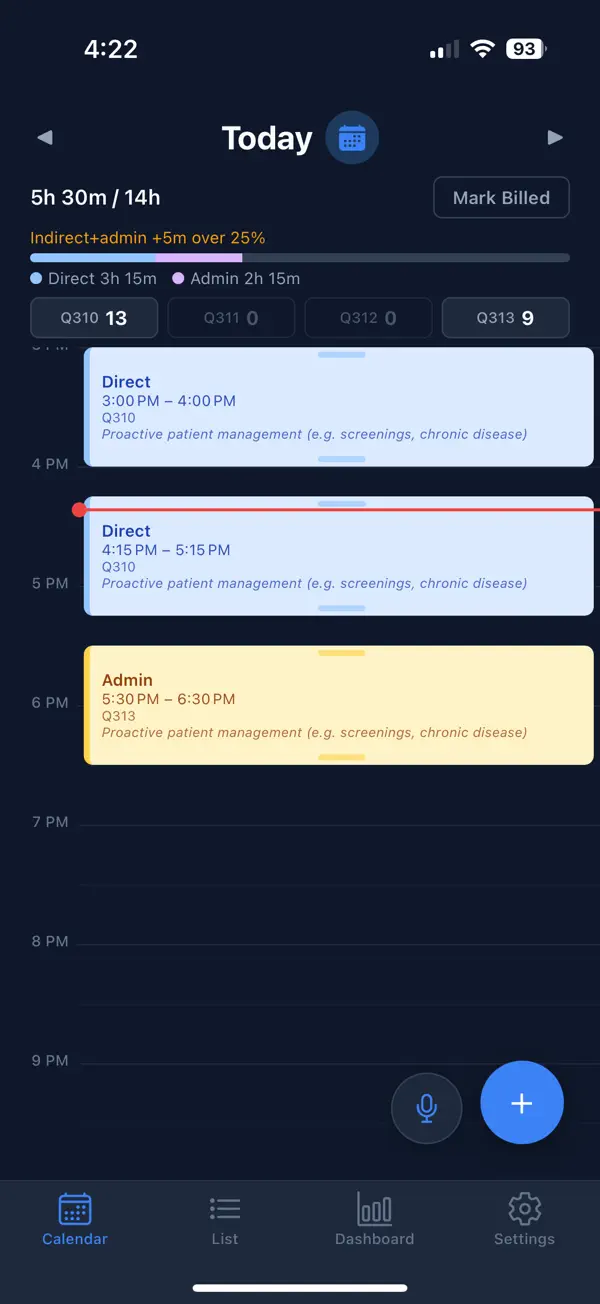
Log your billable hours across all four FHO+ fee categories — Direct Care (Q310), Telephone/Remote (Q311), Indirect Care (Q312), and Clinical Admin (Q313). Enter time in 15-minute increments with automatic rounding and fee code assignment.
Real-Time Cap Monitoring
Stay on top of your billing limits. ActiveTime tracks your daily 14-hour cap, monthly rolling cap (prorated to 240 hours), and the 25% indirect/admin ratio — so you never over-bill or leave money on the table.
Daily and Monthly Summaries
See exactly where your time goes. Review daily breakdowns by category, track your monthly totals, and compare revenue across billing periods.
After-Hours Premium
Eligible direct care hours are automatically flagged for the 50% after-hours premium, ensuring you capture every dollar you've earned.
Built for Compliance
ActiveTime follows the FHO+ regulation effective April 1, 2026, including all billing rules, category caps, and submission workflows required by the Ontario Ministry of Health.
Secure and Private
Your data is encrypted in transit and at rest. OHIP billing numbers and personal health information are never exposed.
Quoi de neuf dans la dernière version ?
Export your monthly billing summary by email or share it to another app, plus fixes to the New Entry time picker