Contraction Timer (Pregnancy)
iPhone / Medecine
As a father who has witnessed childbirth, this app aims to reduce the burden placed on mothers.
Have a safe delivery and be happy~
---- Contraction Timer (Labor Tracker, pregnancy) ---
This contraction time has been designed for mothers facing childbirth to time the contractions easily.
Focus was put on exposing the contraction cycle (contraction period + intervals) which is considered to be the most important information when timing contractions.
If you have any additional suggestions or inquiries, please leave a message.
[Main features]
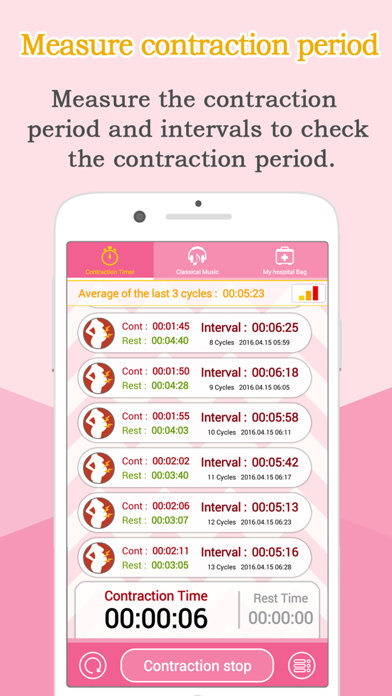
1. Displays the contraction cycle (contraction period + intervals) by measuring the contraction period and intervals.
2. Displays the result of contractions in a graph or list.
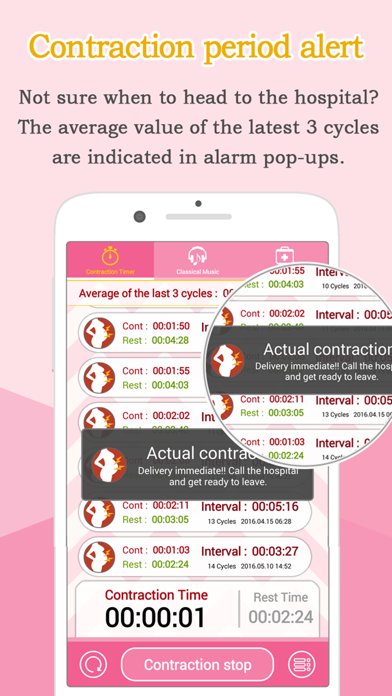
3. In case the average of 3 contraction cycles is within 10 minutes, “Prepare for hospitalization” message will be displayed and in case it is within 5 minutes, “Actual contractions” message will be displayed.
4. The contraction records measured previously can be checked through the menu.
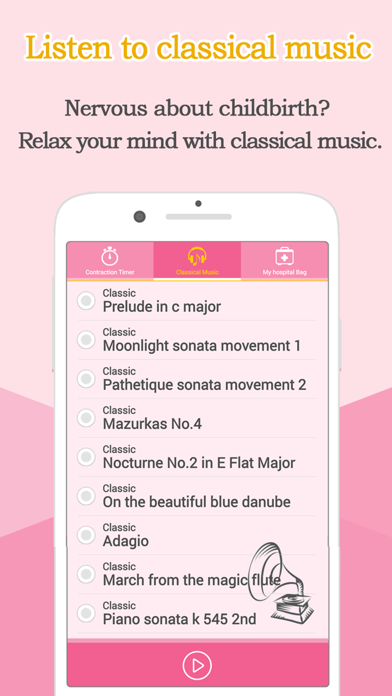
5. Provides classical music to relieve tension.
6. Provides a list of things to prepare for childbirth (checklist).
[How to use] It’s quite simple~
1. Once the contractions begin, press the “Contraction start” button
2. Once the contractions stops, click the “Contraction end” button
3. Once the contractions begin again, repeat No. 1~2 for use.
4. If you press the “Reset” button, the measurements will be initialized and will automatically be saved in the History menu. (The existing measurements can be checked in the History menu.)
[How to read the graph]
1. If the Graph icon is pressed when there is a record of contraction measurements, a graph will be indicated.
2. The red bar in the graph refers to the contraction period.
3. The green bar in the graph refers to intervals.
4. The bar with the combination of the red and green refers to the cycle.
5. The red horizontal line indicated in the graph refers to “Actual contractions”.
---- Contraction Timer (Labor Tracker, pregnancy) ----
Quoi de neuf dans la dernière version ?
minor bug fixes