Find My Hearing Aids App
iPhone / Medecine
Having the ability to check your phone for where your hearing aids might be hiding! We can help you to find your misplaced hearing aid(s)!! Check out what the app can do for you below:
THREE BLUETOOTH PROXIMITY RADARS:
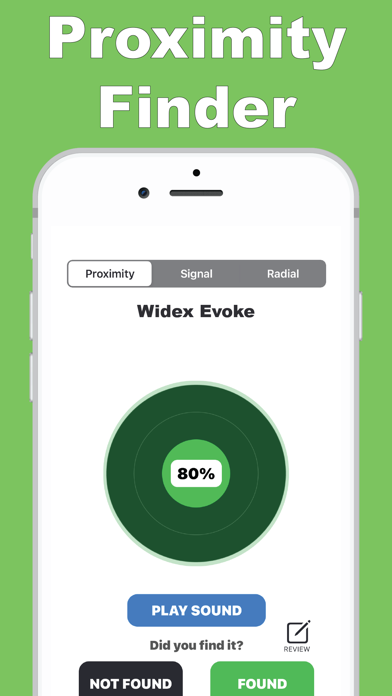
There are three radar tools to find your missing hearing aid(s) using Bluetooth Low Energy proximity. These Bluetooth proximity detectors show hints, Bluetooth Low Energy signal strength, and estimate the distance between you and your lost hearing aid. See more details below:)
BLUETOOTH LOW ENERGY:
The Signal Proximity Radars work with any BLE (Bluetooth Low Energy 4.0 and up) smart hearing aid(s).
The hearing aid you lost must have a charge and be transmitting a BLE signal (Bluetooth Low Energy) to be found with by the Bluetooth Low Energy proximity tools.
BLUETOOTH LOW ENERGY PULSE SIGNAL RADAR:
The closer you are to your missing hearing aid, the higher the Bluetooth low energy signal percentage. As you get closer to your missing hearing aid, the colors will change from Red, Orange, Yellow, Green(green means that your lost hearing aid is very near to you!).
BLUETOOTH LOW ENERGY RADIAL PROXIMITY RADAR:
The closer you get to your missing hearing aid the further the radial indicator will move to the RIGHT. If you can get the radial indicator to move to the right; then your hearing aid is very close. Have a look around and you will find it!
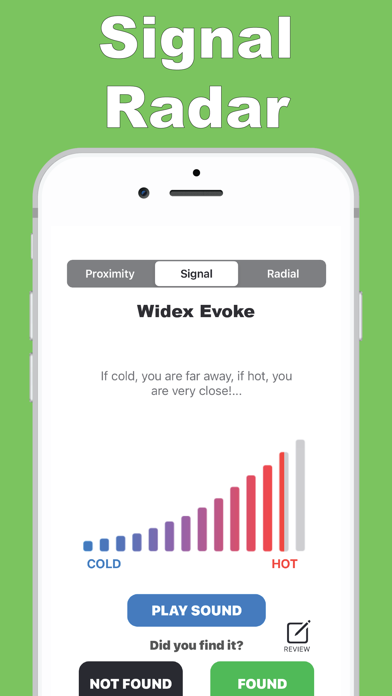
BLUETOOTH LOW ENERGY HOT/COLD SIGNAL RADAR:
The closer you are to the your missing hearing aid, this signal radar goes from COLD to HOT. Cold means blue, red means hot.
SOUND
Find your lost hearing aid by playing an alert song along with visual indicators from the radars above.
FREE VERSION:
On the free version, if you do not see your hearing aid listed in the devices list. Please do not unlock the app. If you cannot see your missing hearing aid in the devices list, this means that your hearing aid was lost too far away for Bluetooth Low Energy proximity detection, or that your hearing aid battery is out of power.
SUPPORT:
ab.barnes2023@yahoo.com
Quoi de neuf dans la dernière version ?
- Small bug fixes