AeroWX - Aviation Weather
iOS Universel / Météo
AeroWX gives pilots fast, readable preflight weather without the clutter. Built around a cockpit-friendly dark theme, it puts flight-critical data front and center — from your favorites list to the interactive weather map.
WEATHER MAP
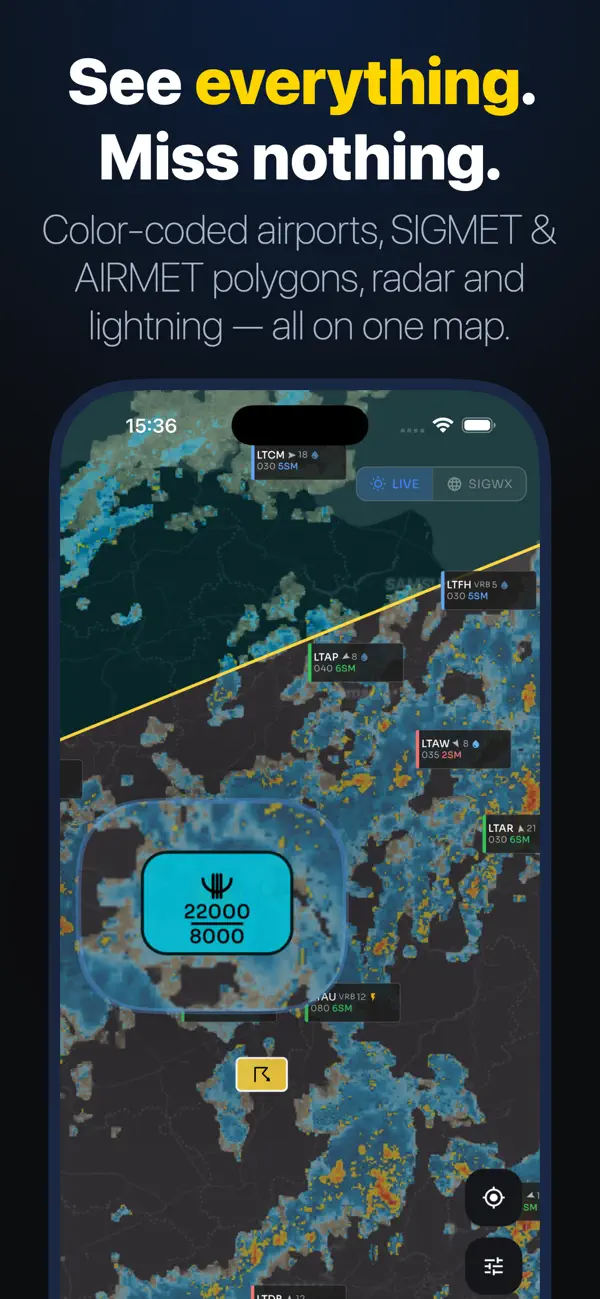
The map is the heart of AeroWX. Every airport is marked and color-coded by flight category — green for VFR, blue for MVFR, red for IFR, magenta for LIFR. Tap any marker for an instant decoded METAR summary without leaving the map.
Layer on what you need: NEXRAD precipitation radar (US) and European radar, NEXRAD storm tops, live lightning strikes, and SIGMET/AIRMET hazard polygons filterable by type — icing, turbulence, convection, IFR conditions, mountain wave, and more. Switch to SigWX mode for significant weather chart overlays.
METAR & TAF
Decoded METAR cards highlight what matters: wind speed and gusts, visibility, ceiling, temperature, dewpoint, and weather phenomena. Risk values are color-highlighted — caution in amber, severe conditions in red — so hazards jump out at a glance. Toggle to raw text anytime. TAF displays period-by-period with flight category per segment and full FM/TEMPO/BECMG/PROB breakdown.
ATIS
Live ATIS for your selected airport, always one tap away from the station detail view.
NOTAMs
Active NOTAMs for any airport worldwide, categorized and keyword-highlighted so critical items — runway closures, TFRs, navaid outages — stand out from routine notices.
FAVORITES & HOME
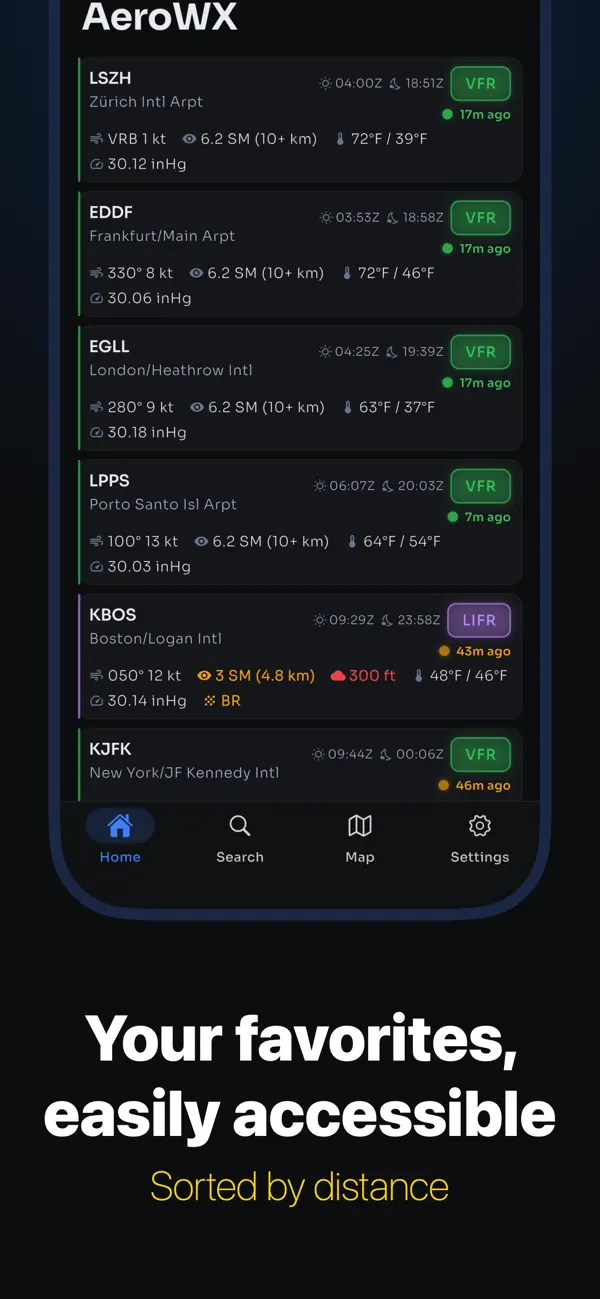
Your favorites list shows each airport's current flight category, decoded weather summary, and civil dawn/dusk times at a glance. Airports are sorted by distance from your current position. Pull to refresh, swipe to remove, or long-press to open directly in the map.
OFFLINE
AeroWX keeps working when connectivity drops. Cached METAR, TAF, and NOTAM data is served with clear staleness indicators. Map tiles can be pre-downloaded by region for full offline use.
UNITS & SETTINGS
Fully configurable: temperature (°C/°F), wind speed (kt/mph/m/s), altimeter (inHg/hPa), visibility (SM/km), and elevation (ft/m). Light and dark theme. Minimum runway length filter to declutter the map for your aircraft type.
IPAD
Adaptive layouts throughout — master-detail home screen, navigation rail, and a collapsible map sidebar with layer controls.
AeroWX Pro unlocks the full app after a 7-day free trial. Subscribe monthly or annually — cancel anytime.
Terms of Use (EULA): https://www.apple.com/legal/internet-services/itunes/dev/stdeula/
Quoi de neuf dans la dernière version ?
- Folders — group your favourite airports any way you like, right from the home screen
- Drag to reorder airports and folders — put what matters most at the top
- Sort by nearest — any folder can rank airports by distance from you