AC-X
iPad / Musique
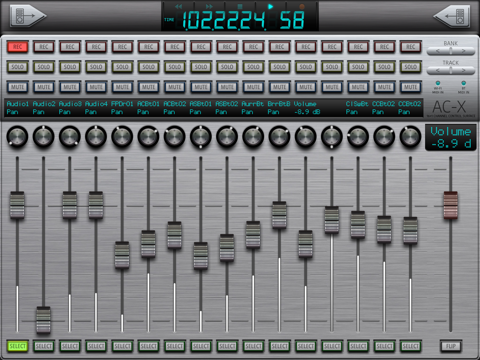
Introducing AC-X, a 16 channel wireless control surface for Apple’s Logic Pro X and other recording/mixing systems.
It uses Wi-Fi and/or Bluetooth for connecting to the host computer.
(MIDI over Bluetooth LE requires compatible hardware and operating systems - see below for details)
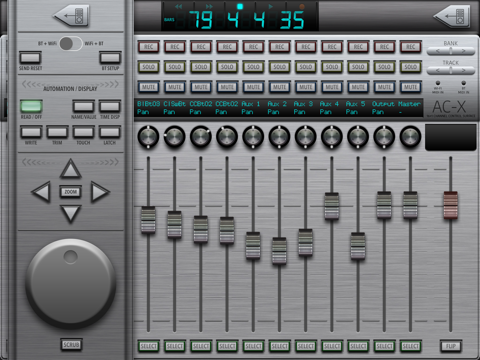
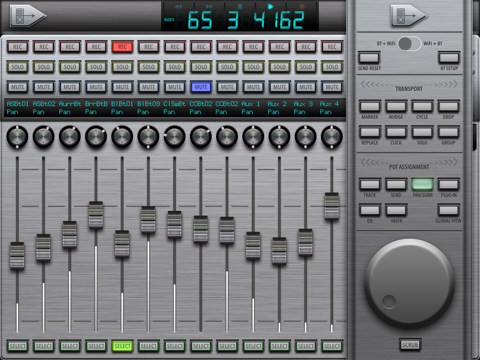
It was designed to maximise screen real estate for hands on mixing, whilst also giving quick access to deeper functions via a slide-in control panel which can be summoned to either side of the mixer screen. This ensures the channels you need to access are never obscured.
Likewise, the transport buttons (play, stop etc) are integrated into the time display at the top of the screen to always be available.
The app uses the industry standard MCU protocol, so should work with most recording/mixing software out there (but not Pro Tools yet). For the initial release, the control panel button layout is set up for Logic Pro X… but the main mixing screen should work with most other systems too. We will add button layouts for more systems when we have completed testing them.
UPDATE: We have added control layouts for:
*MOTU Digital Performer
*Cubase
*Reaper
*Ableton Live
*Reason
*Studio One
*Adobe Audition
If you’re system is not supported, drop us an email at saitarasoftsupport@gmail.com and we’ll try to get it added.
Compatibility:
Remember that you don’t need an existing Wi-Fi network. Indeed you can sometimes get better results by creating a private Wi-Fi network between your Mac and the iPad.
Your iPad needs iOS 8 and Bluetooth 4.0 in order to use the MIDI over Bluetooth system (basically iPad 3rd generation or newer), but will happily run in 8 channel mode using Wi-Fi only.
The host computer also needs Bluetooth 4.0 and OS X 10.10 Yosemite for MIDI over Bluetooth, older OS X versions can support Wi-Fi only (8 channels).
If using Wi-Fi only, flip the switch in the control panel to “Wi-Fi + BT”
If using Bluetooth only or Bluetooth AND Wi-Fi, switch to “BT +Wi-Fi”
Quoi de neuf dans la dernière version ?
This app has been updated by Apple to display the Apple Watch app icon.
Added control layouts for:
*MOTU Digital Performer
*Cubase
*Reaper
*Ableton Live
*Reason
*Studio One
*Adobe Audition